MCS-BMS-GATEWAY
30
Revision: 2.A
The latest update to the user interface utility called FieldServer Toolbox has been introduced. This updated
utility is available on the web for all FieldServer Gateways and enables users to easily:
1. Search the local network for any connected FieldServers.
2. Select the FieldServer and launch either the current user-friendly browser-based interface to help set-
up, congure and diagnose the FieldServer.
NOTE: The ProtoCast gateway is not supported by the FS Toolbox. For gateways updated with FieldSafe,
diagnostic captures cannot be taken with the FieldServer Toolbox but has been integrated into the FS-GUI
conguration page.
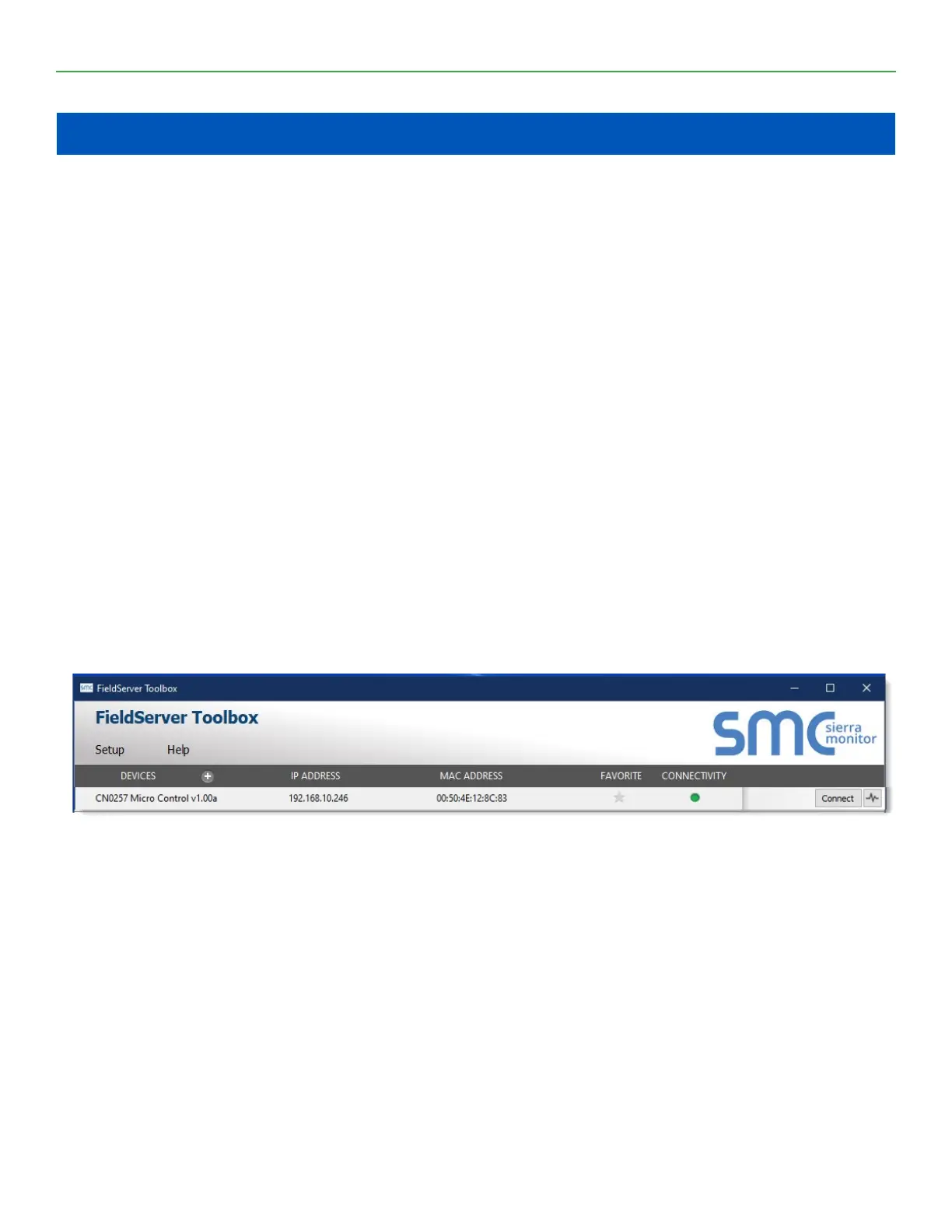
The following information is viewable for connected FieldServers found by the FieldServer Toolbox:
DEVICES – Lists the device name.
IP ADDRESS – Shows the IP Address of the listed device.
MAC ADDRESS – Shows the MAC Address of the listed device.
FAVORITE – Click to mark this as a favorite device. The device information will show whether the device is
found or not.
CONNECTIVITY – The light shows the level of connectivity for the device. Green is full connectivity. Yellow
is limited connectivity. Blue is limited IP connectivity. And red is connectivity lost.
BUTTONS – These buttons allow multiple functions. The Connect button jumping straight into a device’s
FS-GUI or Web Congurator page via default Internet browser. The Heartbeat button allows taking
diagnostics for the device.
NOTE: For detailed descriptions on any of these items or additional information check the help menu.
Download the MCS-BMS-GATEWAY - FS Toolbox at:
https://mcscontrols.com/communications.html - “FieldServer Toolbox-1.08aC-Setup.exe
FieldServer Graphical User Interface (FS-GUI)
FieldServer Gateways come with the web-based FS-GUI making it easy to check the status, congure
and diagnose your FieldServer. Information such as network settings, node information, map descriptors,
and transfer of les. The web browser interface can even be set up with your own logo and background if
desired.
Each of the pages on the FS-GUI includes specic FieldServer information and features described below.
NOTE: Click the Help button at the bottom of any page to view the Keyboard Shortcut and General
Navigation list.
Chapter - 3. FIELDSERVER TOOLBOX


 To Next Page