MCS-BMS-GATEWAY
31
Home
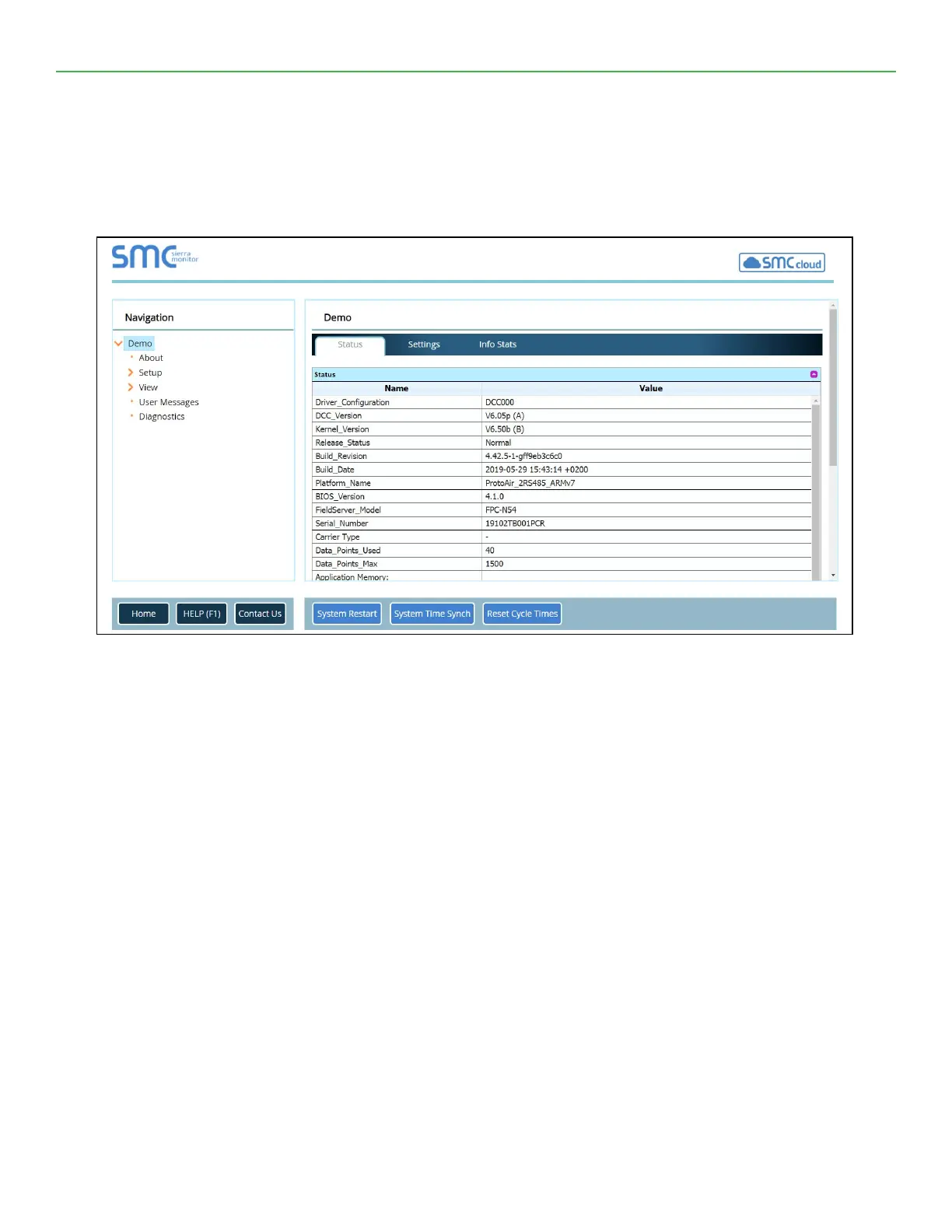
Allows the user to check the status of the FieldServer gateway, including the conguration code, version,
memory, gateway type and more. Under “Settings” the user has access to important network information.
NOTE: The “System Restart” button at the bottom of the page is used to restart the FieldServer gateway
(only on the Home page).
About
Allows the user to check current rmware of the FieldServer gateway plus version identication of the
interface and skin, plus con- tact information. Skin is either the default FieldServer template or it can be a
specic template specied by the OEM customer.
Setup
Select “File Transfer” to upload les to the FieldServer gateway including conguration les, rmware up-
grades and more. Select “Network Settings” to access and modify network connection.
View
Select “Connections” to view activity of devices connected to the FieldServer gateway ports.
Select “Data Arrays” to view the Data Arrays setup in the gateway and the user can click on the specic
Data Array for detailed information.


 To Next Page