© Microhard 37
4.0 Configuration
System Log Server IP
The pMDDL5824 can report system level events to a third party System
Log server, which can be used to monitor events reported by the
pMDDL5824.
IP Address
0.0.0.0
System Log Server Port
Enter the UDP listening port of the System Log Server. The default port
number is generally 514, but could vary from Server to Server.
UDP Port
514
Time Settings
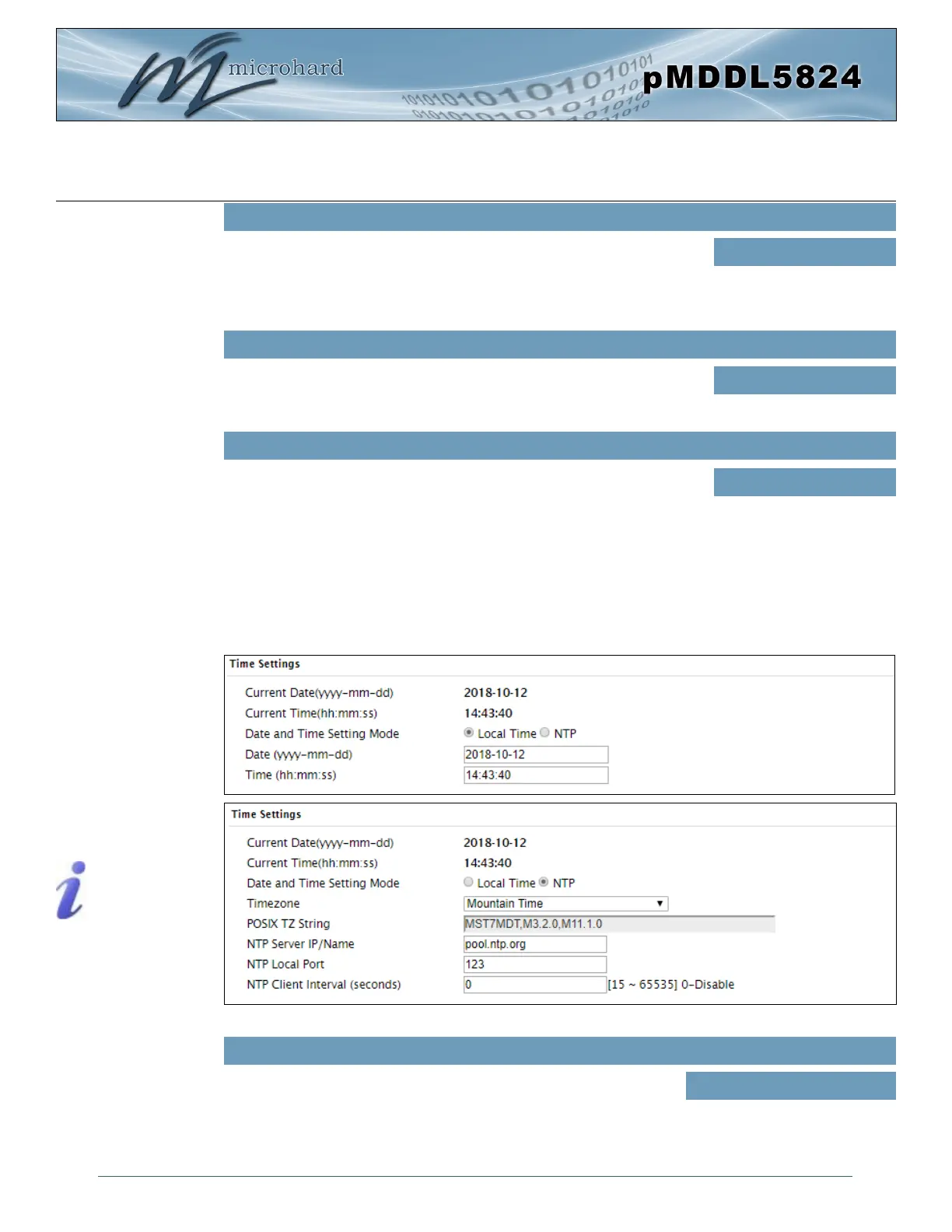
The pMDDL5824 can be set to use a local time source, thus keeping time on its own, or it can be
configured to synchronize the date and time via a NTP Server. The options and menus available will
change depending on the current setting of the Date and Time Setting Mode, as seen below.
Image 4-1-3: System Settings > Time Settings
Network Time Protocol (NTP)
can be used to synchronize the
time and date or computer
systems with a centralized,
referenced server. This can
help ensure all systems on a
network have the same time
and date.
Date and Time Setting Mode
Select the Date and Time Setting Mode required. If set for ‘Local Time’
the unit will keep its own time and not attempt to synchronize with a
network server. If ‘NTP’ is selected, a NTP server can be defined.
Values (selection)
Local Time
NTP
CFG Reset to Default Button
Enabled by default, when the CFG button on the front of the pMDDL5824 is
held down for 10s while the unit is powered up, the unit will reset and all
settings will be reset to factory defaults. When disabled the unit will reset,
but the settings will not be overwritten.
Values (Selection)
Enable
Disable



 To Next Page