© Microhard 79
4.0 Configuration
Image 4-5-3: Serial > Settings Configuration
4.6.3 Serial > Gadget
This tab only appears if the pMDDL5824 has been set to operate as a USB Device (Pin 72 connected to
GND through a 1k resistor). Microhard USB Serial Composite Drivers are available which allow the
pMDDL5824 to appear as a serial device to a USB Host (PC etc.)
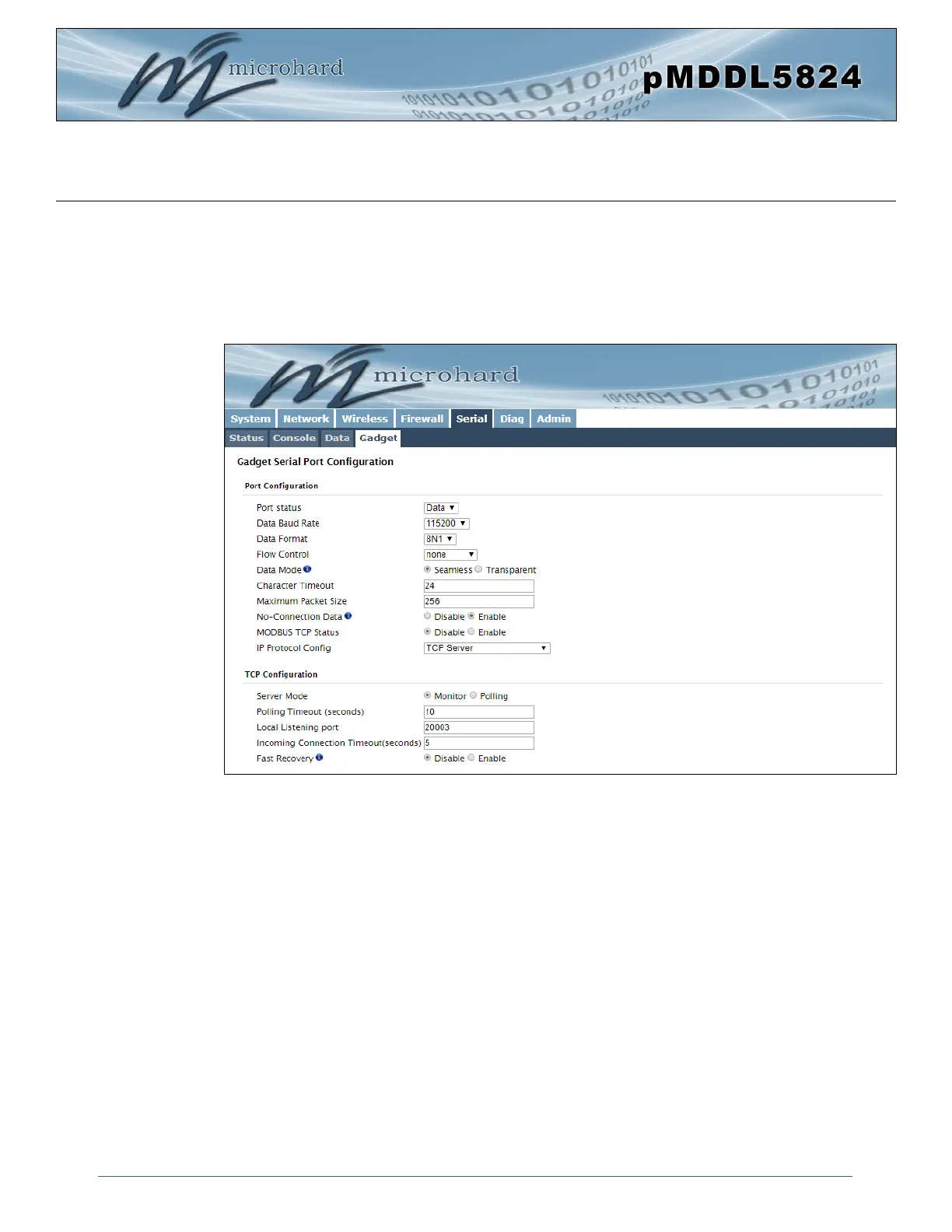
The USB port can be set to “Idle” or to operate as a Data port as seen below:
Gadget Serial Port Configuration
The USB port configuration is identical to the Serial Port > Settings parameters. For help or definitions of
each field, refer to the previous section of this manual which describes the available settings.



 To Next Page