© Microhard 72
4.0 Configuration
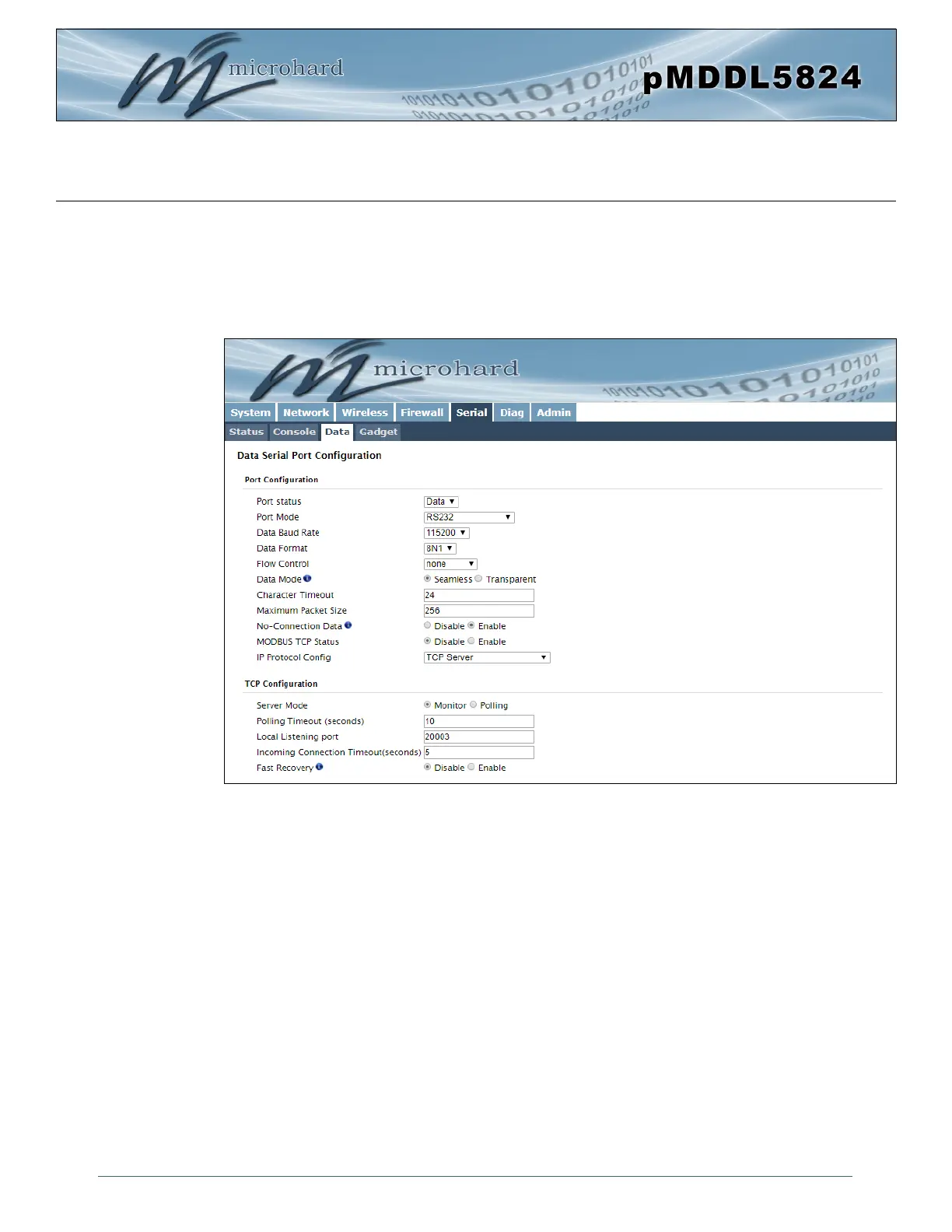
Image 4-5-2: Serial > Settings Configuration
4.6.2 Serial > Settings
This menu option is used to configure the serial device server for the serial communications port. Serial
device data may be brought into the IP network through TCP, UDP, or multicast; it may also exit the
pMDDL5824 network on another pMDDL5824 serial port. The fully-featured Serial Data Port supports
RS232 and RS485 as well as full hardware handshaking. The Console port, which can be configured as a
Data port supports basic RS232 operations.



 To Next Page