© Microhard 46
4.0 Configuration
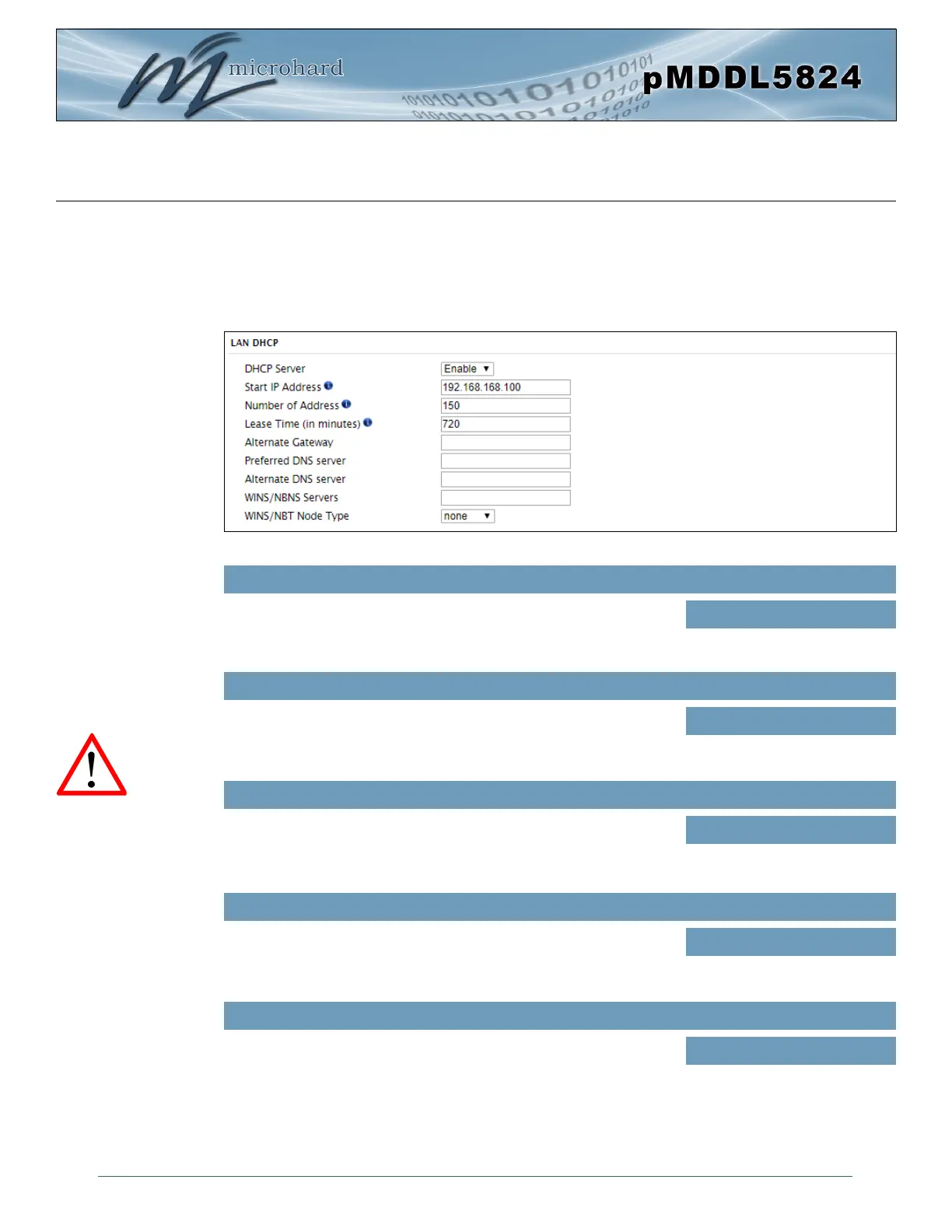
LAN DHCP
A pMDDL5824 may be configured to provide dynamic host control protocol (DHCP) service to all attached
(either wired or wireless devices. By default the DHCP service is enabled, so devices that are connected
to the physical Ethernet LAN ports, as well as any devices that are connected by Wireless will be assigned
an IP by the pMDDL5824. The LAN DHCP service is available for each interface, and is located in the add/
edit interface menus.
Image 4-2-4: Network > DHCP Server
Prior to enabling this service,
verify that there are no other
devices - either wired (e.g.
LAN) or wireless with an
active DHCP SERVER
service. (The Server issues
IP address information at the
request of a DHCP Client,
which receives the
information.)
The option is used to enable or disable the DHCP service for devices
connected to the LAN Port(s).
DHCP Server
Values (selection)
Enable / Disable
Select the starting address DHCP assignable IP Addresses. The first
octets of the subnet will be pre-set based on the LAN IP configuration,
and can not be changed.
Start
Values (IP Address)
192.168.168.100
Set the maximum number of IP addresses that can be assigned by the
pMDDL5824.
Limit
Values (integer)
150
The DHCP lease time is the amount of time before a new request for a
network address must be made to the DHCP Server.
Lease Time
Values (minutes)
720
Specify an alternate gateway for DHCP assigned devices if the default
gateway is not to be used.
Alternate Gateway
Values (IP Address)
(IP Address)



 To Next Page