© Microhard 41
4.0 Configuration
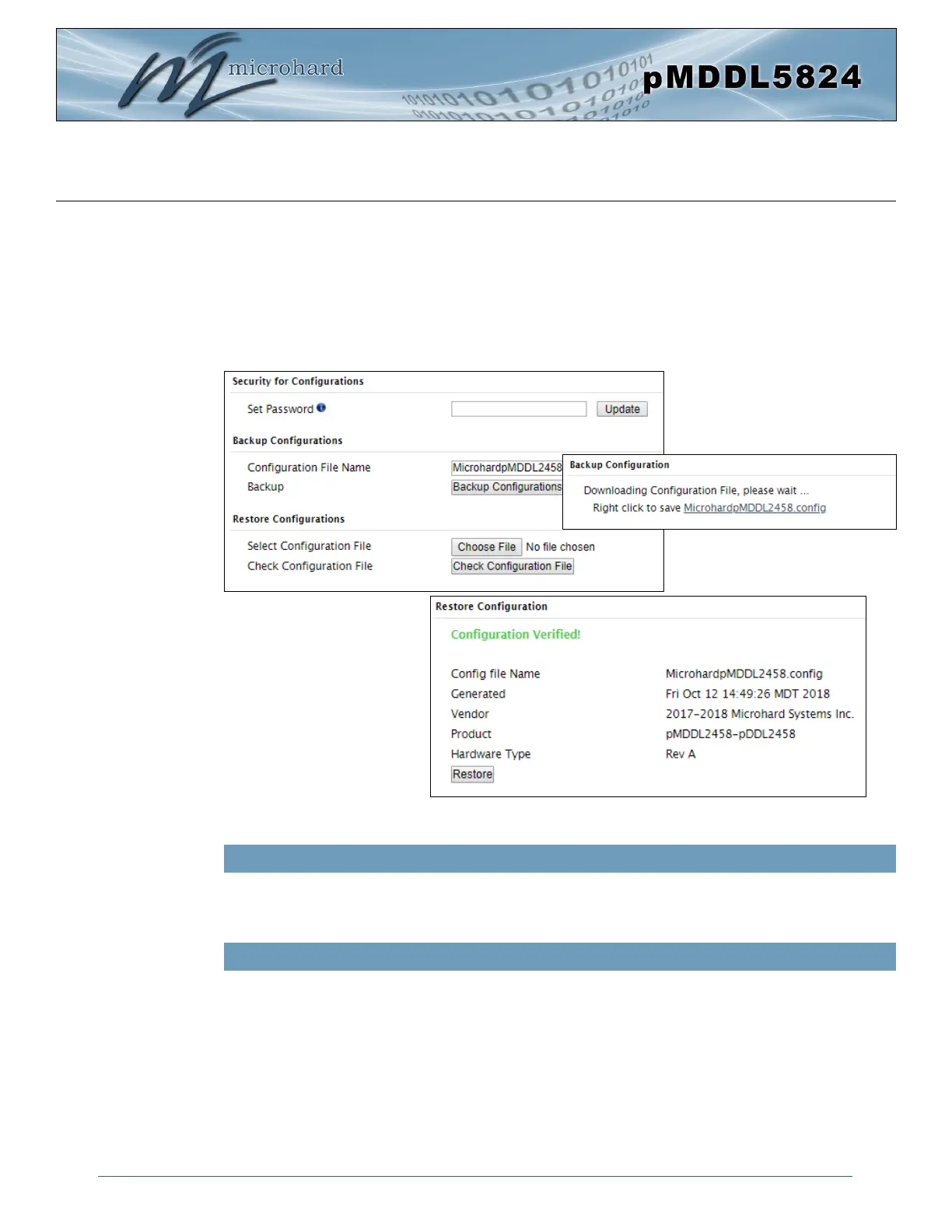
Image 4-1-6: Maintenance > Reset to Default / Backup & Restore Configuration
Use this field to name the configuration file. The .config extension will automatically be added to the
configuration file.
Configuration File Name / Backup
Select Configuration file / Check Configuration File / Restore
Use the ‘Browse’ button to find the backup file that needs to be restored to the unit. Use the ‘Check
Restore File’ button to verify that the file is valid, and then the option to restore the configuration is
displayed, as seen above.
If the selected file is password protected the password must be set before restoring the file using the “Set
Password” field under “Security for Configurations”.
Security for Configurations / Backup & Restore Configuration
The configuration of the pMDDL5824 can be backed up to a file at any time using the Backup
Configuration feature. The file can the be restored using the Restore Configuration feature. It is always a
good idea to backup any configurations in case of unit replacement.
The configuration files cannot be edited offline, they are used strictly to backup and restore units. A
password can be added to the Backup and Restore files. If the password is lost, files that have been
backed up with a password can not be restored.



 To Next Page