© Microhard 86
4.0 Configuration
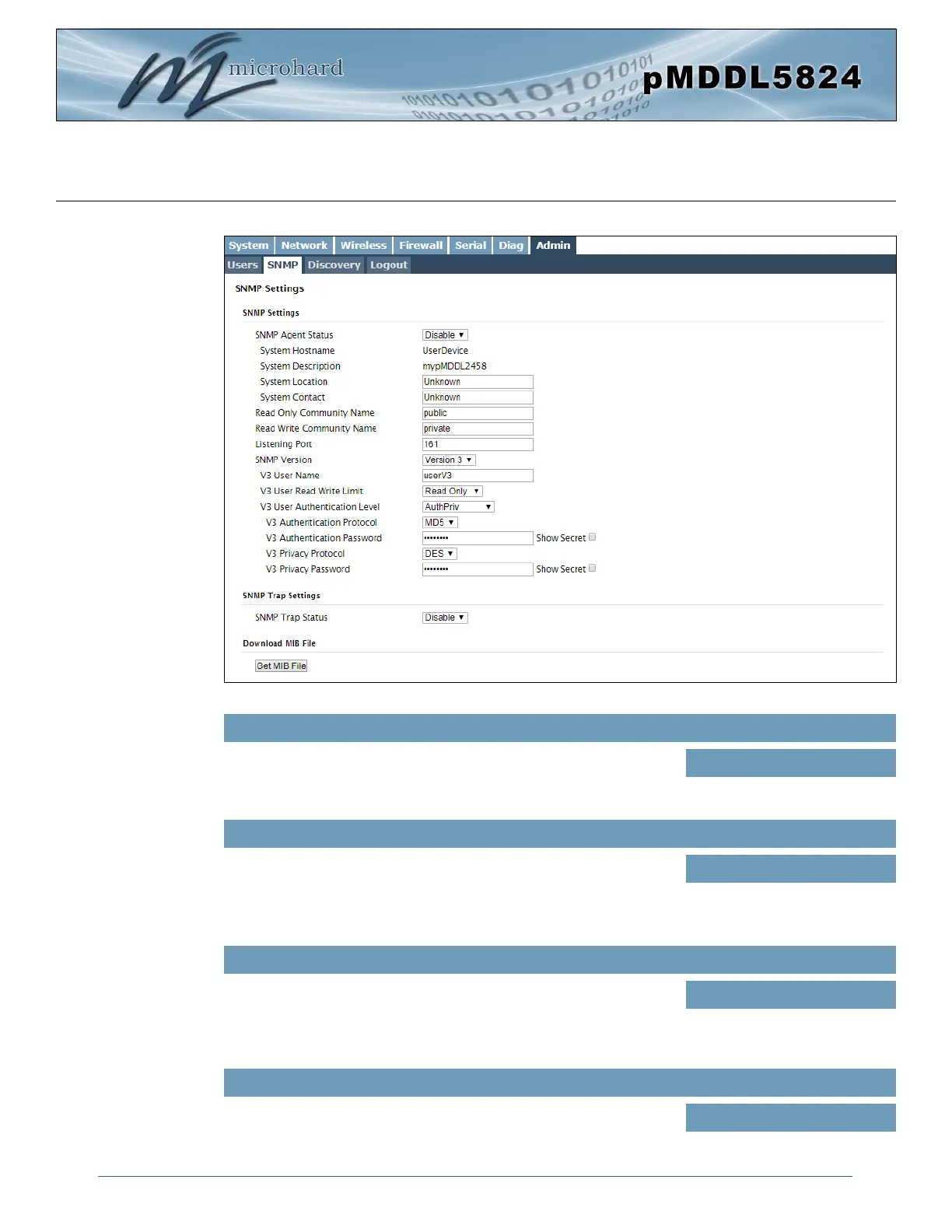
Image 4-7-3: Admin > SNMP
If disabled, an SNMP service is not provided from the device.
Enabled, the device - now an SNMP agent - can support SNMPv1, v2,
& v3.
SNMP Agent Status
Values (selection)
Disable / Enable
SNMP Settings
Effectively a plain-text password mechanism used to weakly
authenticate SNMP queries. Being part of the community allows the
SNMP agent to process SNMPv1 and SNMPv2c requests. This
community name has only READ priority.
Read Only Community Name
Values (string)
public
Also a plain-text password mechanism used to weakly authenticate
SNMP queries. Being part of the community allows the SNMP agent to
process SNMPv1 and SNMPv2c requests. This community name has
only READ/WRITE priority.
Read Write Community Name
Values (string)
private
Enter the UDP port on which the pMDDL5824 listens for incoming
SNMP get/set messages. The default is port 161.
Listening Port
Values (UDP Port)
161



 To Next Page