PAGE 14
© 2021 OJ Electronics A/S
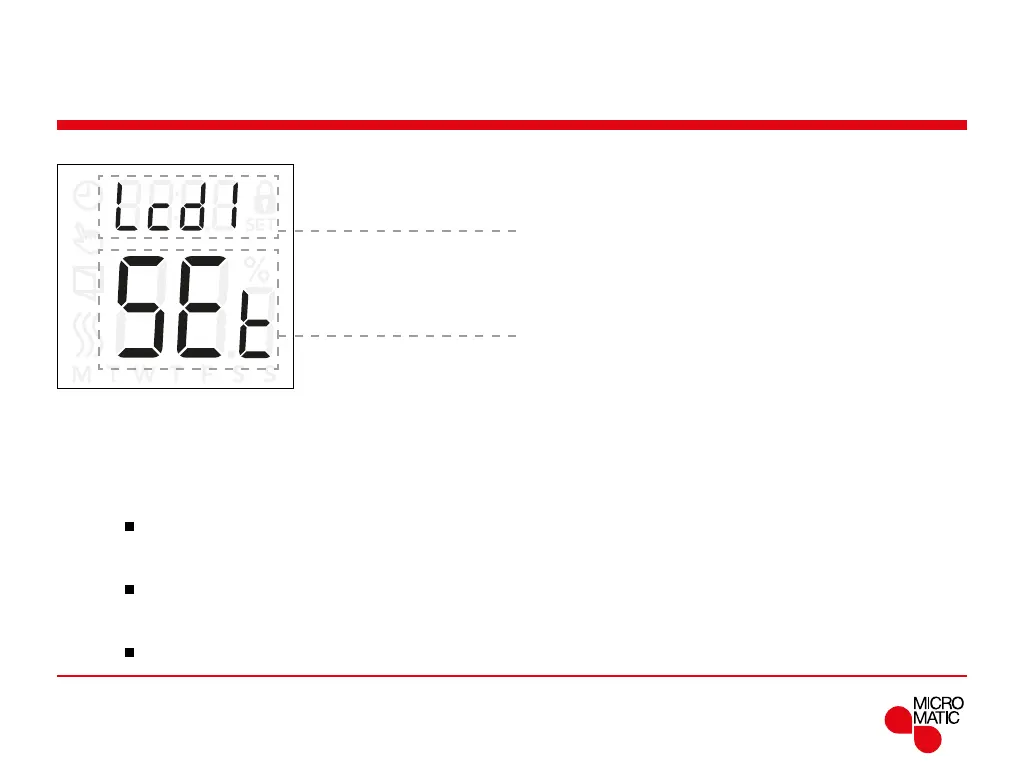
Display settings (Lcd)
This setting allows you to select which data you want to
be shown in the idle display.
Lcd 1:
Set = Temperature setpoint
cLc = Clock
-- = Nothing is shown.
Lcd 2:
Set = Temperature setpoint
tP = Measured temperature
Display settings are not applicable if the sensor applicati-
on is set to C.
Menu structure:
Lcd 1:
5et: Temperature setpoint
cLc: Clock
--: Nothing is shown.
Lcd 2:
5et: Temperature setpoint
tP: Measured temperature
REMOTE
Access display settings:
• Press ”
”for 3 seconds to enter the settings.
• Scroll through the settings until either
Lcd 1 or Lcd 2
appears on the display.
• Press ”
”to enter either Lcd 1 or Lcd 2.
• Use ”” or ”” to select what data you want to see on
Lcd 1 or Lcd 2.
• Press ”
” to return to the settings.



 To Next Page