PAGE 30
© 2021 OJ Electronics A/S
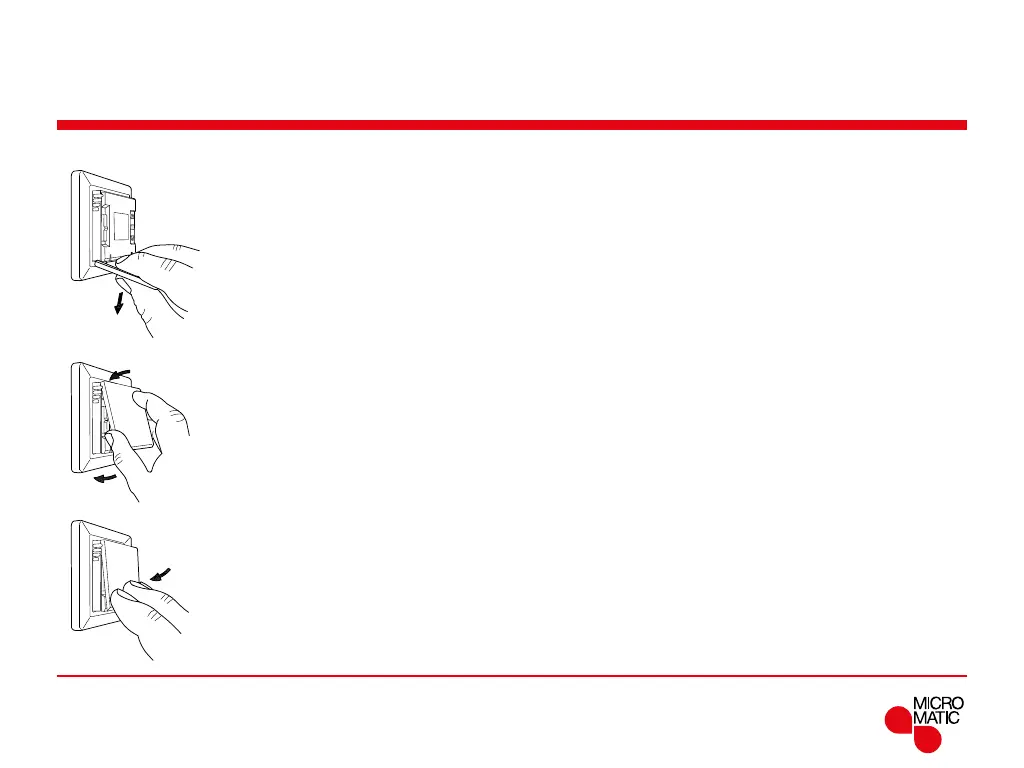
Change of front cover
1. Open the front cover
2. Hold the front cover with the index, middle and ring finger on the top
side of the front cover as close as possible to the thermostat.
3. Pull the front cover downwards.
4. Align the top of the new front cover with the top of the thermostat.
5. Press at the bottom of the new front cover to close.
BR1033A08a
© 2016 OJ Electronic A/S
BR1033A09a
© 2016 OJ Electronic A/S
BR1033A10a
© 2016 OJ Electronic A/S
BR1033A08aBR1033A09aBR1033A10a



 To Next Page