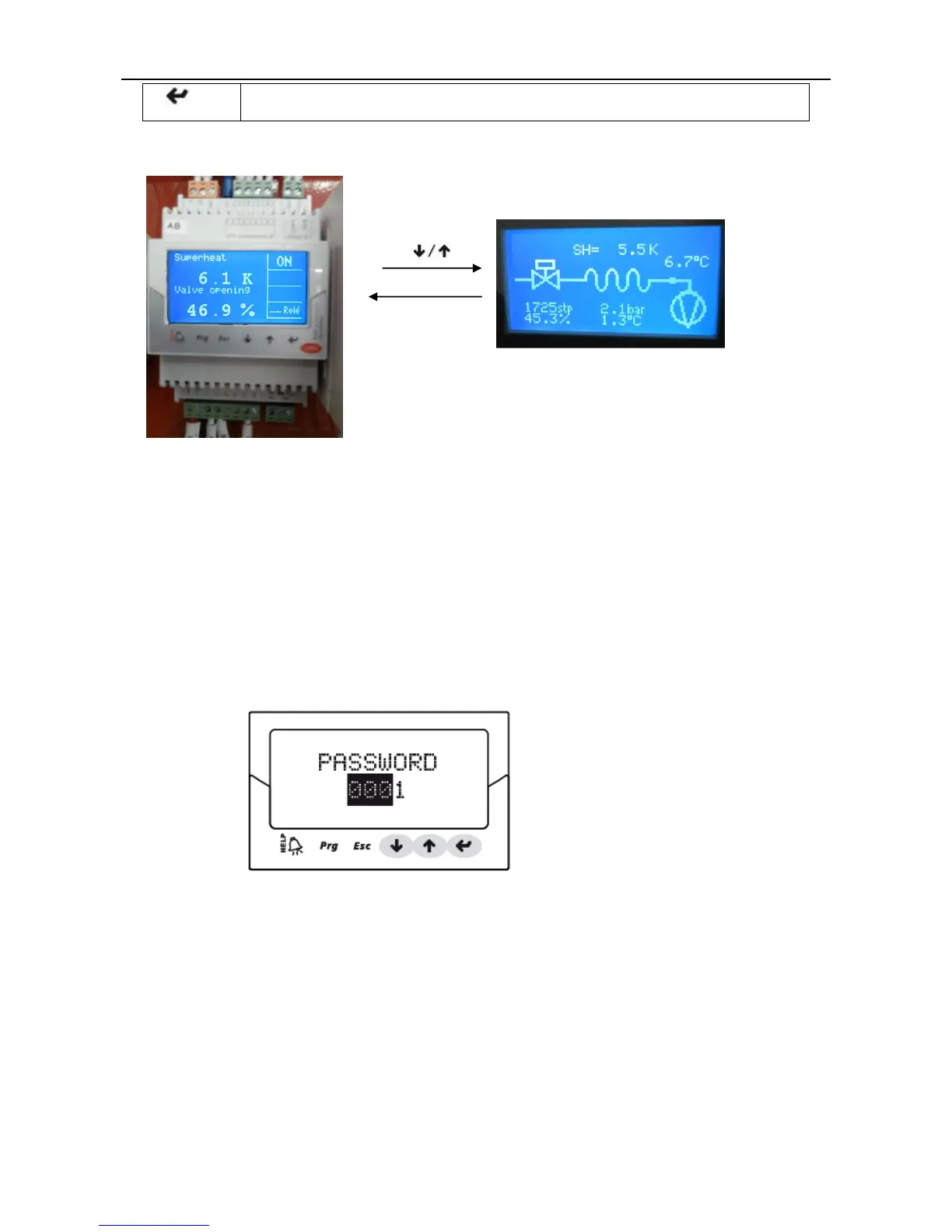
• From the parameter setting mode, the display switches to
• Confirm the list of parameters and return the value
Running status display Display all status
c. Controller parameter checking and changing.
Checking or changing repair parameters step:
① Press one or more Esc to switch to the standard display interface;
② Press Prg: display interface input password;
③ Press ENTER input repair level password: 22, starting from the rightmost digit, each input a digital,
confirm with ENTER ;
④ If the password is correct, it will display the first parameters can be modified: network address;
⑤ Press UP/DOWN to select parameters should be set up;
⑥ Press ENTER to move to the parameter value;
⑦ Press UP/DOWN to modify the parameter value;
⑧ Press ENTER to save the new parameter values;



 To Next Page