MCAC-CTSM-2014-03 DX type water-cooled screw chiller (PCB Control)
57
factory setting is 2℃,if temperature is within ±0.5℃ of control temperature, the unit does not execute the
loading/unloading action;
③ The target value of temperature control: it represents the target value of water temperature
control;
④ Temperature of compressor startup: it represents the control water temperature need to meet
one condition when compressor starts;
⑤ In cooling mode, when control water temperature is higher than startup temperature, the
compressor can start; in heating mode, when control water temperature is lower than startup temperature,
the compressor can start;
⑥ Limit of load: the maximum load of unit can be set. 0-without limit of maximum load, 1- maximum
load is up to 75%, 2- maximum load is up to 50%.
Timer setting of startup or shutdown Only when control mode is “timer”, it will display.
5.1 User parameter setting-mode selection
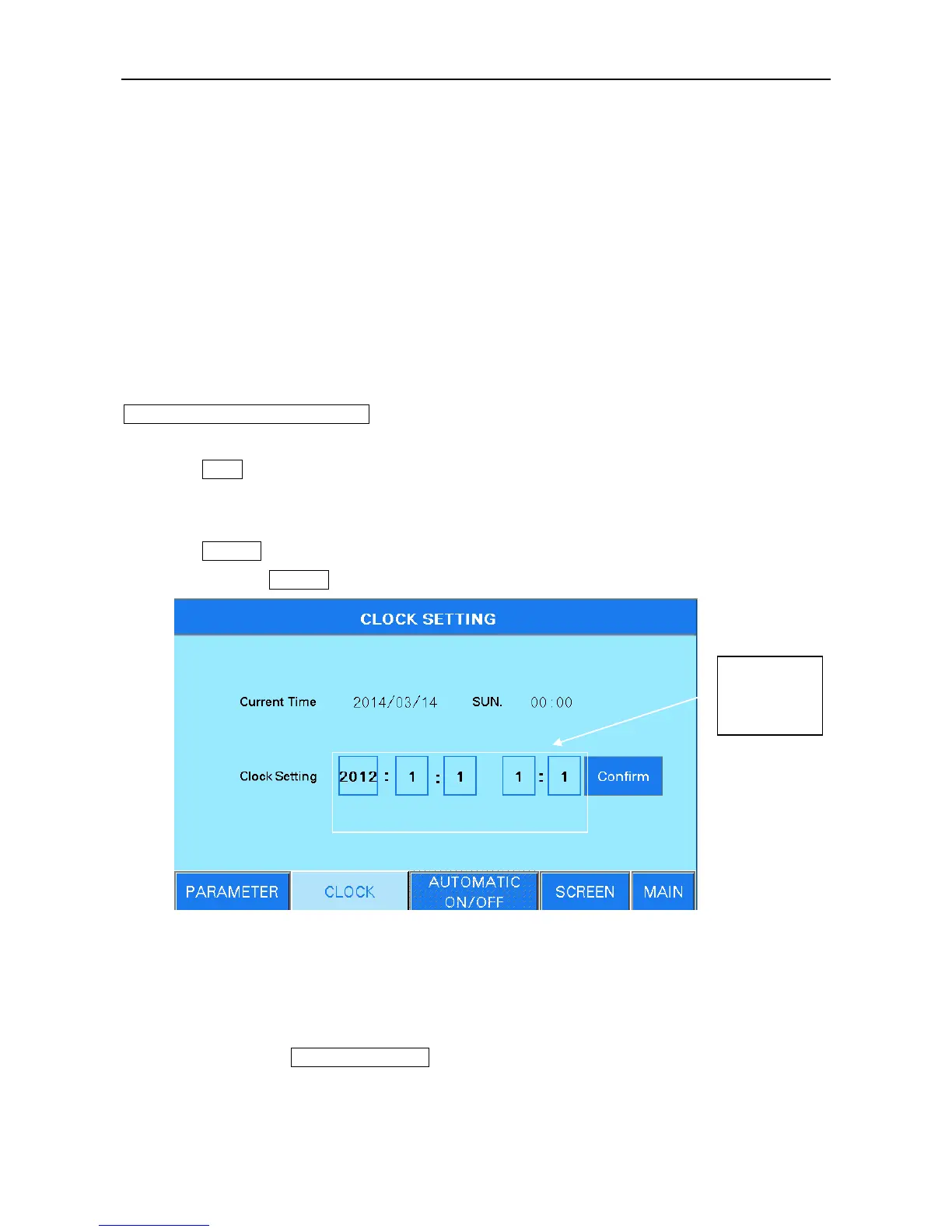
Press Clock and enter the clock setting page as figure 6.13.
Click the setting numerical keyboard, then the input numerical keyboard appears. Input the clock
and press “ENT”to save the setting. “CLR”represents the input is canceled.
Press Confirm button after setting finish, check if the setting clock is the same with the current time.
If it is different, press Confirm again.
Figure 6.13
Note: when setting date and clock, please note the non-existent date and clock cannot be set,
otherwise we are not responsible for any consequences.
5.2 User parameter setting-touch screen setting
User setting- press touch screen setting in the mode setting interface, then the following figure 6.14
will appear.



 To Next Page