MCAC-CTSM-2014-03 DX type water-cooled screw chiller (PCB Control)
49
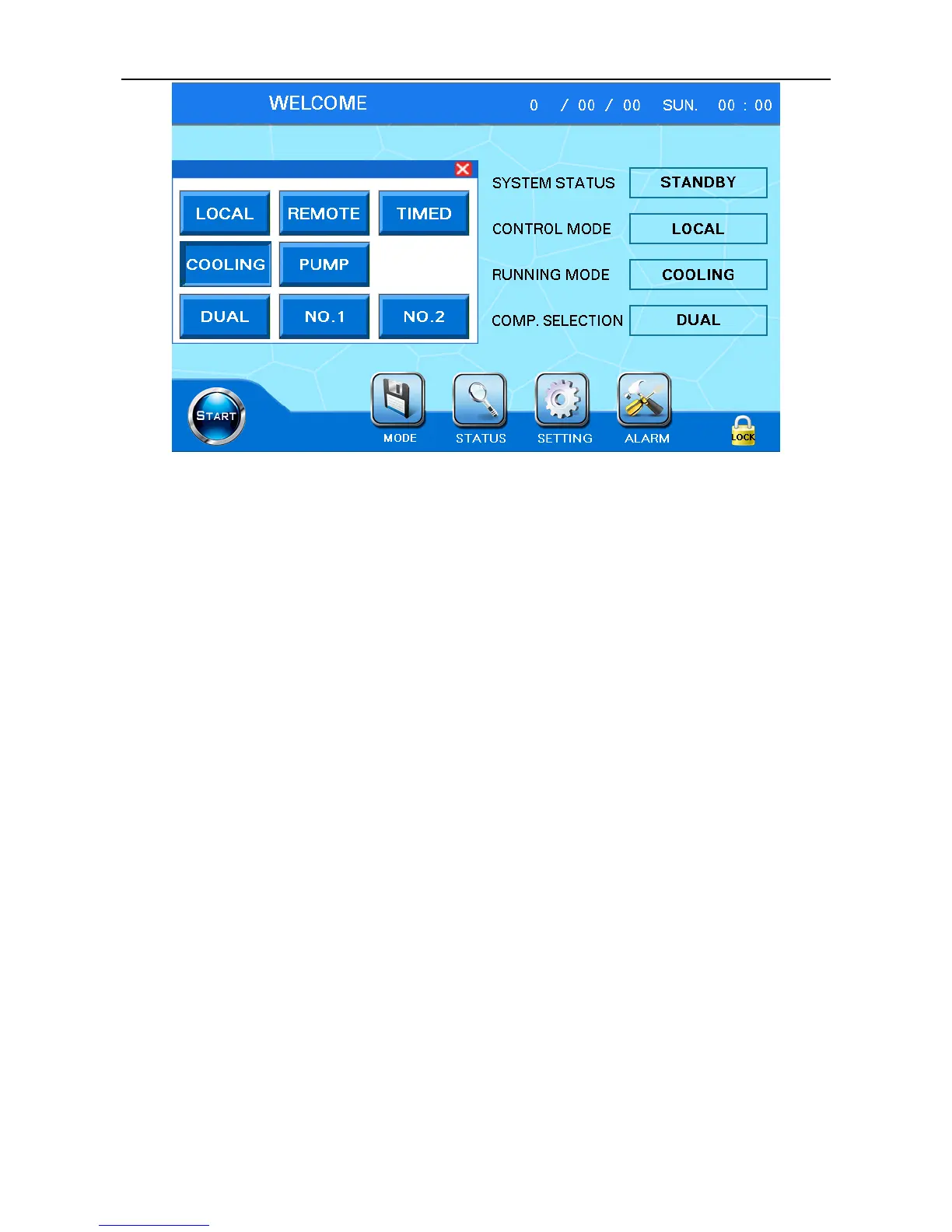
Figure 6.3
Set control mode(Local, remote, timer),operating mode(cooling, heating, pumping) and single or
dual compressor(dual stage, 1#、2#) in the pop-up window. After setting is finished, click the pop-up
window "X" at the top right to close the pop-up window.
①Only control mode can be switched during operating, other mode selection is invalid.
② The control mode is used as on/off mode choice. "Local” control mode can only be realized
through the touch screen "on / off" button; "Remote” control mode can only be realized through the
"remote start / remote stop" hardware interface; "the timer control mode", it can be only realized by
setting the timer.
③ Heating mode is only available for the heat pump unit.
Note: under the "local” control mode, remote control and timer control are invalid; under the
"remote” control mode, local control and timer control are invalid; under the "timed” control mode, local
control and remote control are invalid.
2)Startup operation
It needs to confirm below before startup:
① Mode setting is correct. Operation mode (cooling, heating, pumping) and single/dual compressor
(dual stages、1#、2#)cannot be set after startup.
② Current status of machine is standby, it cannot startup under malfunction status.
③ Please confirm if the oil heating is complete. If not, machine may stay in a pause state for a long
time and compressor cannot start.
Press “start” button at bottom left of screen, pop-up window will appear. If confirm startup, please
press “confirm”; if not, please click the pop-up window "X" at the top right to cancel startup.



 To Next Page