MCAC-CTSM-2014-03 DX type water-cooled screw chiller (PCB Control)
47
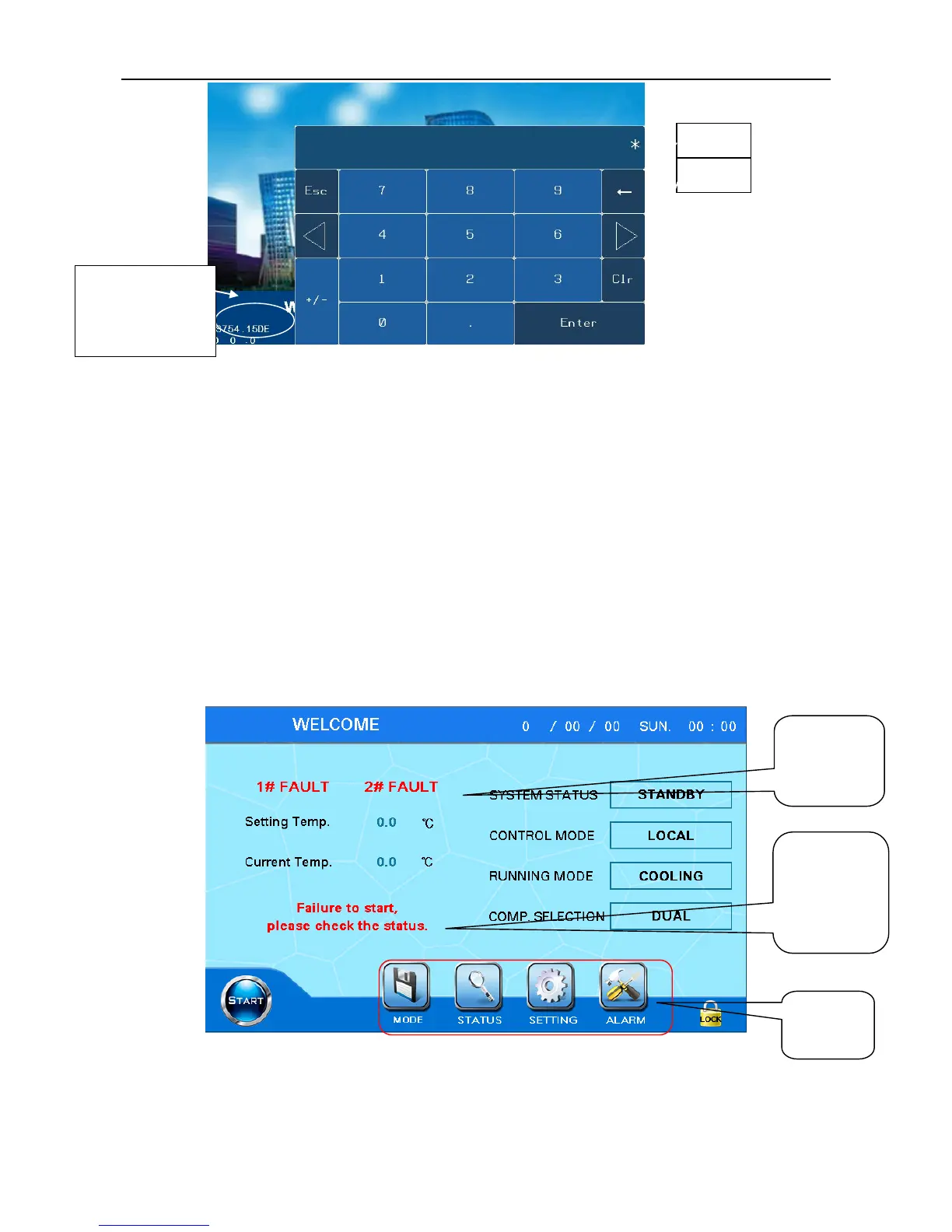
Figure 6.1
When press Enter button, password keyboard will appear. User input 58806/40828 and press Enter
button to enter the main page.
Indicators explanation on the right are as following:
Yellow indicator is the power indicator. It keeps lighting under normal condition, if it is not light,
please check if the power supply wiring is correct.
Green indicator is the touch screen operation indicator, under normal condition it flashes with low
frequency.
Red indicator is communication indicator, under normal condition it flashes with high frequency, if
not, please check if the communication wire connected with the main control board is connected properly
and tightly.
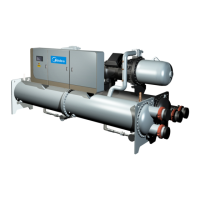
Main page
Figure 6.2
The main page displays the current status, control mode and operating mode of the unit.



 To Next Page