DX type water-cooled screw chiller (PCB Control) MCAC-CTSM-2014-03
44
- the special parameters
- alert configuration parameters
- valve parameters
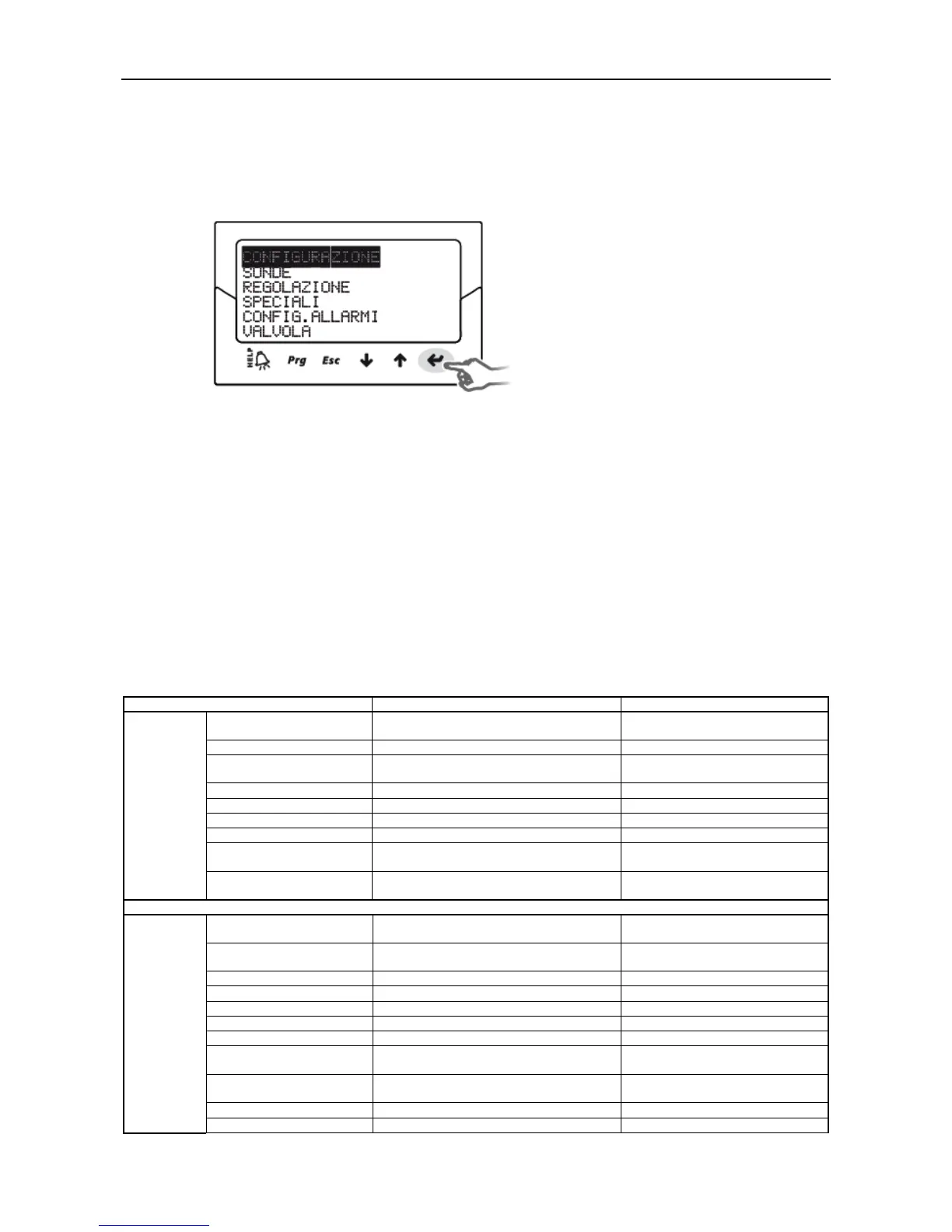
⑤ Press UP/DOWN button to select the category, and then press ENTER to enter the first class number
⑥ Press UP/DOWN to select parameters to be set, and then press ENTER to move to the parameter
value;
⑦Press UP/DOWN to modify the parameter value;
⑧Press ENTER to save the new parameter values;
⑨ Repeat the above 6, 7, 8 step change other parameters;
⑩ Press Esc to exit the manufacturer parameter modification program.
380,500,600,720,880,1000,1200,1420
Selected based on the refrigerant
type of the unit
Automatically brought out by
subsequently set parameters
Valve opening in standby
state
Available values include: (1) 0: 24 V
AC (2) 1: 24 V DC; default value: 0
Enable manual valve
positioning
Manually set the valve
position
Variable 1 on the display
Variable 2 on the display
Sensor S1 alarm
management
Valve at a fixed position
Sensor S2 alarm
management
Valve at a fixed position
S1: calibration gain, 4–20



 To Next Page