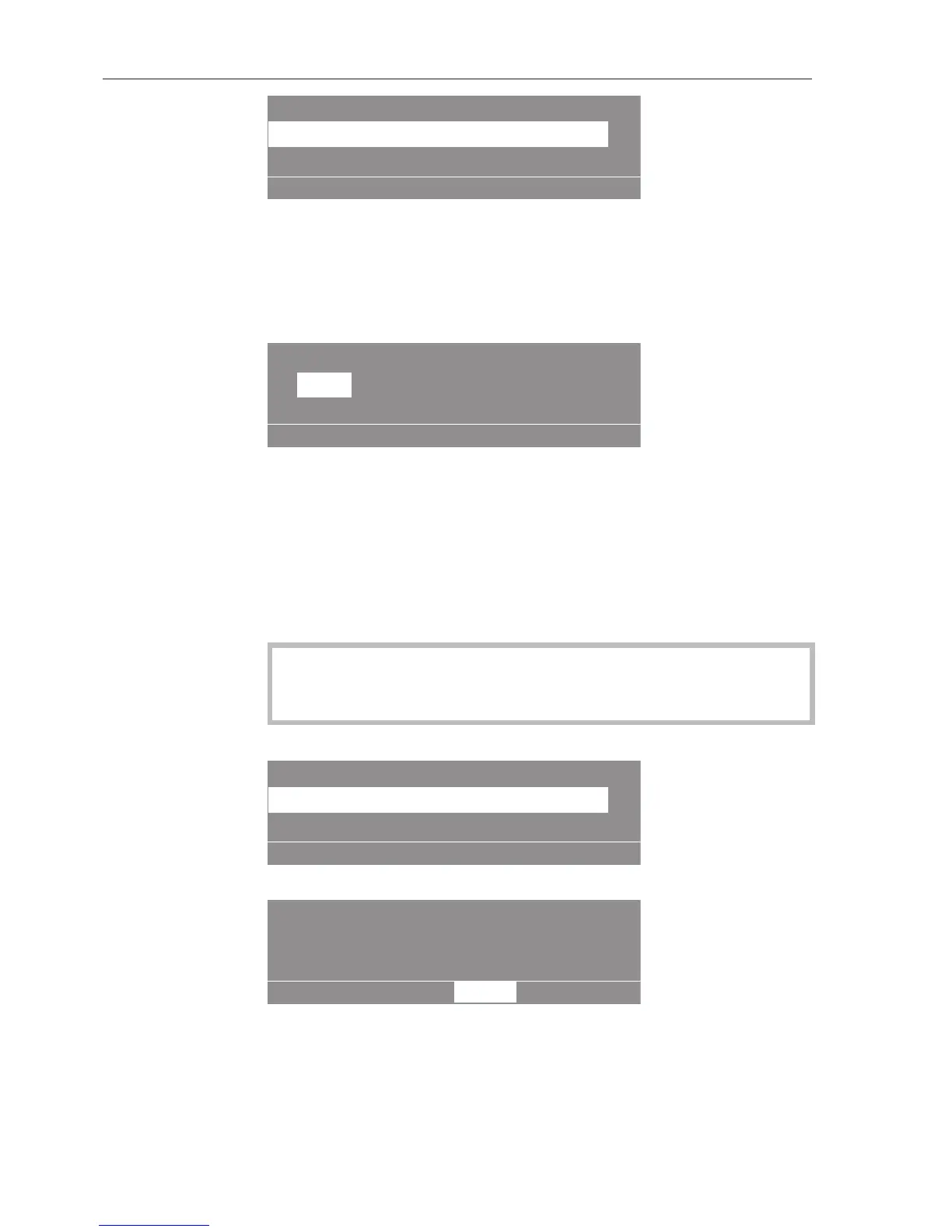
Settings Dispenser calibration
Dispenser pump 1
Dispenser pump 2
OK
Options:
– Dispenser pump 1to13
Select a dispenser pump.
When a dispenser pump is selected, the following will appear in the
display:
Dispenser calibration
Dispenser pump 1
-
OK
+
V: 100 ml
0/1
0 st: P: No
Tip: The dispensing amount can be set from 0 to 9999ml in 1ml in-
crements.
Press multifunction button0/1.
The dispensing hose will fill up.
Stop the process by pressing button0/1.
Run the hose of the dispenser pump that is being checked upwards
into a measuring vessel.
Irritant agents.
Skin and eye irritation.
Avoid contact with skin and eyes, wear protective clothing.
Return to the main menu by pressing "Back".
Settings
Dispenser calibration
Dispenser pump 1
Dispenser pump 2
OK
Select a dispenser pump.
Dispenser calibration
Dispenser pump 1
-
OK
+
V: 100 ml
0/1
0 st: P: No
Press multifunction button0/1.
Stop the pump by pressing button0/1, or the pump will stop auto-
matically after 60seconds.
Measure the required amount in the measuring vessel.


 To Next Page