User Manual
www.milesight.com 23
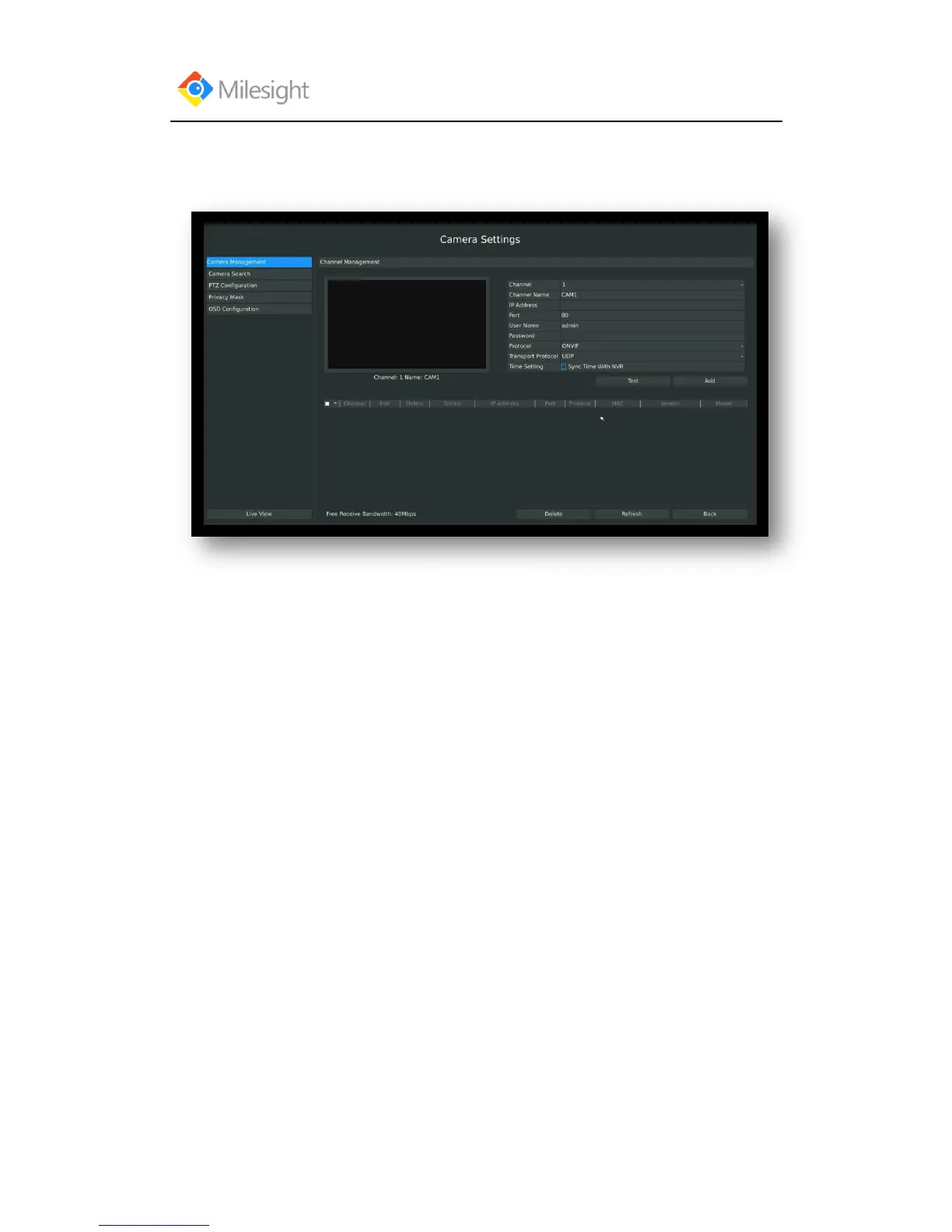
Method2. Add IP Channel in camera management interface
1.Enter to camera management menu by clicking Main Menu → Camera → Camera to
Management
2. Select the attribute page of „IP Channel‟, select idle channel then input complete information
Click [Add] button.
There are 3 ways to add camera:
1. ONVIF: Add the camera with ONVIF protocol, you can add any IP cameras with ONVIF
compatible if select this protocol. The detail formats are showed in F-3.3.7;
2. RTSP: Use RTSP to add camera. You can add any IP cameras which have RTSP protocol
streams.
You need select 554 for the port and input the resource path for the camera. Take Milesight device
for example, for main stream the resource path is “/main” and the second stream is “/sub”.
The details about adding format are showed in F-3.3.8;
3. MILESIGHT: If your IP camera is a milesight device you can select this protocol to add
cameras. The detail formats are showed in F-3.3.9;



 To Next Page