User Manual
www.milesight.com 74
3.8.2 Network Settings
3.8.2.1 Basic Configuration
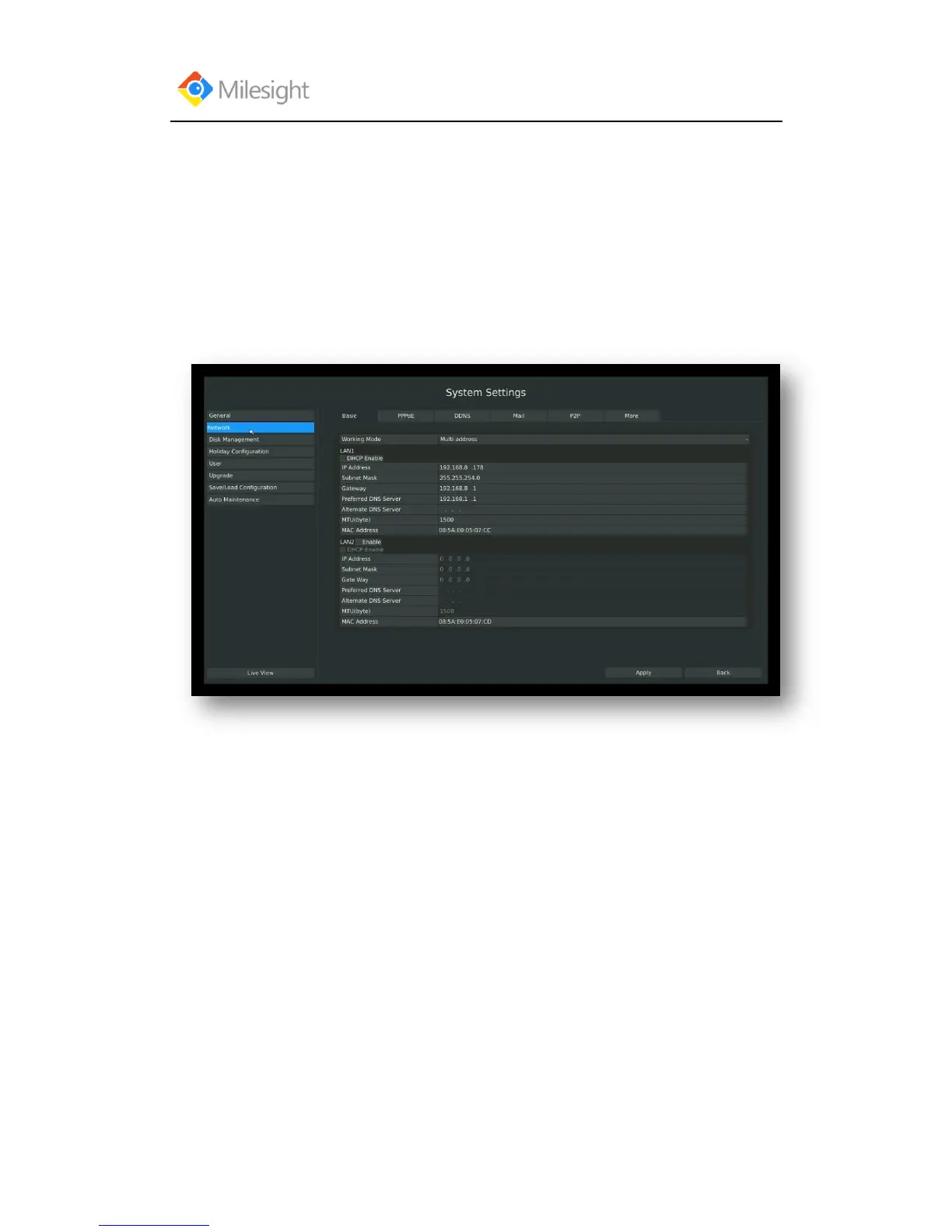
Step: Enter the network setting menu to set the network parameters by clicking Main
MenuSystem SettingsNetwork, select “Basic” page
Basic configuration includes working mode, IP address, subnet mask, gateway, MTU, DNS server,
etc.
F-3.8.2
Notes:
1. Check the DHCP checkbox if there has a DHCP server running in networks.
2. The valid range of MTU is 500~9676.
3. Do not input an IP address conflict with another device.



 To Next Page