User Manual
www.milesight.com 37
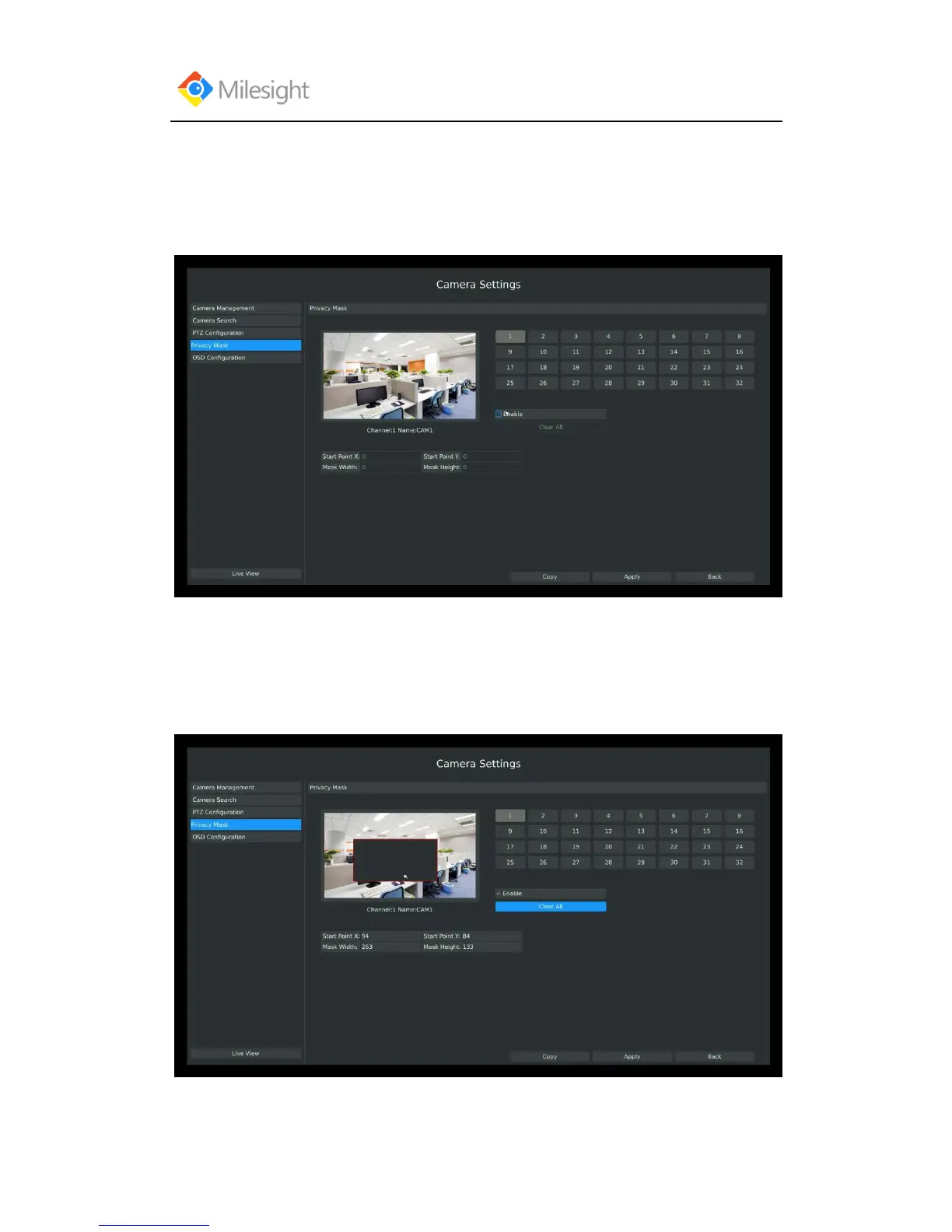
3.3.4 Privacy Mask
Milesight NVR support privacy mask. It used to cover some privacy area which is not proper to
appear on monitor.
Entering Privacy Mask interface by clicking: Main Menu CameraPrivacy Mask.
You can add a privacy mask by following steps:
Step1: Select channel on the right top of the interface, and enable it on the below of the channel;
Step2: Set the area of privacy mask:
Way1: Drag the mouse to select the area which is privacy on the live window;
Way2: Set the coordinates of privacy area in the columns below the live window;



 To Next Page