User Manual
www.milesight.com 62
3.5.4 Alarm Output
Alarm Output function is supported on MS-N5016, MS-N5116, MS-N8016, MS-N8032.
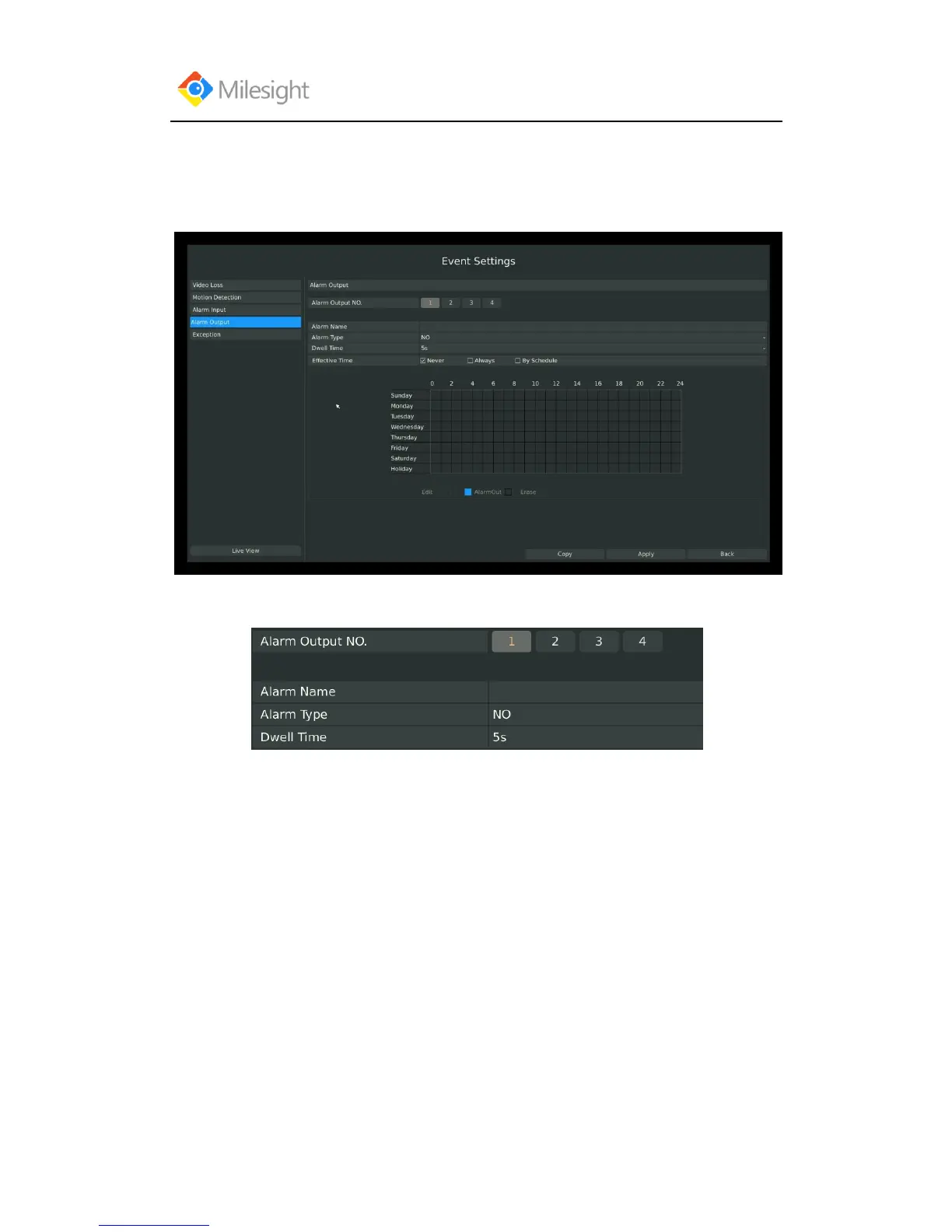
Step 1: Select Main Menu-Event-Alarm Output:
Step 2: Set Alarm output channel, Alarm Name, Alarm Type and Record Channels:
[Alarm Output NO]: The channel which will output the alarm signal;
[Alarm Name]: Set a name for the alarm;
[Alarm Type]: Select alarm type: NO or NC;
[Dwell Time]: Set the output time for alarm, if that is too long when alarm out is outputting, you
can select the Manually Clear to stop it.
Step3: Select Effective Time for alarm output:



 To Next Page