User Manual
www.milesight.com 25
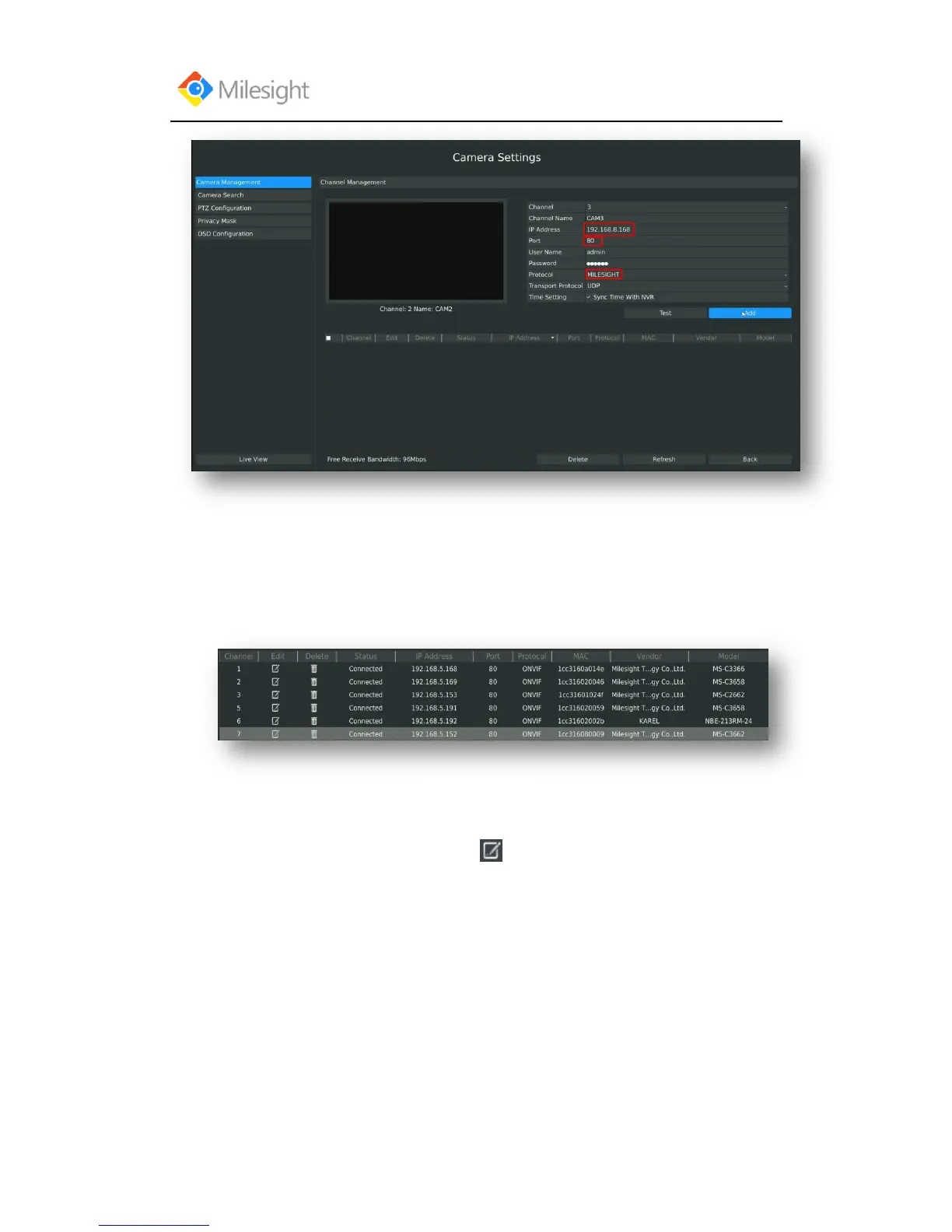
Step3.Check the connection status
After adding the IP channels, click [Refresh] button, the [state] will show [connected] as below, If
not, you need to check if the network is connected or whether the user name, password is correct
or not.
Step4.Configure IP Channel
1. After successfully adding the channel, click or double-click this channel to re-edit the
channel info, address, and password, etc.



 To Next Page