OM-263 657 Page 23
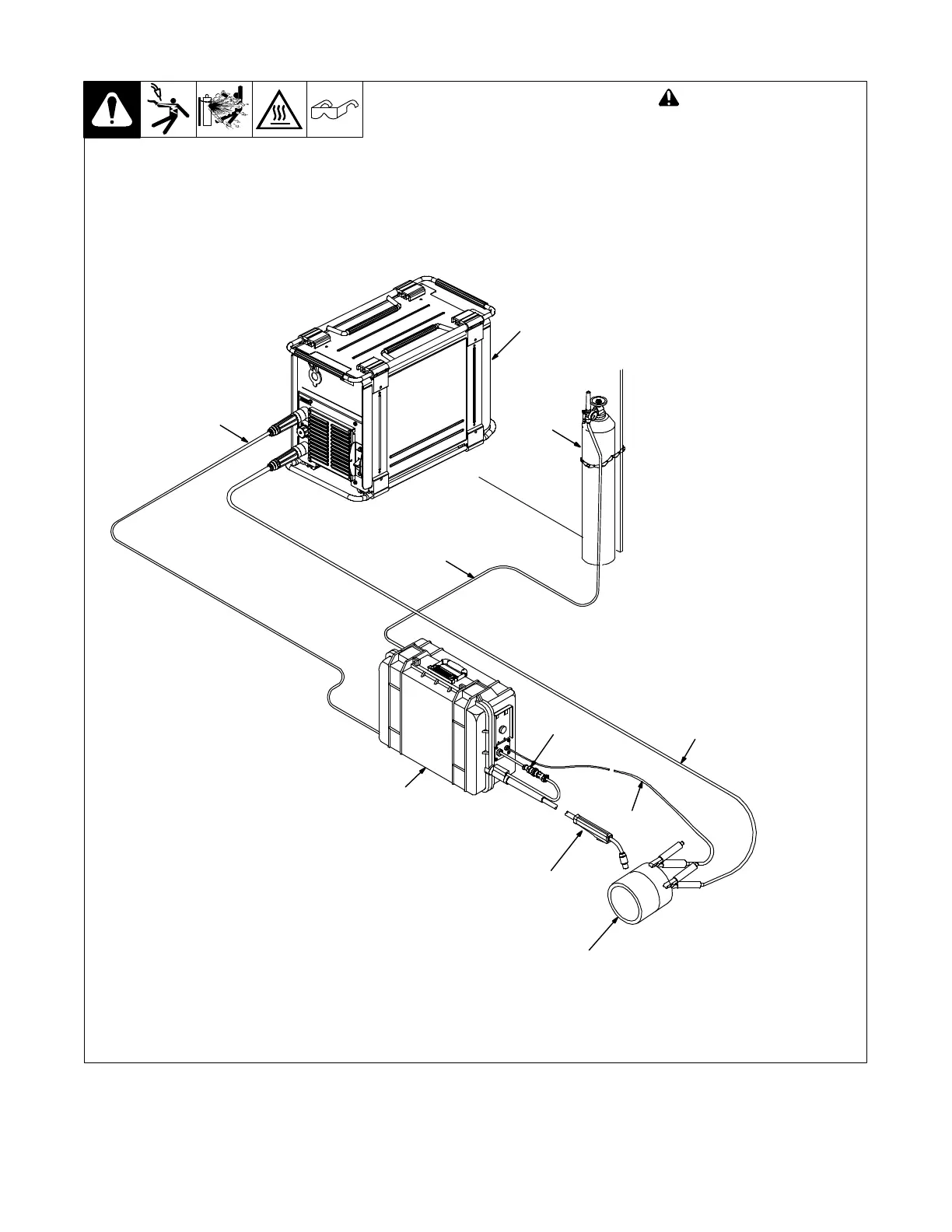
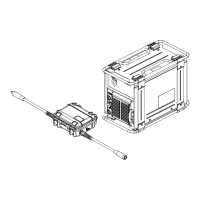
5-11. Connecting Basic Feeder
258 966-A
3
4
5
9
2
10
7
8
6
1
! Turn Off wire feeder and
welding power source. Stop
engine on welding
generator.
1 Welding Power Source
2 Gas Hose
3 Weld Cable To Feeder
4 Work Cable To Workpiece
Weld cable and work cable connec-
tions to power source (DCEN/
DCEP) are dependant on wire type.
. Since feeder is not polarity sen-
sitive, there is no need for an
electrode polarity switch.
5 Workpiece
6 Voltage Sensing Clamp
Connect voltage sensing clamp to
workpiece.
7 Gun
8 Gun Trigger Receptacle
9 FieldProt Feeder (See
OM-258 944 For Feeder
Operation)
10 Gas Cylinder
Use of shielding gas is dependant
on wire type.
. Shielding gas pressure not to
exceed 100 psi (689 kPa).
5-12. Setting Inductance
The power source will display ACC when a FieldPro Feeder is connected to the power source. Press either the Up or Down arrow key to set the
inductance within the range of 0 to 99.








 To Next Page