OM-263 657 Page 31
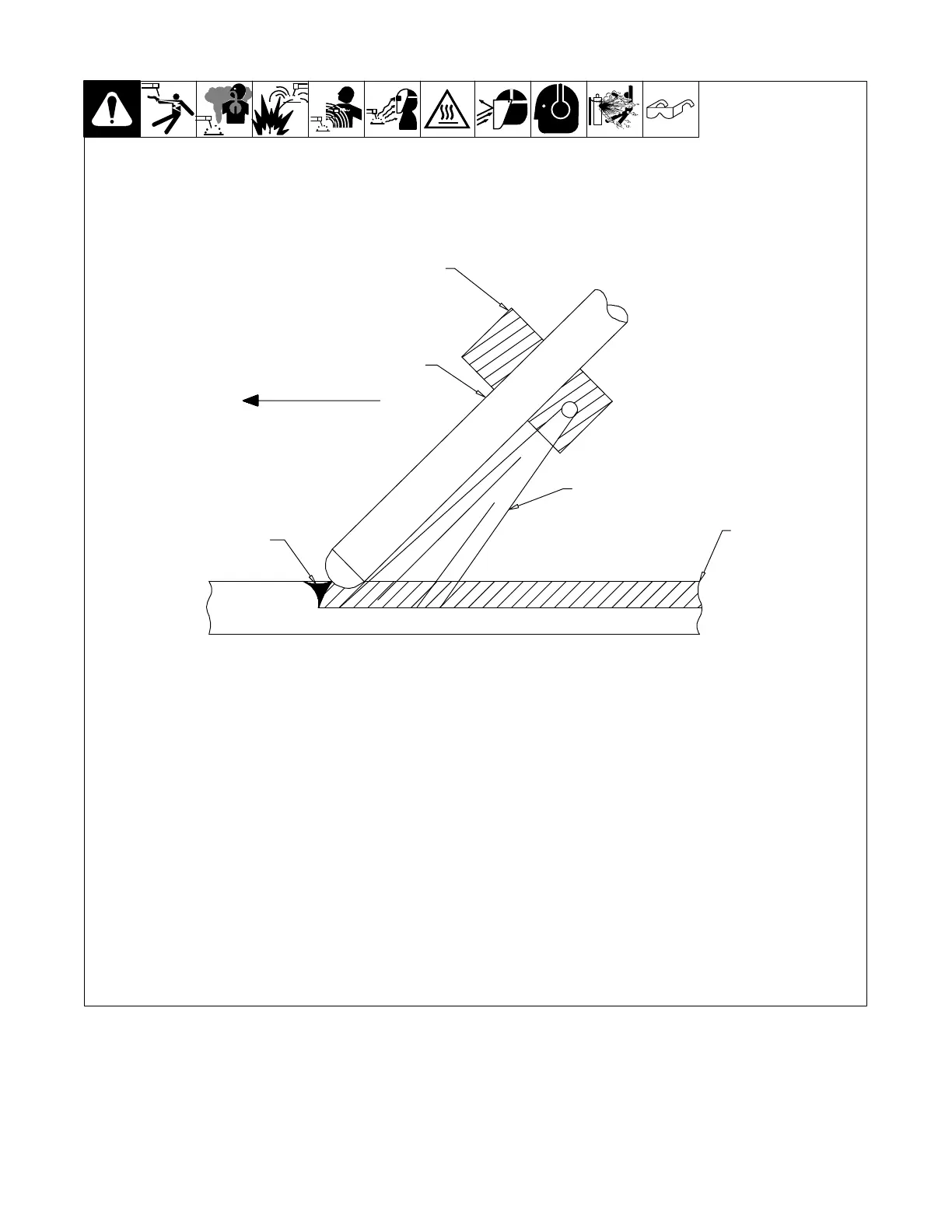
6-5. Carbon Arc Gouging
1 Electrode Holder
Choose correct electrode holder for the
process.
2 Air Stream
The air stream should be in line with the
electrode and positioned between the
electrode and the workpiece.
3 Carbon Electrode
Choose the correct electrode size for the
desired gouge.
4 Gouging Arc
Keep the arc short.
5 Workpiece
Start air compressor and adjust regulator
to correct setting. Use the lowest air
pressure that will blow away the molten
metal. Ensure that the electrode point is
shaped correctly and insert it in the
electrode holder. The electrode should
extend no more than 7 in. (178 mm) and no
less than 2 in. (51 mm) from the electrode
holder. Strike the arc, then open the air
valve. Use proper arc and travel speed to
create the desired shape and condition of
the gouge.
Always cut away from the operator as
molten metal sprays some distance from
the workpiece.
Ensure that everyone in the work area is
not in the path of the spray.
Remove all combustible material from the
work area. Place metal deflection plates in
front of the operation.
258 443-A
Direction Of
Travel
5
1
2
3
4
6-6. Restoring Factory Defaults
A factory reset of the power source can be accomplished by pressing the Stick and TIG buttons simultaneously for more than four seconds.
The display will show fSt and then go to dashes when the reset is complete.
6-7. Viewing Software Revision
Press and hold the Electrode and In Use buttons simultaneously to view the system software revision level.
While still holding down the Electrode push button, press the In Use push button again to display the User Interface software revision level.








 To Next Page