EasyManua.ls Logo

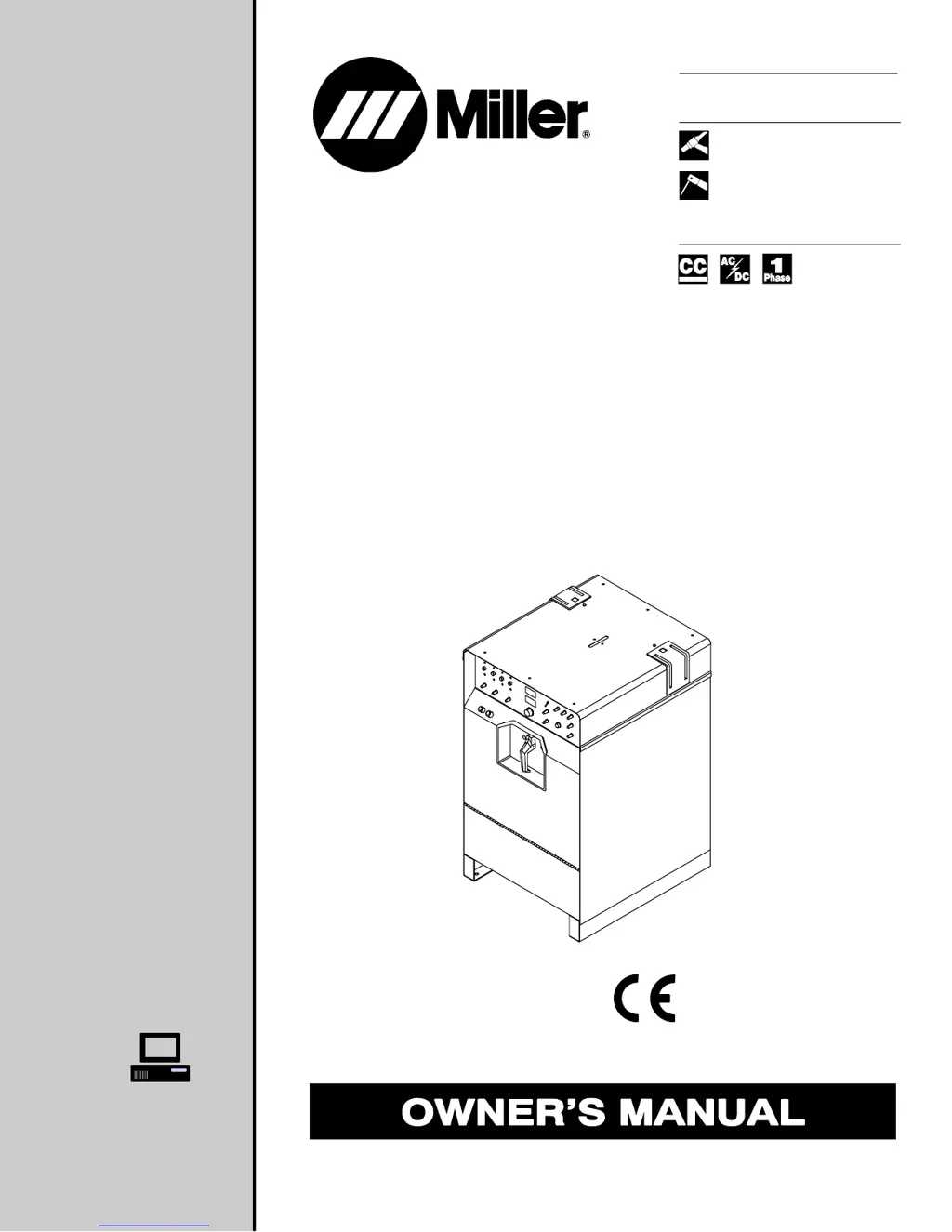
Miller Syncrowave 350 LX - User Manual

Miller Syncrowave 350 LX
56 pages
Print Icon
To Next Page IconTo Next Page
Loading...
Visit our website at
www.MillerWelds.com
Processes
Description
TIG (GTAW) Welding
Stick (SMAW) Welding
Arc Welding Power Source
OM-356 188694Z
June 2004
Syncrowave 350 LX
R
And Non-CE Models

Table of Contents

Questions and Answers

  • J
    Jodi GreenAug 15, 2025
    How to fix lack of high frequency and difficulty starting GTAW arc on Miller Welding System?
    • T
      Teresa TaylorAug 15, 2025
      To solve the problem, try the following: 1. Reset circuit breaker CB1. 2. Select the correct size tungsten. 3. Ensure the torch cable isn't near any grounded metal. 4. Check cables and torch for cracked insulation or bad connections; repair or replace if necessary. 5. Check spark gaps.
  • L
    Laura BakerAug 18, 2025
    How to fix wandering arc and poor control of direction of arc on Miller Syncrowave 350 LX ?
    • S
      Sean LeeAug 18, 2025
      To fix a wandering arc, try reducing the gas flow rate, selecting the correct size tungsten, and properly preparing the tungsten.
  • T
    Tonya HarveyAug 21, 2025
    Why is there no weld output from my Miller Syncrowave 350 LX  Welding System, but the unit is on?
    • R
      ryanalexanderAug 21, 2025
      If you are using remote control, ensure the Output control is in the Remote 14 position and the remote control is connected to the Remote 14 receptacle. If not using a remote, put the Output control in the On position. Check, repair, or replace the remote control if needed. If problems persist, have a Factory Authorized Service Agent check the unit.
  • J
    Jill RaymondAug 25, 2025
    How to fix erratic or improper weld output on my Miller Syncrowave 350 LX  Welding System?
    • J
      Jennifer AguirreAug 25, 2025
      To address erratic or improper weld output, ensure you are using the correct size and type of weld cable. Clean and tighten all weld connections. Also, check the position of the Output Selector control. If you're using a remote control, verify the position of the Amperage Adjustment control.
  • D
    davisbrandonAug 27, 2025
    What to do if my Miller Syncrowave 350 LX  Welding System provides only maximum or minimum weld output?
    • L
      ldownsAug 28, 2025
      Ensure the Amperage control is in the correct position. If the issue persists, have a Factory Authorized Service Agent inspect the unit.
  • M
    masonjamesAug 31, 2025
    Why I have no control of weld output on my Miller Syncrowave 350 LX ?
    • R
      Ruth RiceAug 31, 2025
      If you are using remote control, make sure the Output control is in the Remote 14 position, and the remote control is connected to the Remote 14 receptacle. If a remote is not being used, place the Output control in the On position. Also, ensure the Amperage switch is in the correct position.
  • D
    Derek HudsonSep 3, 2025
    What to do if there is no weld output and the Miller Syncrowave 350 LX  Welding System is completely inoperative?
    • A
      Adam LewisSep 3, 2025
      To solve the problem, try the following: 1. Place the line disconnect switch in the On position. 2. Check and replace the line fuse(s) if needed. 3. Check for correct input power connections. 4. Check for the correct jumper link position.
  • M
    michael18Sep 7, 2025
    What to do if there is no output from duplex receptacle RC2 and no high frequency on Miller Syncrowave 350 LX  Welding System?
    • A
      Ashley DiazSep 7, 2025
      Reset circuit breaker CB1.
  • B
    Brandon JohnsonSep 10, 2025
    Why is the fan not operating on my Miller Syncrowave 350 LX ?
    • A
      Andrea ObrienSep 12, 2025
      This unit is equipped with Fan-On-Demand, meaning the fans only run when necessary. It also has circuitry to protect against overheating.

Summary

SECTION 1 - SAFETY PRECAUTIONS

Hazard Symbols and Warnings

Explains symbols and general warnings for electric shock, fumes, hot parts, and moving parts.

SECTION 3 - DEFINITIONS

SECTION 4 - INSTALLATION

SECTION 5 - OPERATION

Control Panel Overview

Identifies and describes the main controls and indicators on the welding unit's front panel.

Output, Process, and Amperage Control

How to select output modes, welding processes, and adjust amperage.

SECTION 6 - MAINTENANCE & TROUBLESHOOTING

Troubleshooting Guide

Lists common problems, their causes, and recommended solutions for diagnosing and fixing issues.

SECTION 7 - ELECTRICAL DIAGRAM

SECTION 9 - PARTS LIST

TRUE BLUE WARRANTY

Miller Syncrowave 350 LX Specifications

General IconGeneral
Amperage Range3 - 400 A
Max. Open-Circuit Voltage80 V
Input Frequency50/60 Hz
Rated Output300 A at 32 V, 60% Duty Cycle
Welding ProcessesAC/DC TIG, Stick

Related product manuals