Page 77 of 113
Transfer Using a USB Flash Drive
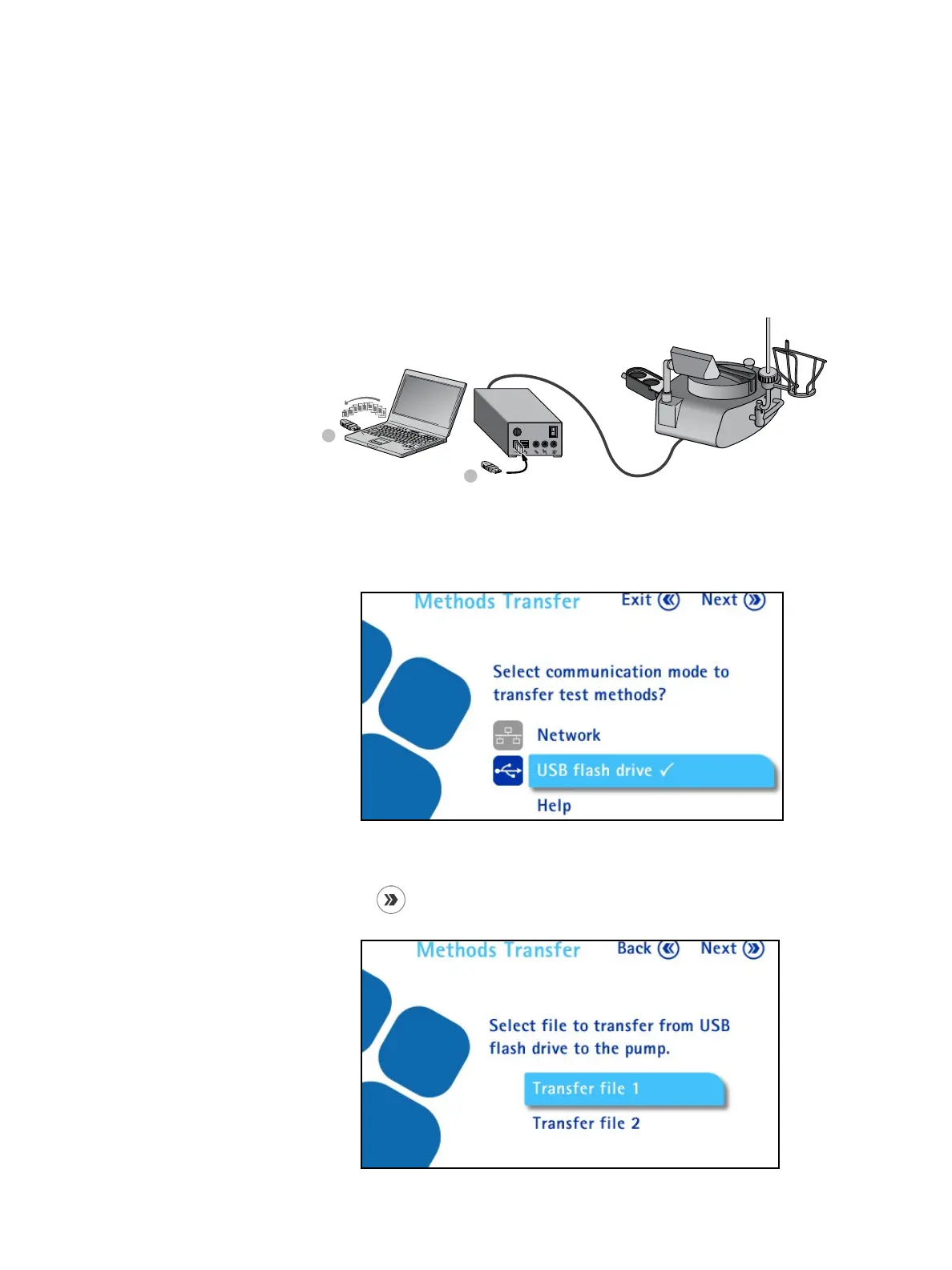
To transfer test methods from the Steritest
®
Symbio Software to the pump using
a USB flash drive:
1. Transfer the transfer file containing the test methods to a USB flash drive
using the Steritest
®
Symbio Software (see the Steritest
®
Symbio Software
User Guide.)
2. Connect a USB flash drive to the USB port on the communication hub.
1
2
3. Access the Configuration menu from the main screen.
4. In the Configuration menu, turn and press the control knob to select
Methods Transfer. The Methods Transfer screen displays.
5. Turn and press the control knob to select USB flash drive.
6. Press the
button to continue. The list of the transfer files present on the
USB flash drive displays.



 To Next Page