5
HARDWARE MONITOR
71
5
Hardware monitor
The hardware monitor can be accessed under the View menu. With the hardware monitor the real time status
of the MACSQuant® Instrument can be assessed, for example, to provide additional information in the case of
error messages appearing on the screen. Here you find also the serial number of the MACSQuant Instrument
and information on the photomultiplier tubes (PMT).
5.1 Fluidics
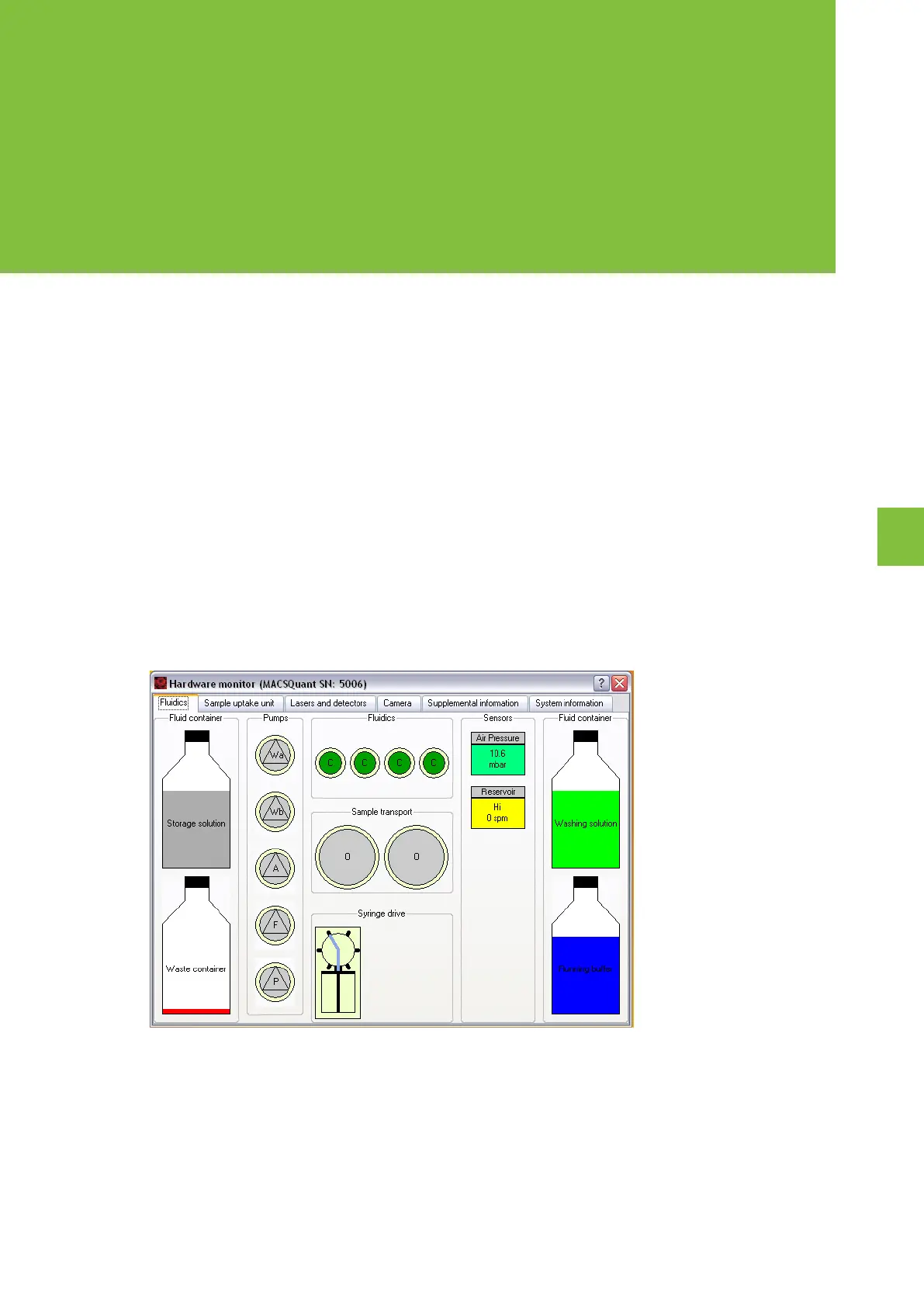
The fluidics tab in the hardware monitor displays the pumps and valves in the live status, as well as the status of
the fluid bottles.
The waste (W), air (A), and fill pump symbols (F) are illuminated in green when active. Active separator valves
(Valves 1-3) are indicated in green, defective rotary valves in red. Valve status is indicated by o for open and c
for closed. The fluid bottles in the hardware monitor as well as on the instrument will be illuminated in red when
empty; the waste bottle will be illuminated in red when full.
Figure 5.1: BReal-time Hardware monitor of the fluidics components. Specifications may vary between instrument models (refer to
Technical data and specifications on page87).
5.2 Sample uptake unit
The sample uptake tab indicates the status of the robotic needle arm as well as whether the MACS® MiniSampler
Plus or the MACSQuant Orbital Shaker is connected or not. The relative position of the robotic needle arm is
listed in the lower left box as well as whether the Single tube rack is connected or not.


 To Next Page