VS 8/VS 8A Vital Signs Monitor Operator’s Manual 12 - 13
12.4.3.1 SpO
2
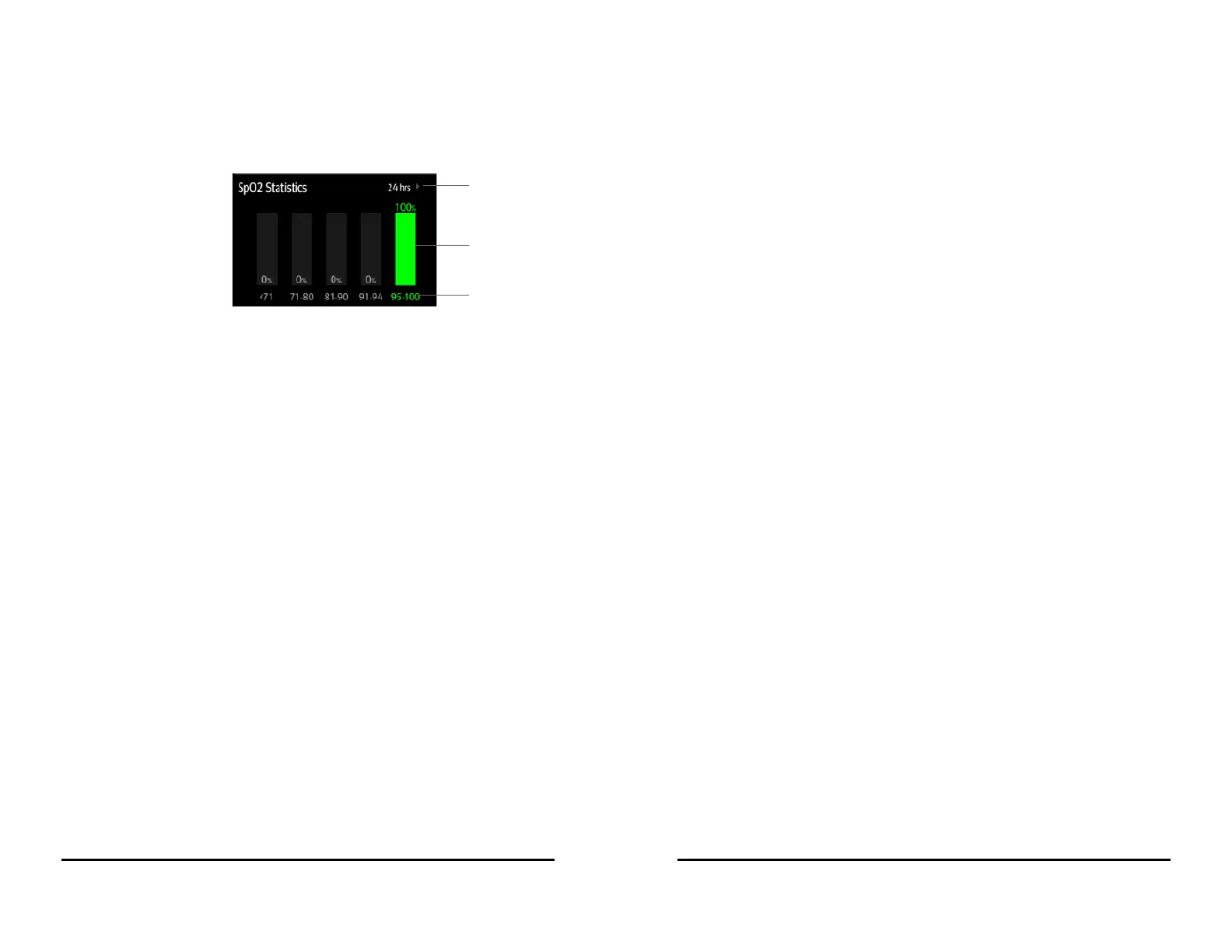
Statistics Display
The following figure shows the SpO
2
statistics area:
12.4.3.2 Selecting the Range of each SpO
2
Section and the Target Section
To define the SpO
2
range of each section, follow this procedure:
1. Select the SpO
2
statistics area.
2. Select a value on the left of the scale.
3. Use the keyboard on the right to change the value.
4. Drag the section label on the right of the scale up or down to select a target
section. The target section is highlighted in green in the SpO
2
statistics area.
12.4.3.3 Selecting the SpO
2
Statistics Length
The Duration of SpO
2
statistics is configurable. From the SpO
2
statistics area, select the
duration to redefine the length of SpO
2
statistics.






 To Next Page