7-2 ECG
7.1 ECG Operation Basic Procedures
1. Connect the ECG device.
Turn off the power supply of the system, and connect the ECG cable to the port in the
system.
Turn on the power supply of the system
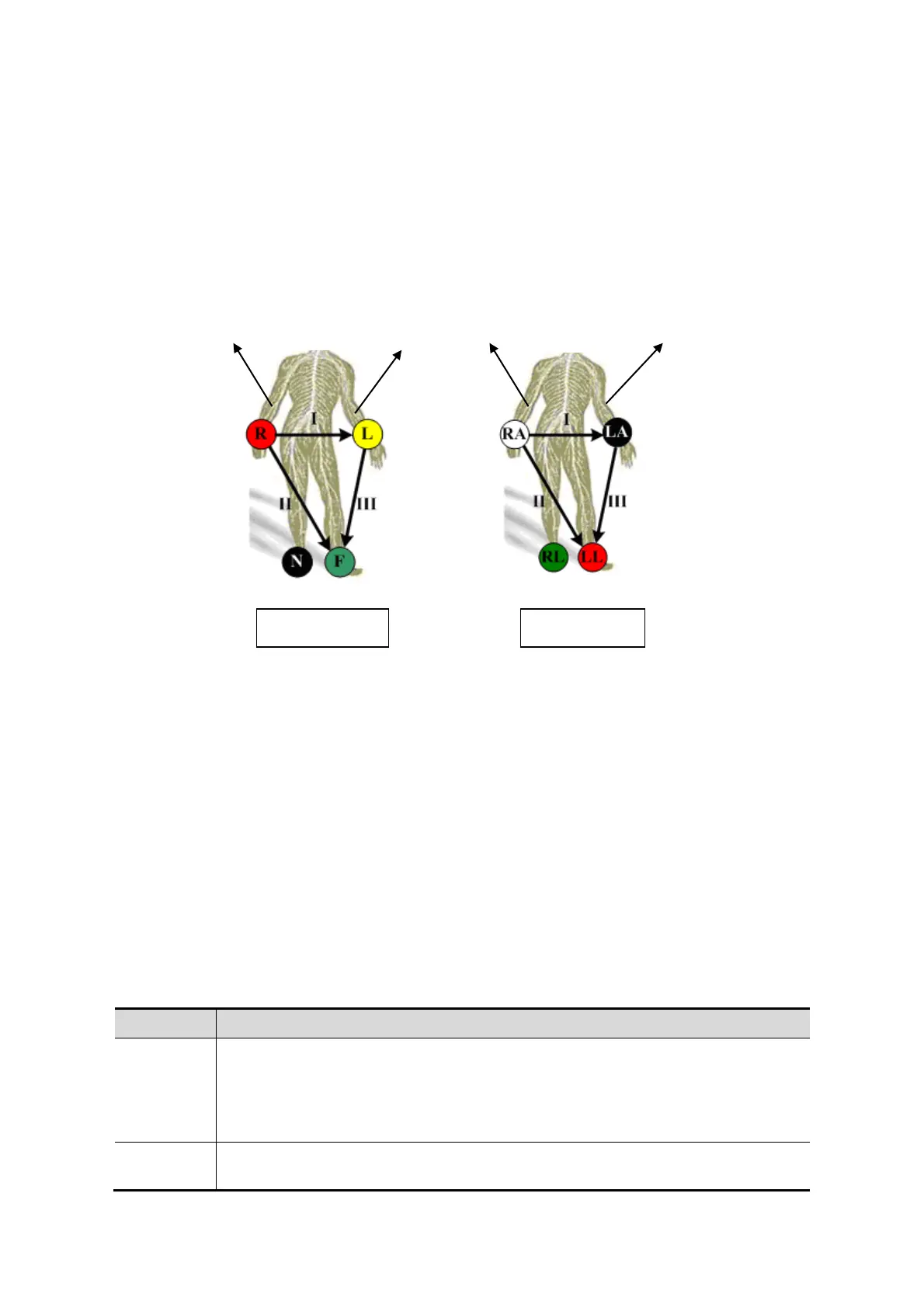
Place the ECG electrodes on the patient’s body (as shown in the following figure)
2. Press ECG user-defined key (set in “[Setup] → [System Preset] →[Key Config]”) to enter
physio operation status.
3. Select [ECG] to be “On”, and the heart-shaped symbol appears on the upper right part of
the screen.
4. Switch the imaging modes and display formats, and adjust relevant parameters to
optimize the image.
5. Parameter adjustment:
On the Physio page, you can adjust [Speed], [ECG Gain], [ECG Pos].
6. Freeze the images and review them. For details, please refer to “7.3 ECG Review”
7. Exit ECG mode, and remove ECG electrodes from the patient.
In ECG mode, set [ECG] to be “Off”, the ECG waveform disappears and the system exits
ECG mode.
7.2 Parameter Description
ECG
Function: to control the display of ECG trace in live status.
Value: On/Off, On is to display the trace, while Off is to hide the trace.
In scanning mode, turn off ECG display will stop ECG signal acquisition.
In freeze mode, this is used to show or hide the ECG trace.
ECG
Source
Select ECG source.
Yellow
Green Black
Black
Green Red
White
Left Right
Left
Right



 To Next Page