EasyManua.ls Logo

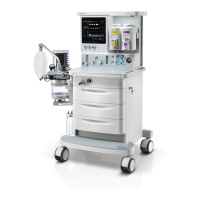
Mindray WATO EX-65 - Service Manual

Mindray WATO EX-65
322 pages
Print Icon
To Next Page IconTo Next Page
Loading...
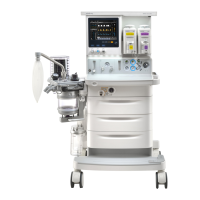
WATO EX-55/65 Anesthesia
Machine
Service Manual

Table of Contents

Other manuals for Mindray WATO EX-65

Questions and Answers

  • E
    Eric SandersAug 15, 2025
    What to do if Mindray Medical Equipment shows 'Low Battery Voltage!'?
    • J
      Jeffery FieldsAug 15, 2025
      If you see a 'Low Battery Voltage!' message, first ensure the system is connected to AC mains. Then, verify the battery's condition and check the charging circuit. If the charging circuit is not working, the power board may need replacement.
  • K
    Kyle JohnsonAug 18, 2025
    What to do if Mindray Medical Equipment displays 'Battery Undetected'?
    • S
      Sandra DouglasAug 18, 2025
      If the 'Battery Undetected' error appears, first ensure a battery is installed and that its voltage is normal. Check the cable connections to the power module. If the issue persists, try replacing the battery. If problems continue, the power board may need to be replaced.
  • M
    Melanie PinedaAug 21, 2025
    What causes 'Power System Comm Stop' on Mindray Medical Equipment and how to fix it?
    • R
      Regina MayAug 21, 2025
      A 'Power System Comm Stop' error can occur due to a communication cable error between the power board and the main control board, power board software failure, or power board hardware failure. Try re-plugging the communication cable or replacing it. If it is a software issue, restart the machine or update the power module software. For hardware failures, consider replacing the power board.
  • V
    vegawandaAug 25, 2025
    Why does Mindray WATO EX-65 Medical Equipment say 'System DOWN for battery depletion!' and how can I fix it?
    • P
      pwarnerAug 25, 2025
      The 'System DOWN for battery depletion!' message indicates a faulty battery that cannot be recharged, or a mismatch between the system software version and the machine type. Connect the equipment to AC mains and measure the battery voltage to see if it can be recharged. Also, verify that the system software version is compatible with the machine; if not, update the software. If the issue continues, the power board may need replacing.
  • M
    Mr. Brandon GuzmanAug 27, 2025
    How to fix 'Power System Selftest Error' on Mindray WATO EX-65?
    • B
      Brian RomeroAug 27, 2025
      A 'Power System Selftest Error' could be due to power board software or hardware failure. To resolve this, first restart the machine. If that doesn't work, disconnect the battery from the AC mains and power it on again after 5 minutes. Also, consider updating the power module software.
  • B
    Briana SweeneyAug 30, 2025
    What to do if Mindray WATO EX-65 Medical Equipment shows 'Power Board High Temp'?
    • S
      Samuel WarnerAug 30, 2025
      If the power board temperature exceeds 95 ?, the equipment will show 'Power Board High Temp'. Check the fan for the power module. Stop using the machine for some time. If, after restarting, the problem remains, consider replacing the power board.
  • G
    Gregory ColemanSep 2, 2025
    What does 'Breathing Circuit Not Mounted' mean on Mindray WATO EX-65 Medical Equipment and how do I resolve it?
    • V
      vmonroeSep 3, 2025
      The 'Breathing Circuit Not Mounted' message indicates that the breathing circuit is either not installed or not correctly connected to the circuit base. Ensure the circuit is correctly installed. Check the connection between the connection line and the connector. For WATO series anesthesia machines, replacing the power board might be necessary, as it detects the circuit's position.
  • S
    Sarah RussellSep 5, 2025
    Why does Mindray WATO EX-65 say 'Power Supply Voltage Error'?
    • M
      Michael Carson DDSSep 5, 2025
      A 'Power Supply Voltage Error' indicates a 3.3V, 5V, or 12V error. Measure the voltage at the corresponding test point. If the problem persists, the power board may need to be replaced.
  • N
    Nathan RojasSep 8, 2025
    Why does Mindray WATO EX-65 RT clock need reset?
    • J
      Joshua PettySep 8, 2025
      The RT Clock may need a reset because there is no button cell available in the system, or the battery has no capacity. Replace with a new button cell. If the problem persists, replace the main control board.
  • A
    Allison HarrisSep 12, 2025
    What to do if Mindray Medical Equipment RT Clock Not Exist?
    • M
      Michael MeyersSep 12, 2025
      If the RT Clock does not exist, it may be due to an RT chip malfunction. Try restarting the machine. If the problem persists, replace the board.

Summary

1 Safety

1.1 Safety Information

Provides crucial safety guidelines including dangers, warnings, cautions, and notes.

1.2 Equipment Symbols

Lists and explains various symbols used throughout the manual for equipment identification.

2 Theory of Operation

2.2 Gas Flow

Details the gas flow principles and components within the anesthesia machine.

2.2.1 Pneumatic Circuit Diagram

Illustrates the pneumatic circuit diagram of the anesthesia machine.

2.2.2 Parts List

Lists all the parts included in the gas flow system with their corresponding numbers.

3 Checkout and Test

3.1 System Inspection

Outlines the initial inspection procedures for the anesthesia machine before testing.

3.2 Pipeline Tests

Details the procedures for testing the integrity and function of the pipeline gas supplies.

3.9 Alarm Tests

Outlines the procedures for testing various alarms to ensure proper functionality.

4 Maintenance and Calibration

4.1 Equipment Maintenance

Provides guidelines for routine maintenance and periodic replacement of parts.

4.2 System Test

Outlines essential tests to verify the normal operation and status of the anesthesia machine.

4.3 System Calibration

Details the procedures for calibrating various sensors and components of the anesthesia machine.

5 Troubleshooting

5.2 Technical Alarm Check

Guides on checking and resolving technical alarms related to the ventilator and flowmeter.

5.3 Pneumatic Circuit System Problems

Details possible failures within the pneumatic circuit and their troubleshooting methods.

5.5 Hardware and Electrical Problems

Covers troubleshooting for hardware and electrical issues affecting the anesthesia machine's operation.

6 Repair and Disassembly

6.1 Prepare for Disassembly

Lists tools and preparations required before starting the disassembly process.

6.2 Disassemble the Assemblies

Provides step-by-step instructions for disassembling various assemblies of the anesthesia machine.

6.3 Disassemble the Breathing System

Provides instructions for disassembling the breathing system components.

7 Parts

7.1 Main Unit

Details the components and exploded views of the main unit.

7.1.4 Display Assembly

Details the exploded view and parts list for the display assembly.

7.2 Breathing Circuit

Lists components of the breathing circuit.

Mindray WATO EX-65 Specifications

General IconGeneral
TypeAnesthesia Machine
ModelWATO EX-65
BrandMindray
Tidal Volume Range20 to 1500 mL
O2 Concentration21% to 100%
I:E Ratio4:1 to 1:8
Ventilation ModesVCV, PCV, SIMV, Manual, Spontaneous
Flow MeterO2, N2O
VaporizerUp to 2 vaporizers
PEEP0 to 20 cmH2O
Gas SupplyO2, N2O, Air
MonitoringAirway Pressure, Flow, Volume
O2 Flush35 to 75 L/min
Respiratory Rate4 to 100 breaths per minute
Power Supply100 to 240 VAC, 50/60 Hz
Fresh Gas Flow0 to 15 L/min

Related product manuals