Setup 12-5
12.1.3 Image Preset
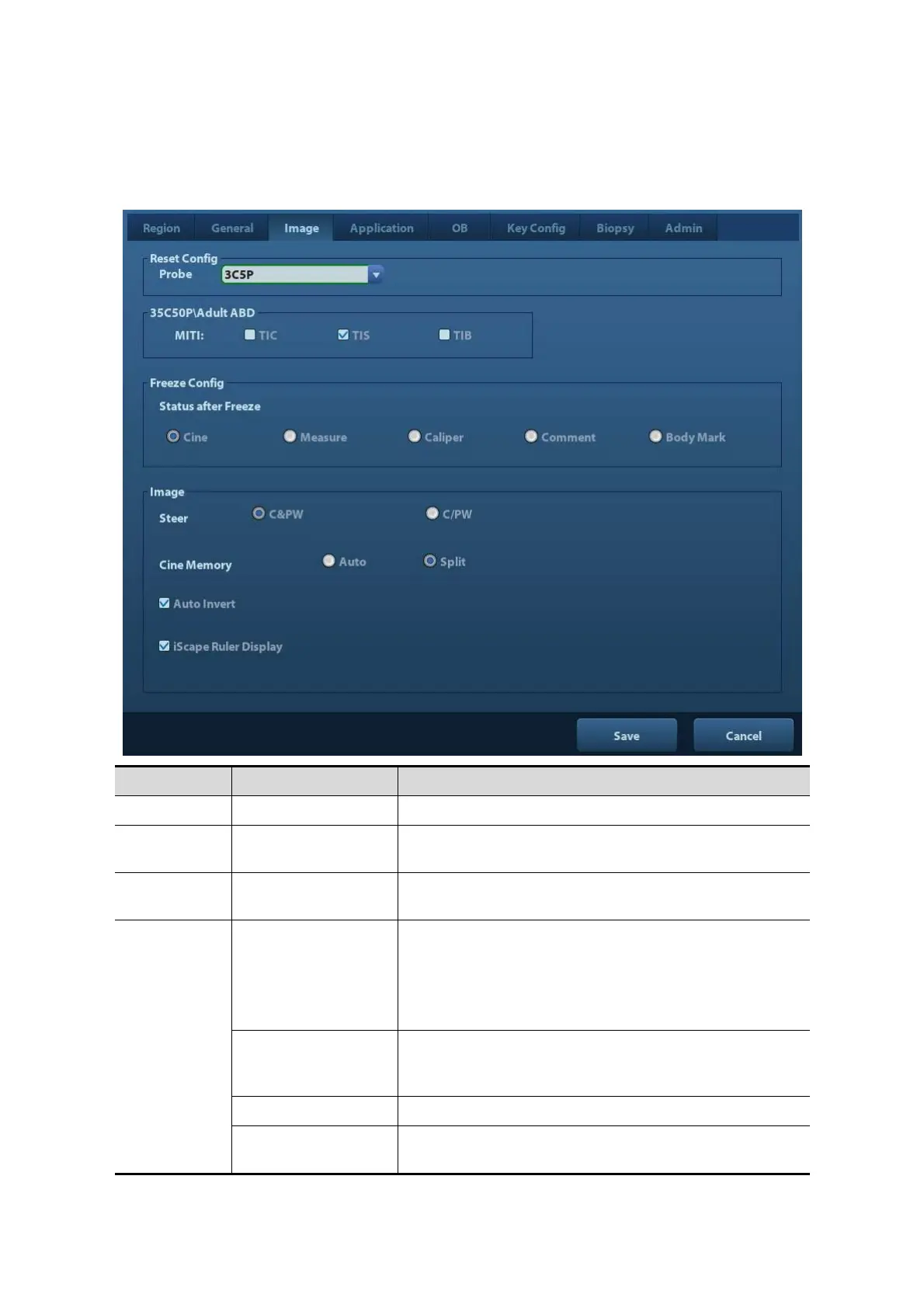
Open the Image Preset page via [Setup]-> [System Preset]-> [Image], as shown in the figure
below.
Reset Config Probe To set the default probe model for the system.
/ MITI
To set MI TI indexes displayed for current probe/exam
mode.
Freeze
Config
Status after Freeze To set the system status after image is frozen.
Image
Steer
To set the steer mode in B+ Color +PW imaging mode.
C&PW: select to adjust the sample volume in color
mode and sample line in PW mode together.
C/PW: select to adjust the sample volume in color
mode and sample line in PW mode individually.
Auto Invert
The spectrum can automatically invert when the color
flow is steered to a certain angle, thus accommodating
operator’s habit of distinguishing flow direction.
Cine Memory To set the cine memory splitting type.
iScape Ruler
Display
To set if to display the iScape ruler on iScape imaging
mode.



 To Next Page