12-6 Setup
12.1.4 Application
Open the Meas page via [Setup]-> [System Preset]-> [Application]. Through the page, you
can set the measure ruler, follicle and relevant information. For details, please refer to the
Operator’s Manual [Advanced Volume]
12.1.5 OB
Open the OB page via [Setup]-> [System Preset]-> [OB]. Through the page, you can set the
gestational age formula, fetal growth formula, fetal weight formula and the relevant
information. For details, please refer to the Operator’s Manual [Advanced Volume].
12.1.6 Key Config
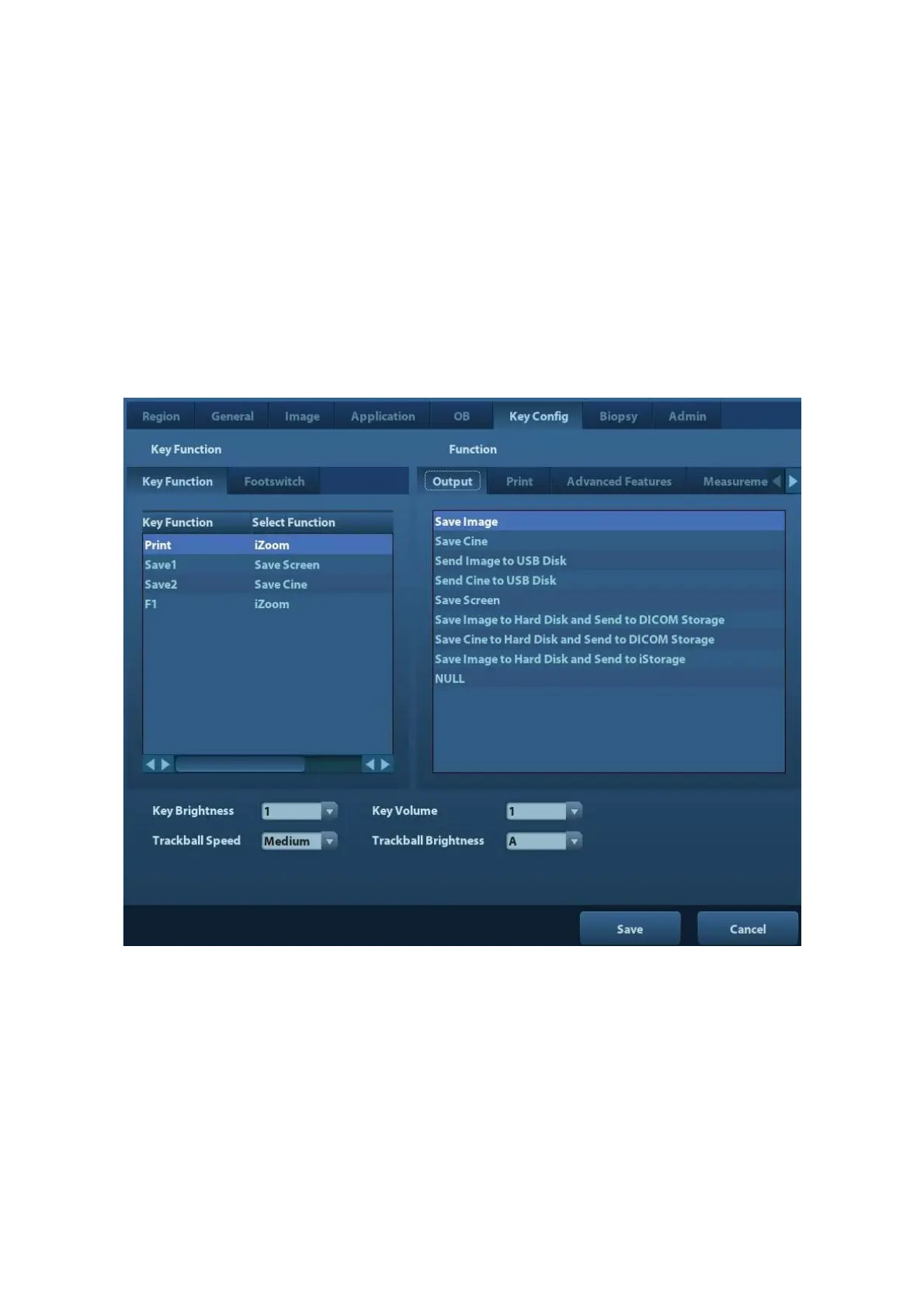
Open the page via [Setup]-> [System Preset]-> [Key Config], as shown in the figure below.
Key function setting
You can set the functions for <Print>, <Save>, F1 and footswitch.
To assign a function to a key:
(1) Click to select the desired key in the Key Function column at the left side of the page.
(2) Click to select a function in Function area. You can see the functions selected at the
right side of the select key.
(3) Click [Save] to complete function setting.
The following introduces an example as setting <F1> as “Send Cine to USB disk”:
(1) Select F1 in the “Key Function” list at the left side of the page.



 To Next Page