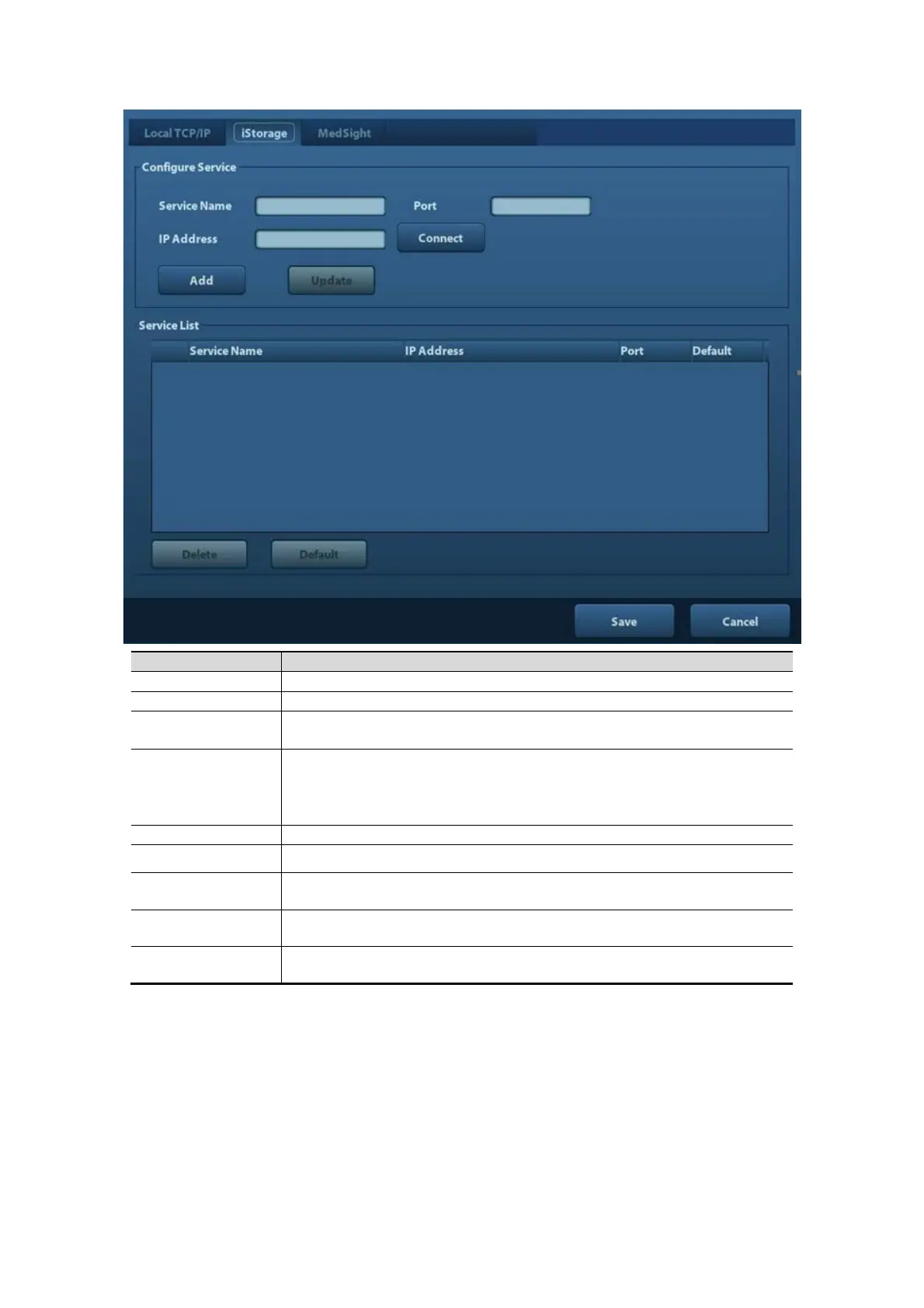
12-12 Setup
Name of the device, cannot be empty
IP Address
IP address of the PC installed with iStorage software, cannot be
empty
Connect
Press to verify connection with the PC server. On PC server, if the
storage path has not been confirmed, a dialog box will pop up and
guide the user to set it. If the storage path on PC has already been
set, here it displays connection successful after clicking this button.
Click it to add the new service to the service list.
Update To save the changed parameters.
Delete Click to delete the selected service in the service list.
Default Click to set an selected item in the list as the default iStorage server.
Save Click to save and exit the screen.
Add a network service:
1. Set the network server properties as described above.
2. Click [Add] to add the service to the Service list;
3. Select the added service in the service list, you can delete it.
Modify a network service:
1. Select the service to be updated in the service list.
2. You can see properties in the Configure Service area.
3. Modify the parameters and click [Update] to update setting.



 To Next Page