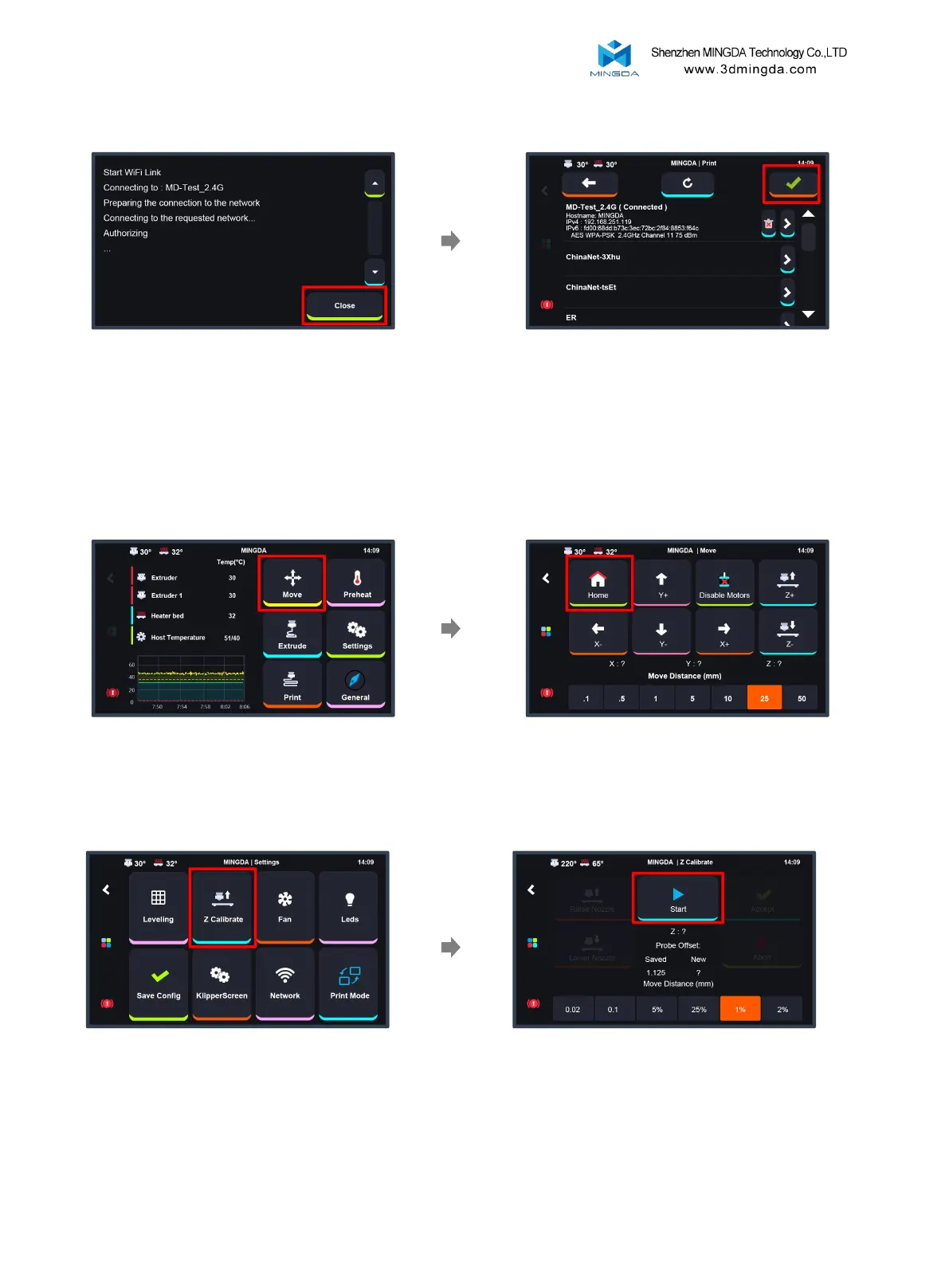
Upon successful connection, click the
checkmark in the upper right corner to enter
the main interface of the machine. If you do
not need to connect to the network, you can
also click the checkmark to skip this step.
Once the connection is successful, click
the Close button.
8
After completing the above steps, Home all Axis
Click the "Move" button Click the "Home" button
Z Calibrate
Click "Setting-Z Calibrate"
Click "Start" , wait Z axis calibrating
and click "Accept" and comfirm



 To Next Page