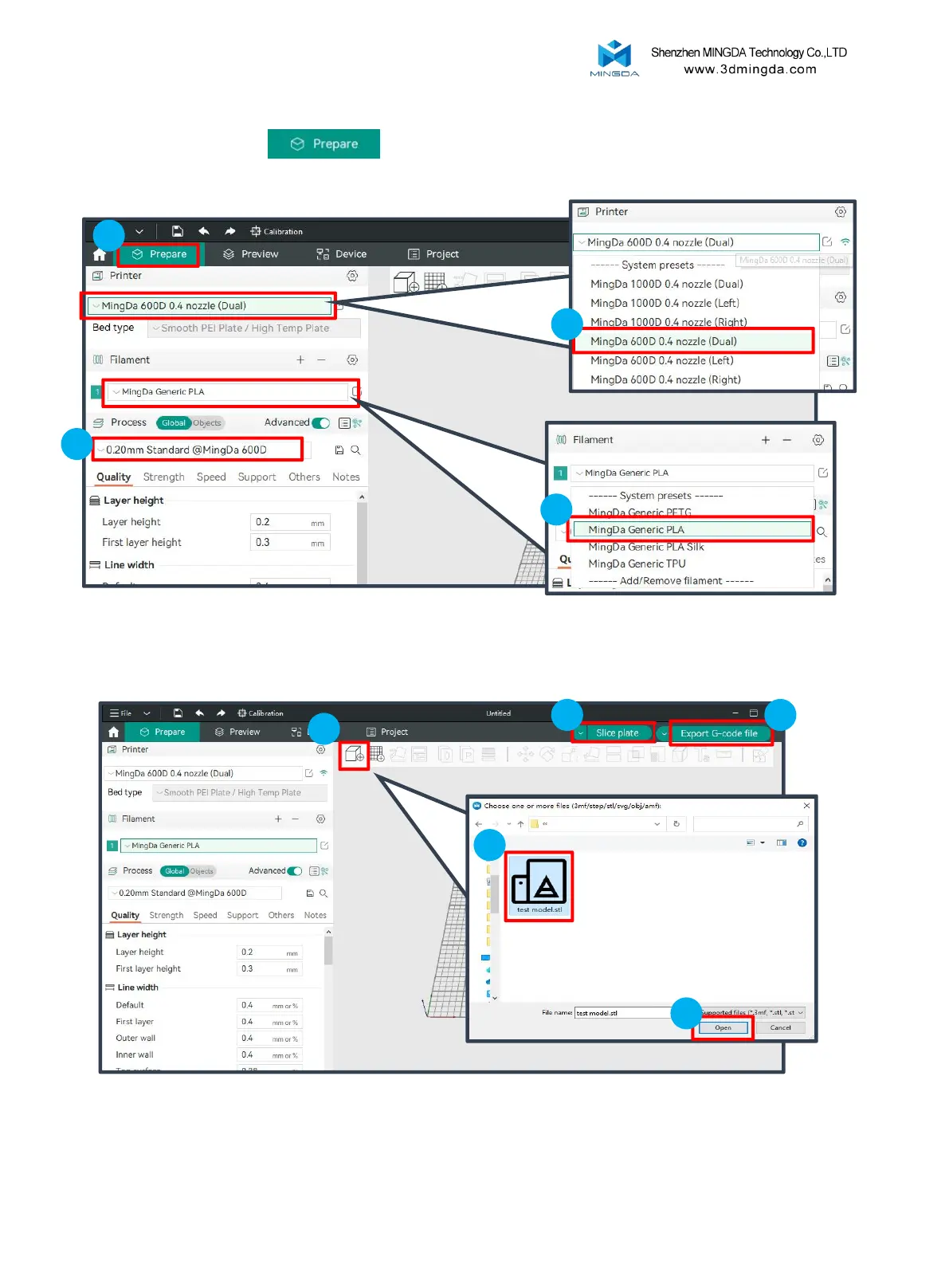
Choose the printer model and select the print material settings.
Usage
Click the "Prepare" button.
1
Load the STL model, adjust the print parameters. Once you confirm everything is correct, click the "Slice
plate" button to slice the model.
Finally, click "Export G-code file" to save the file.
3
4
1
2
3
4 5
2
19
we will take MD-600D as an example



 To Next Page