Installation:
Note: Copy the data from the USB drive to your computer for backup.
Our company's slicing software is designed to work seamlessly with our machines to meet customer requirements.
Open the provided USB drive and navigate to software -> slicer.
Double-click on MingDa_OrcaSlicer_Windows_Installer_x.x.x.exe to launch the application installer.
Choose your preferred language and follow the on-screen prompts during the installation process.
Wait for the installation to complete.
Configuration:
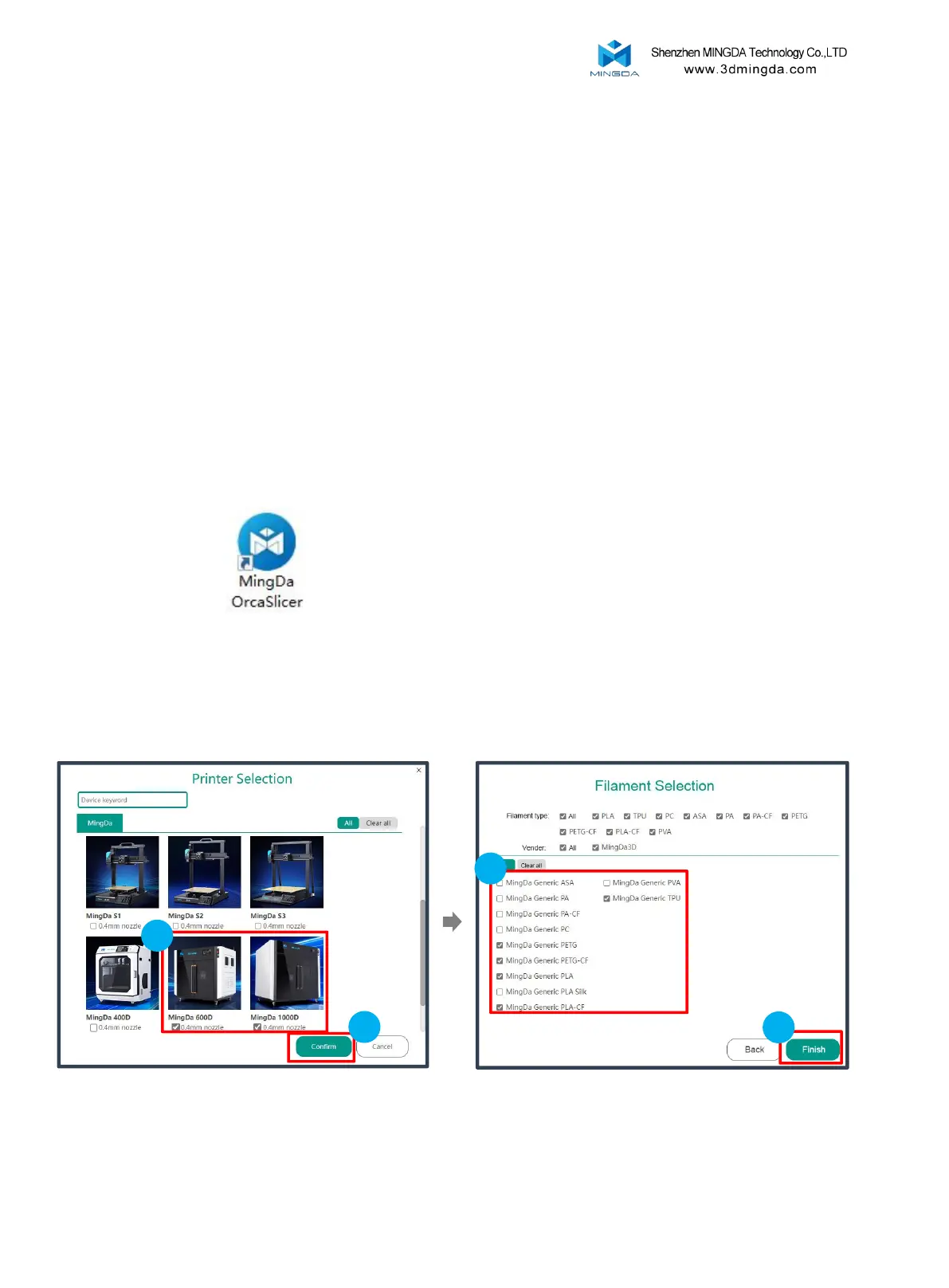
Upon the first run of Mingda OrcaSlicer,
you will enter the configuration wizard.
Choose the MD-600D &MD-1000D model and click
"Confirm."
Select the desired filament type.
2
1
2
Slicing Software Installation and Usage
1
18



 To Next Page