Print Mode
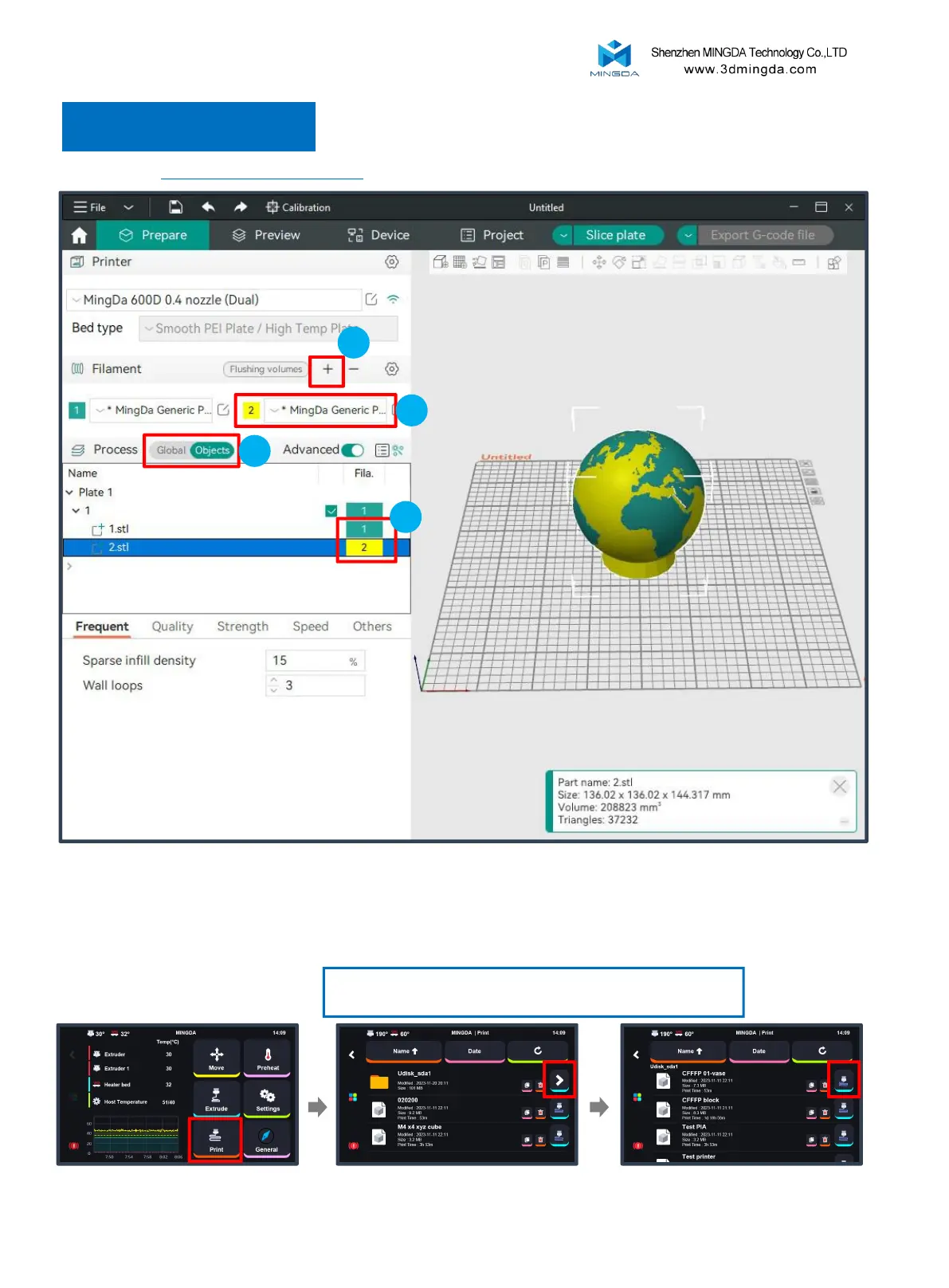
Print Two Colors
Printing size: 600 * 600 * 600mm
Selecting the MingDa 600D 0.4 nozzle (Dual)
3
1. In the filaments column on the left side of the interface, click "+" to add another filament.
2. Choose and modify the filament information.
3. In the Process section, click to switch to the "Objects" option.
4. Click on the color box next to the STL file to select the desired filament.
4
2
Note: When printing dual-color models, the printer will
automatically switch to Auto-park Mode.
By default, it is in "Auto-park
Mode"; select "Print."
In the printer interface:
Insert the U-disk. Choose the print file for printing.
1
we will take MD-600D as an example
23



 To Next Page