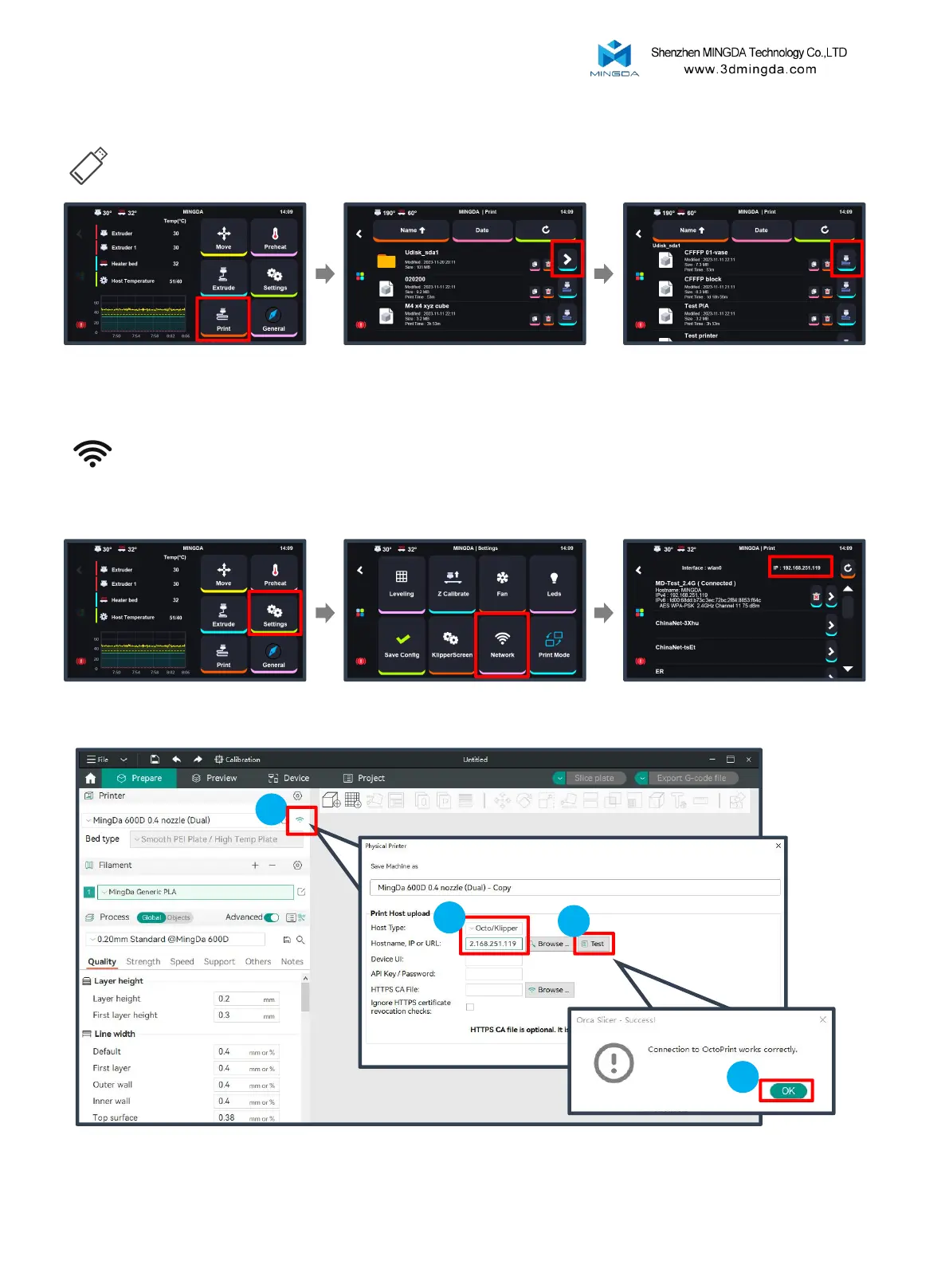
Local Printing
Insert the U-disk, then click the
"Print" button.
Find the folder and Click the
arrow on the right
Select the test gcode which
was preset in the U-disk.
LAN Printing
Ensure that the printer and the computer host are on the same local network.
Click "Settings" to enter the
settings page.
Click "Network" to enter the
network page.
Check the printer's IP address.
In Mingda OrcaSlicer, click the WiFi icon, select Host type as Octo/Klipper, enter the printer's IP address,
and press Enter. Click the "Test" button to verify the successful connection.
2
3
4
Printing
1
20



 To Next Page