2. Power on
In a good ventilation and dry environment
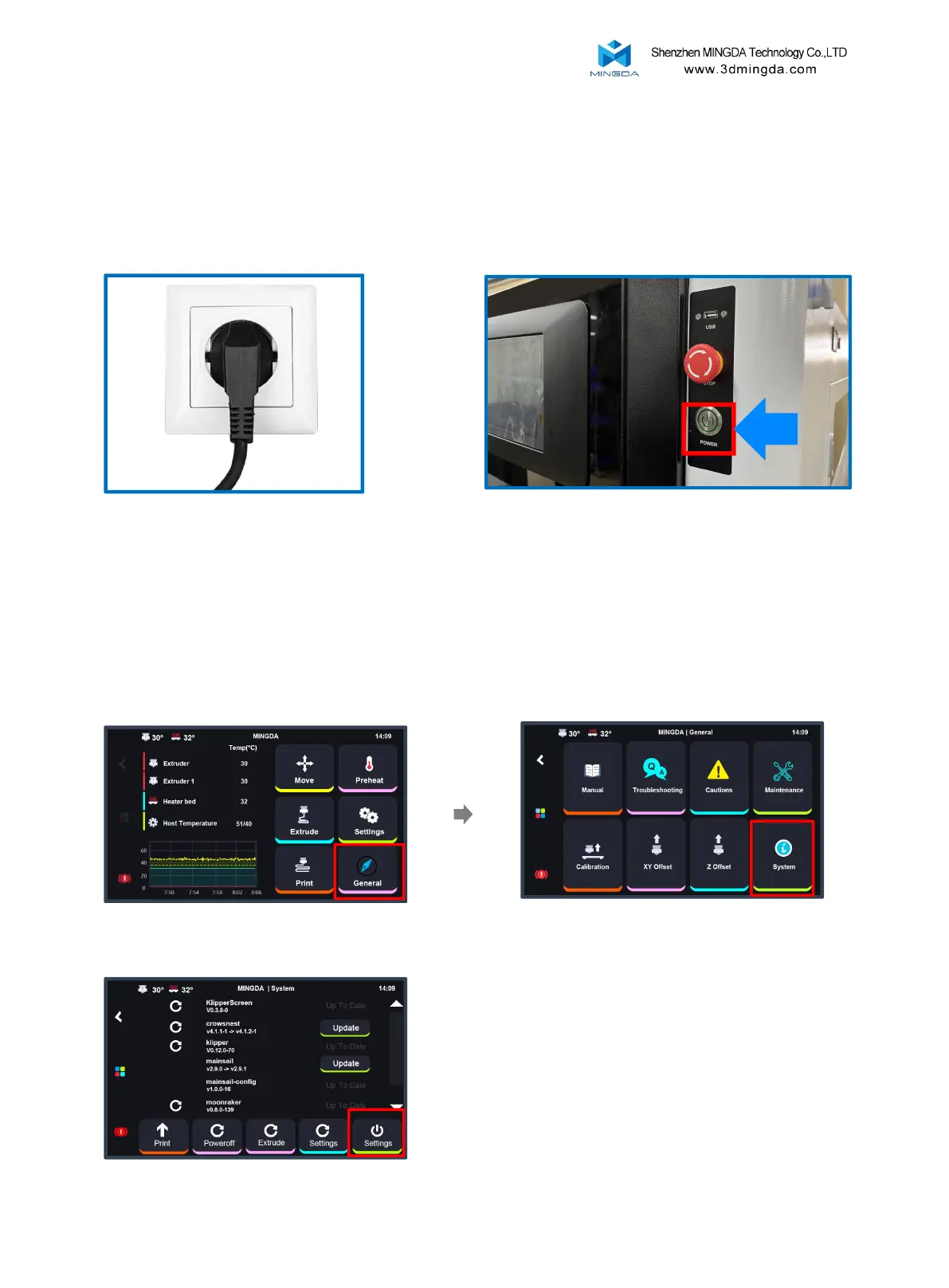
Insert a power socket
Press the power button to turn on the printer
Please ensure that the print platform is clear before connecting the power and
check if the device is connected properly.
6
3. Power off
When you turn off the printer, please don't press the power button
directly! Check the Page 12, click "General-System-Shutdown-Printer"
to turn off the printer
Click the "System" button.
Click the "General" button.
Click the "Shutdown" button.



 To Next Page