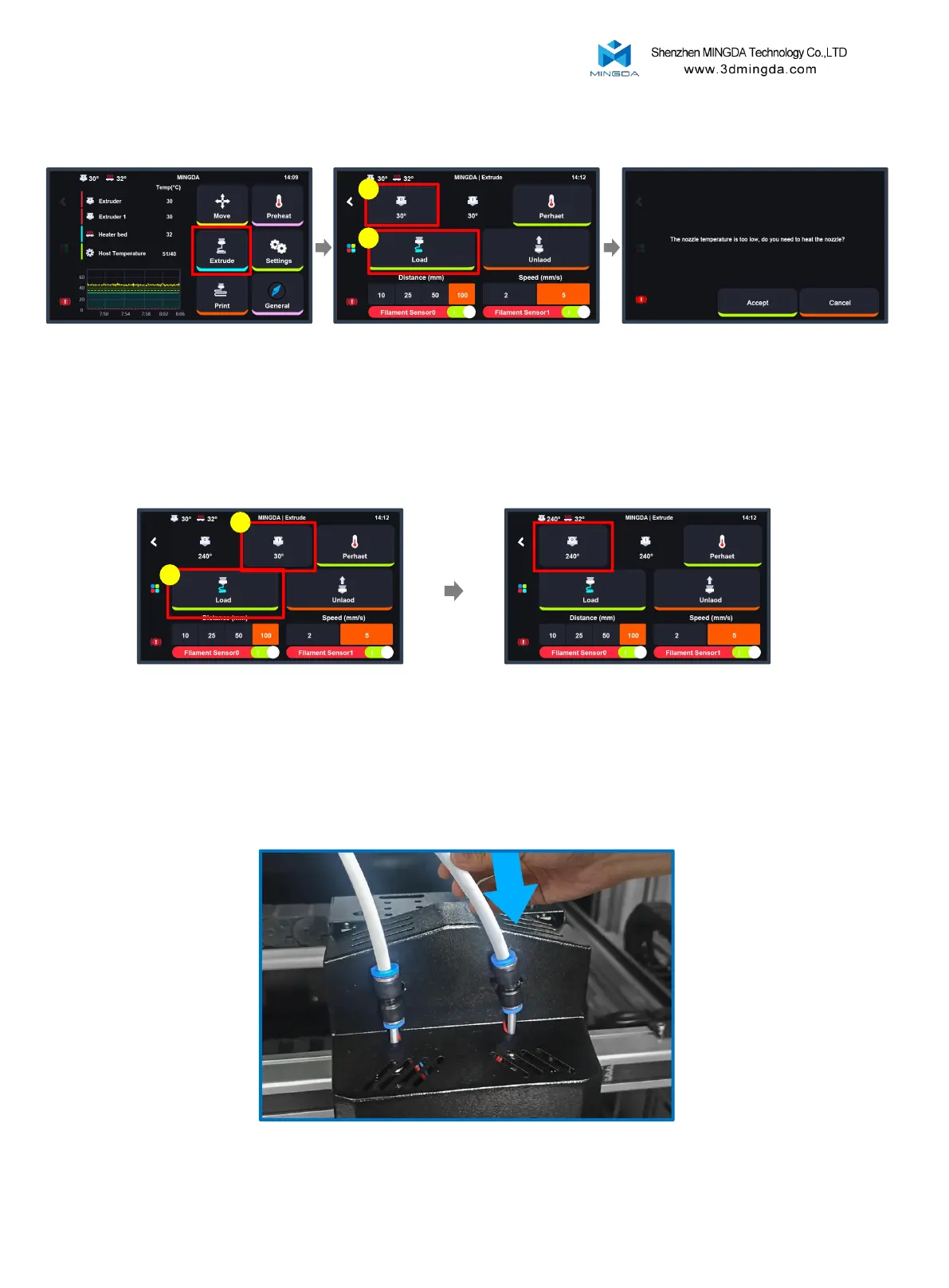
3. Load Filament for the Left and Right Extruders
4. After the filament feeding is completed, Insert the large catheter.
Sequentially load filament for the left and
right extruders. If the temperature is too
low, a prompt will appear indicating the
need for heating. Click "Accept," wait for
the nozzle temperature to reach 240°C,
and then click the "Load" button to feed
the filament.
Switch to the second extruder ”T1”,
Repeat the steps of the first extruder.
Click the "Extrude" button
Select the first extruder “T0”, Click
'100mm', click on the feed speed
'5mm/s', then click 'load' to inport the
filament.
1
2
After the completion of loading filament for
"T1," it is necessary to click on the "T0" icon
again. Failure to do so may result in collisions
during subsequent movement commands for
the extruder.
1
1
16



 To Next Page