5150
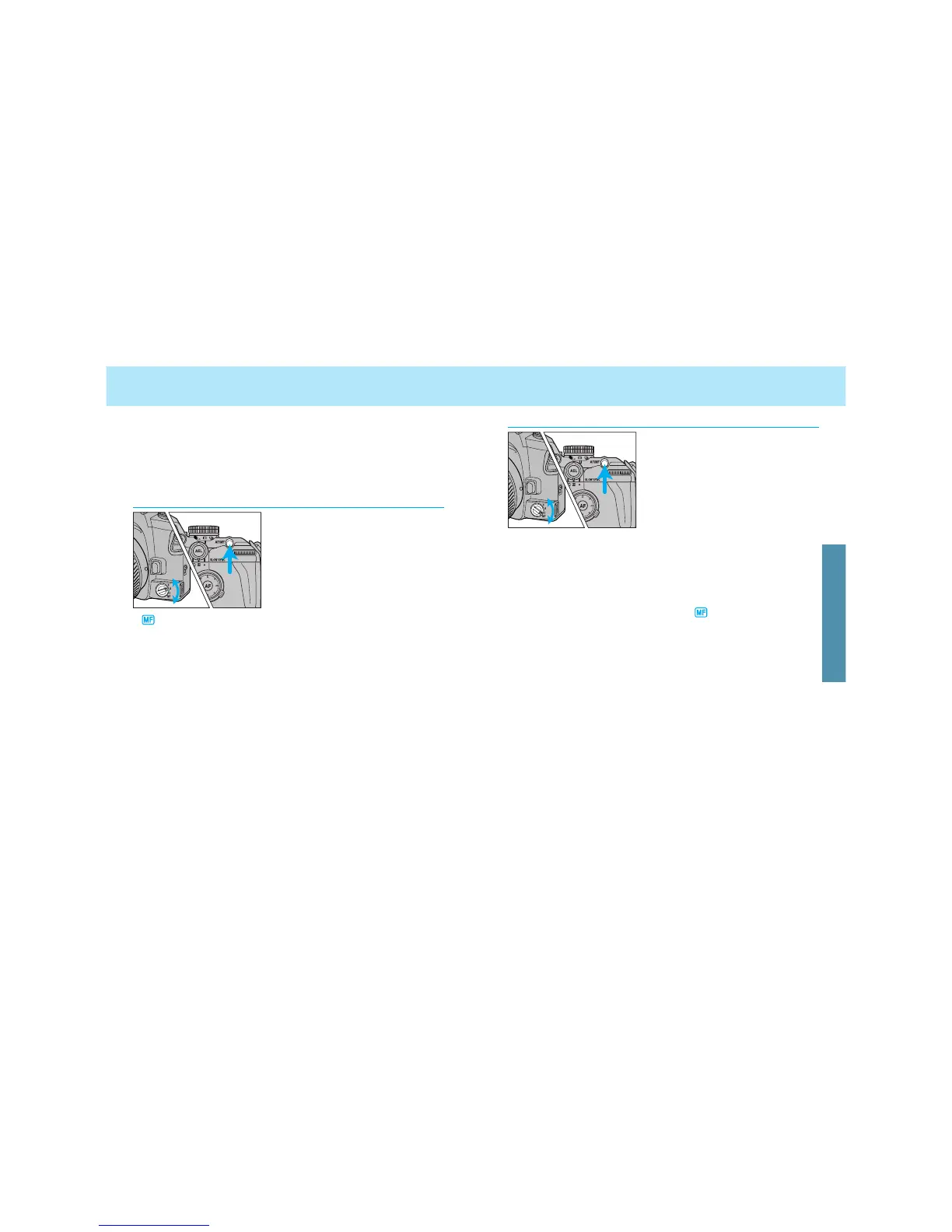
AF/MF CONTROL BUTTON
In MF mode (focus-mode switch
set to MF), when the AF/MF con-
trol button is pressed, the MF
mode is switched to AF-S, auto-
focus is activated, and then focus
is locked.
• When you release the AF/MF control button, the camera returns to MF
mode, and now re-focusing is possible using the focusing ring.
• When the AF/MF control button is pressed, the camera will also meter
the subject.
• While pressing the AF/MF control button, disappears in the
viewfinder, but will remain in the navigation display.
• If Custom 9-2 is selected, autofocus and manual focus are automati-
cally switched over by every push of the AF/MF control button, instead
of while pressing the AF/MF control button (p. 167).
AF to MF
In AF mode (focus-mode switch
set to C, A, or S), the AF mode is
switched to MF mode while
pressing the AF/MF control but-
ton.
• Turn the focusing ring while pressing
the AF/MF control button.
• will appear in the viewfinder while the AF/MF control button is
pressed. However, the AF-mode indicator in the navigation display
(AF-A, AF-C, AF-S) doesn’t change.
• If you don’t change the focus, the focus will remain locked while
pressing the AF/MF control button.
• If Custom 9-2 is selected, autofocus and manual focus are automati-
cally switched over by every push of the AF/MF control button, instead
of while pressing the AF/MF control button (p. 167).
The AF/MF control button is located on the back allowing an instant
selection of focus mode with the right thumb without changing the
holding position.
• AF/MF control button cannot be used with xi series and AF Power
zoom lenses.
MF to AF
FOCUSING





 To Next Page