5. Getting started
MiR250 User Guide (en) 07/2020 - v.1.2 ©Copyright 2020: Mobile Industrial Robots A/S. 47
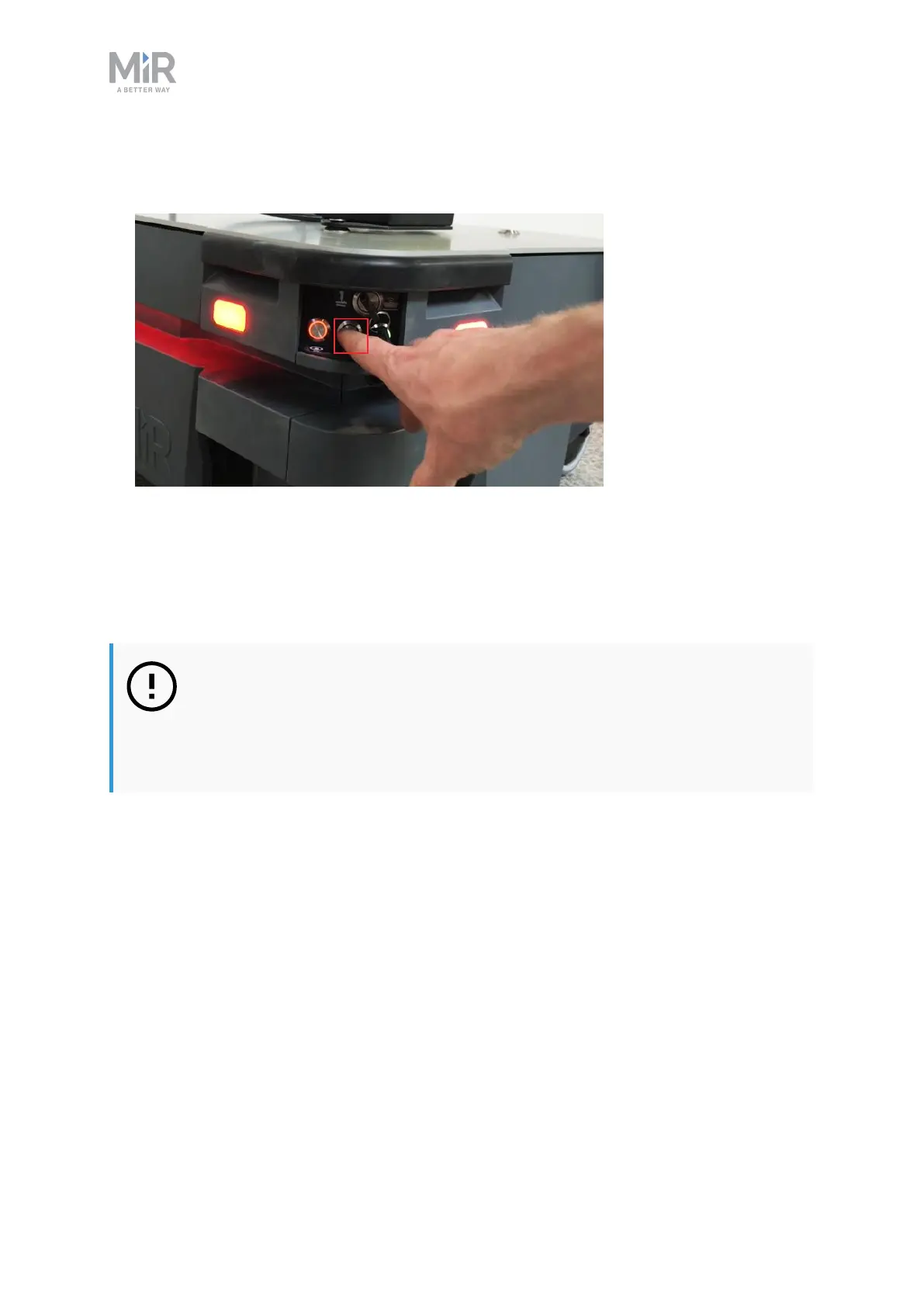
2. Press the Resume button to clear the Protective stop. The robot is now ready for
operation.
5.4 Connecting to the robot interface
When the robot is turned on, it enables the connection to its WiFi access point. The name of
the access point appears in the list of available connections on your PC, tablet, or phone.
NOTICE
The username and password for the robot’s WiFi access point and for
accessing the web interface are in the Passwords document. The document is
in the box with the robot.
Follow these steps to connect to the robot interface:
1. Using your pc, tablet, or phone, connect to the WiFi access point of the robot. The access
point name has the following format: MiR20XXXXXXX



 To Next Page