5. Getting started
MiR250 User Guide (en) 07/2020 - v.1.2 ©Copyright 2020: Mobile Industrial Robots A/S. 49
5.5 Driving the robot in Manual mode
CAUTION
When driving the robot in manual mode, it is possible to mute the personnel
detection means and drive the robot into Forbidden zones and Unpreferred
zones in the map. This means that the robot will only stop when very close to
an obstacle and will not respond to zones on the map. This can result in injury
to personnel or damage to equipment if the robot is not driven carefully.
• Drive carefully to avoid collisions with any personnel or objects when
driving the robot in Manual mode.
• Avoid driving the robot manually without a clear visual of the robot.
To drive the robot in Manual mode, follow these steps:
1. On the robot, turn the Operating mode key into Manual mode (turn it to the right).
2. In the robot interface, select Manual control. The Resume button on the robot starts
blinking.
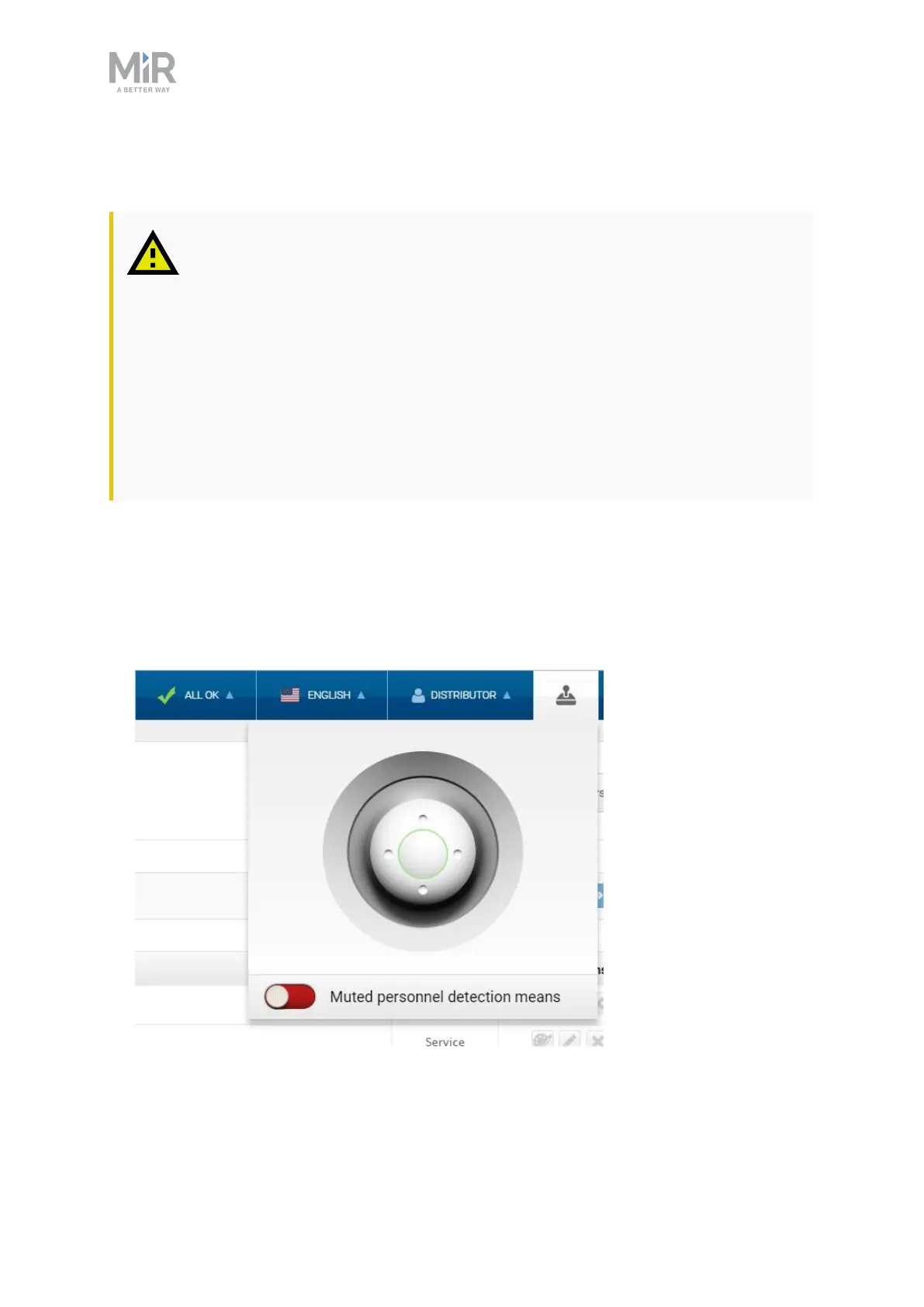
3. In the robot interface, select the joystick icon. The joystick control appears.



 To Next Page