116
LCD PC E
LCD PC E
-
-
8590 MAINTENANCE
8590 MAINTENANCE
2.2.6 Memory Module
Disassembly
1. Remove the CPU cover and housing shielding. (See the step 1, 2 of section 2.2.2 disassembly)
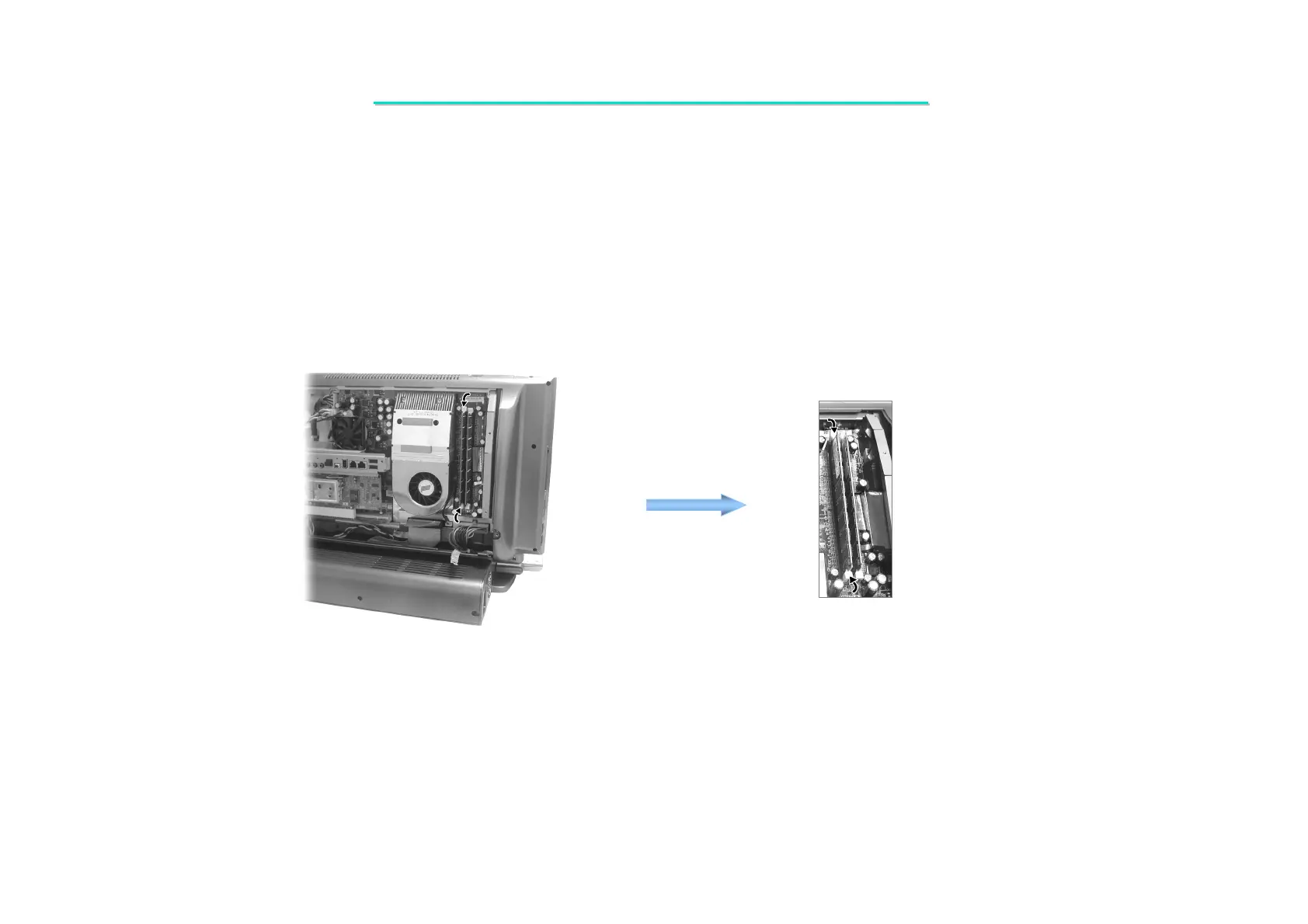
2. To remove the memory module, pull the retaining clips outwards to the unlocked and lift the DIMM module.
(Figure 2-15)
Figure 2-15 Remove the memory module
Reassembly
1. Fit the memory module into slot and locked by clips.
2. Replace the housing shielding and CPU cover. (See the step 4, 3 of section 2.2.2 reassembly)



 To Next Page