131
LCD PC E
LCD PC E
-
-
8590 MAINTENANCE
8590 MAINTENANCE
2.2.11 Hard Disk Drive
Disassembly
1. Remove the CPU cover. (See the step 1of section 2.2.2 disassembly)
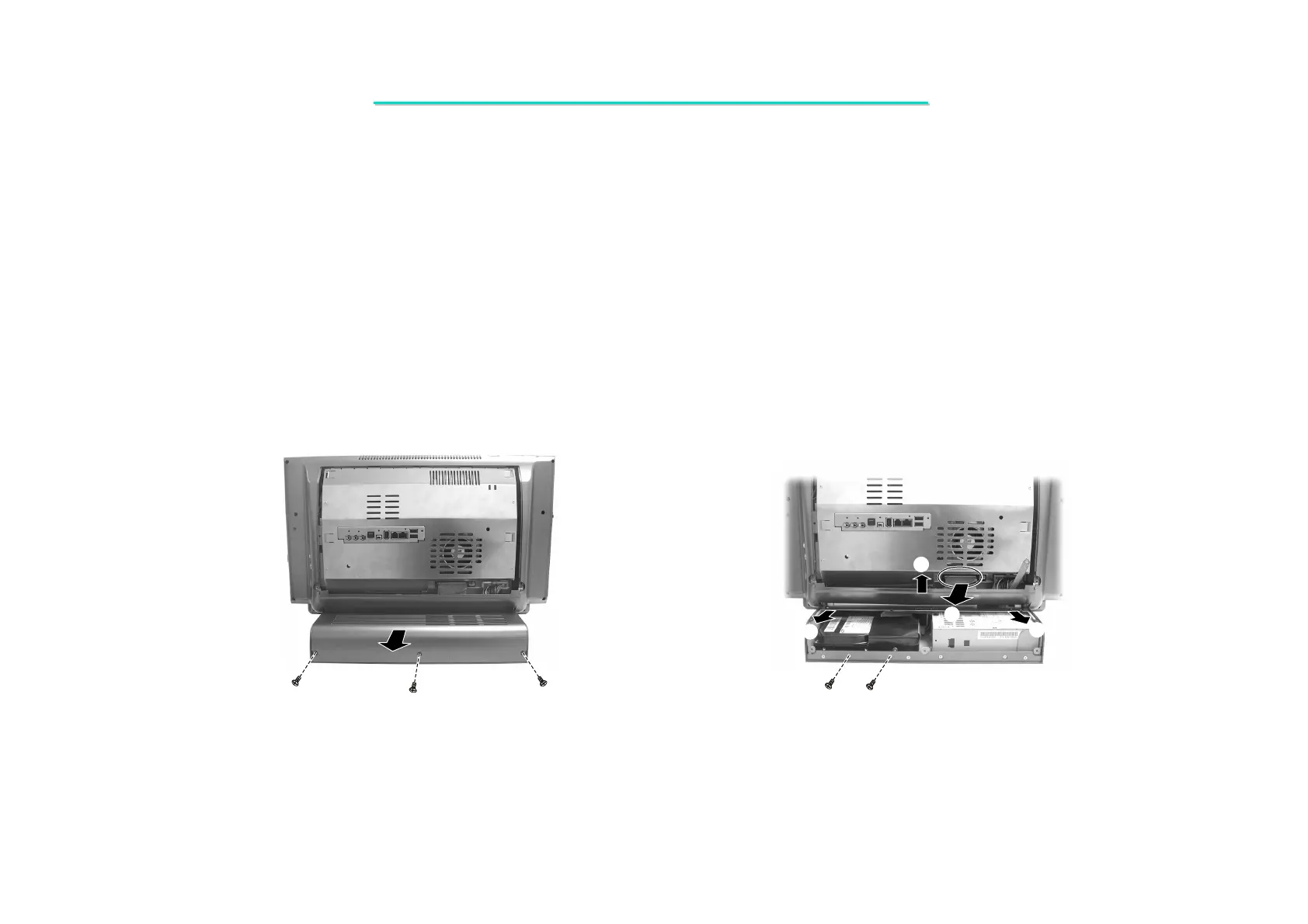
2. Remove three screws fastening the power & HDD’s compartment cover. Then slide the cover separate completely.
(Figure 2-37)
3. Slide the plate (), then lift plate up () to separate it with the door. Then Disconnect the HDD data cable ().
(Figure 2-38)
4. Remove two screws fastening the hard disk drive. (Figure 2-38)
Figure 2-37 Remove the power & HDD Figure2-38 Remove the plate and HDD data
compartment cover data cable



 To Next Page