191
LCD PC E
LCD PC E
-
-
8590 MAINTENANCE
8590 MAINTENANCE
Change the faulty
part then end.
Correct it
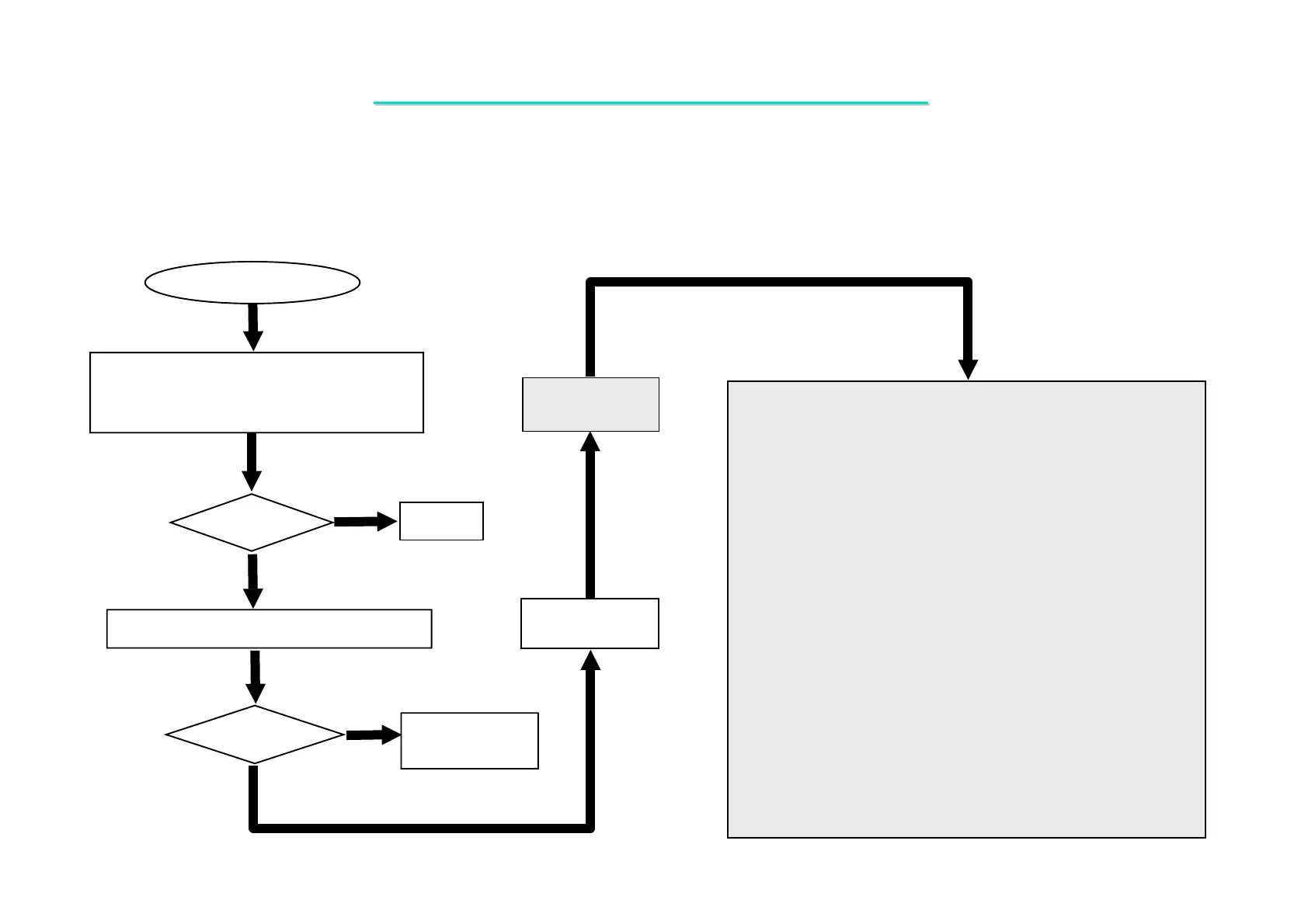
1. Check if the memory CARD device is
installed properly.
2. Confirm memory card driver is installed ok.
Memory Card Test Error
Test
OK?
Re-test
OK?
Yes
No
Yes
No
Check the following parts for cold solder or one of the following
parts on the mother-board may be defective, use an oscilloscope
to check the following signal or replace the parts one at a time and
test after each replacement.
Parts:
U18
U6
J14
D7
D8
D9
Q12
Q11
R136
R140
C2
C3
Try another known good memory card device.
Board-level
Troubleshooting
Replace
Motherboard
Signals
AD[0:31]
C/BE# [0:3]
REQ0#
FRAME#
IRDY#
TRDY#
DEVSEL#
STOP#
PCIINTB#
PCIRST#
GNT0#
SERR#
CLKRUN#
SD_CD#
SD_ WP#
SM_CD#
SM_IVD
SM_WP#
SM_WE#
SM_R/B#
SM_ALE
SM_RE#
SM_CLE
SM_CE#
SM_WPD#
MS_BS
MS_SDIO
MS_INS#
MS_SCLK
MS_SDIO
MS_INS#
MS_SCLK
MSVDD
SDVDD
SD_LED#
SM_LED#
MS_LED#
MS_SCLK
MSVDD
SDVDD
SD_LED#
SM_LED#
MS_LED#
Symptom : An error occurs when a memory card device is installed.
8.11 Memory-Card Socket Failure



 To Next Page