123
LCD PC E
LCD PC E
-
-
8590 MAINTENANCE
8590 MAINTENANCE
2.2.8 LCD Panel
Disassembly
1. Remove the CPU cover; housing shielding and CPU. (See section 2.2.2 disassembly)
2. Remove the CD/DVD-ROM drive; I/O board; TV tuner board; modem card and memory module. (See section
2.2.3 to 2.2.6 disassembly)
3. Remove the system board. (See section 2.2.7 disassembly)
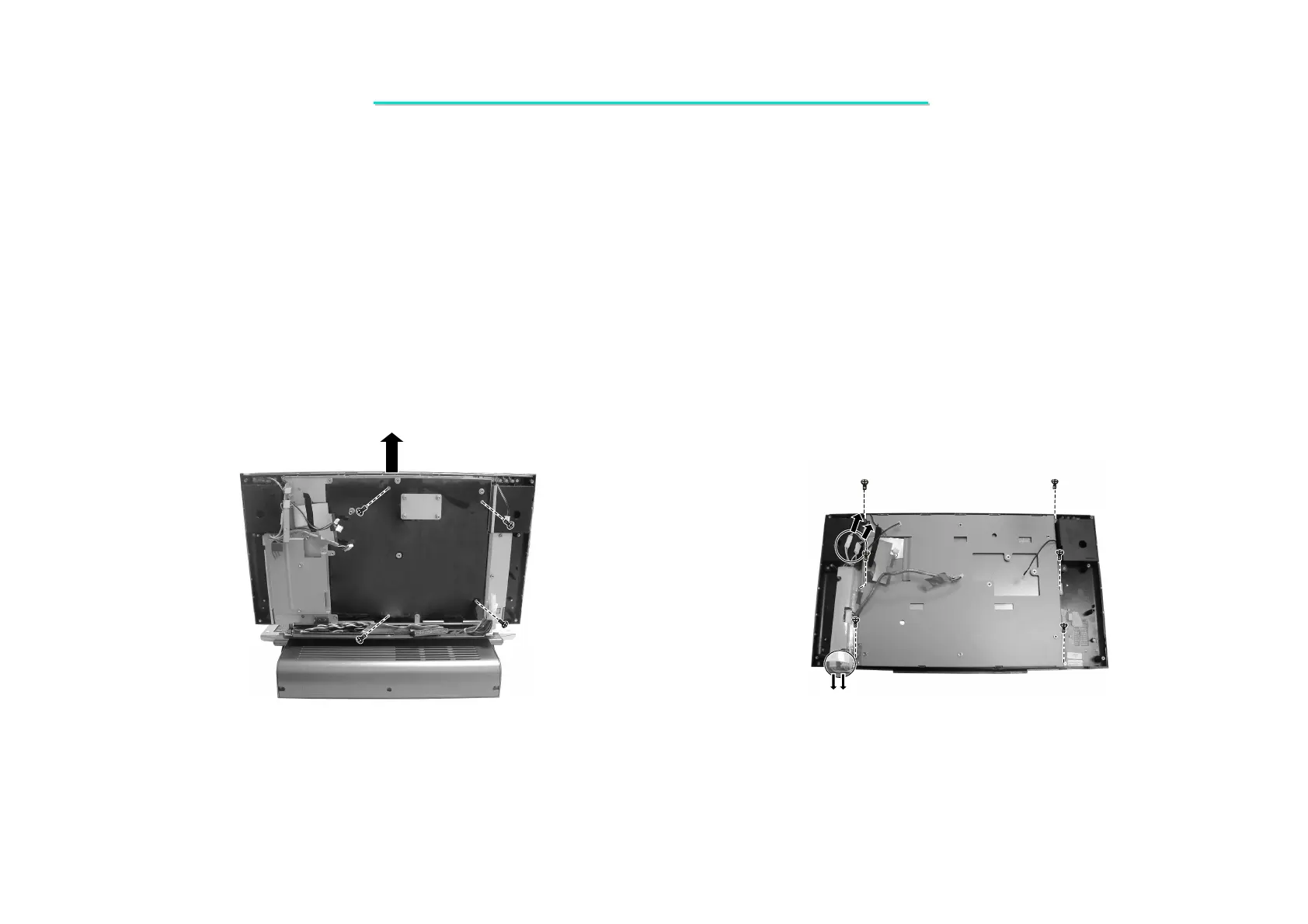
5. Disconnect four cables from inverter board. Then disconnect six screws fastening the LCD KIT. (Figure 2-24)
Figure 2-23 Remove the LCD KIT Figure 2-24 Remove the LCD ASSY
4. Remove four screws fastening the LCD KIT, then lift it up from the pothooks. (Figure 2-23)



 To Next Page