124
LCD PC E
LCD PC E
-
-
8590 MAINTENANCE
8590 MAINTENANCE
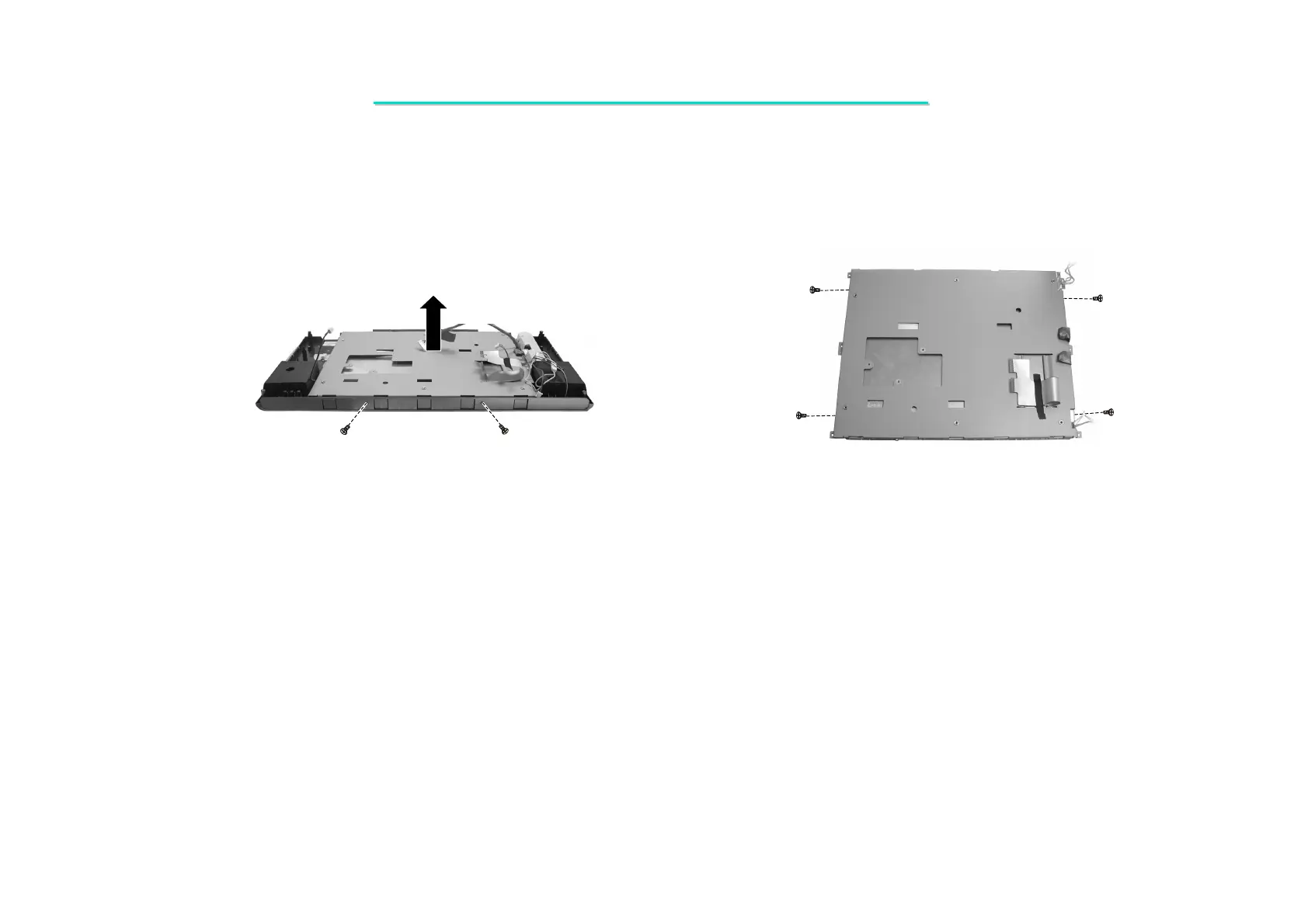
6. Detach the LCD label. To separate LCD panel, unscrew two screws fastening the LCD panel with LCD shielding.
(Figure 2-25)
7. To free the LCD panel, remove four screws fastening the shielding, then lift it up. (Figure 2-26)
Figure 2-25 Lift up the LCD panel Figure 2-26 Remove the LCD shielding
Reassembly
1. Fit the LCD panel back into the shielding and secure with four screws.
2. Replace the the LCD panel into LCD cover and secure with eight screws.
3. Reconnect four cables to inverter board.
4. Hang the LCD KIT on the system bracket of the base unit.
5. Fit two hinge covers and secure with two screws.
6. Assemble the system. (See instructions in previous sections)



 To Next Page