168
LCD PC E
LCD PC E
-
-
8590 MAINTENANCE
8590 MAINTENANCE
Board-level
Troubleshooting
Replace
Motherboard
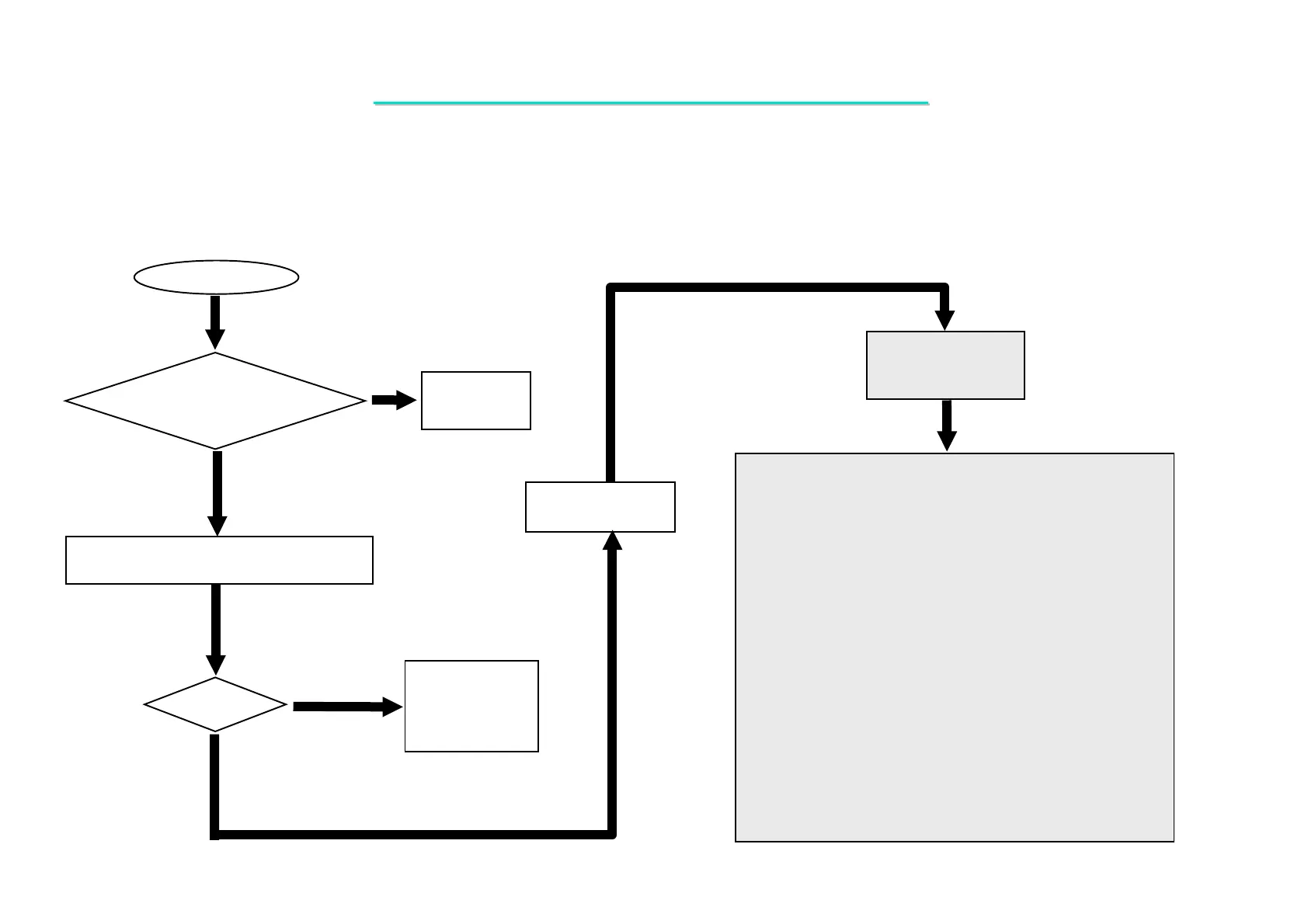
No power
Connect
AC adaptor
Replace the faulty
AC power
AC Power
OK?
No
Yes
No
Try another known good AC power
YES
Check the AC power connect
Ok?
When the power button is pressed, nothing happens ,power indicator does not light up.
One of the following parts on the mother-board may be
defective, use an multimeter to check the following signal or
replace the parts one at a time and test after each replacement.
Parts:
Signals:
VDD2.5
VDD5
+1.25V
+VCC-RTC
+VDD3
+12 VS
+5VS
+2.5VS
+12V_CPU
VCORE_1
+12V_CPU_INV
U3
J3
PU1
PQ2
PQ1
PL2
PU4
PU3
PU2
PR19
PR13
PR32
PQ7
PQ8
PQ5
PQ4
PQ6
PQ3
PQ2
PD501
PD502
PD503
PL4
PL3
PL2
BT1
R379
D27
U25
C374
C380
C301
C302
U25
C336
C335
D32
PQ12
PQ11
PU5
8.1 No Power



 To Next Page