184
LCD PC E
LCD PC E
-
-
8590 MAINTENANCE
8590 MAINTENANCE
Board-level
Troubleshooting
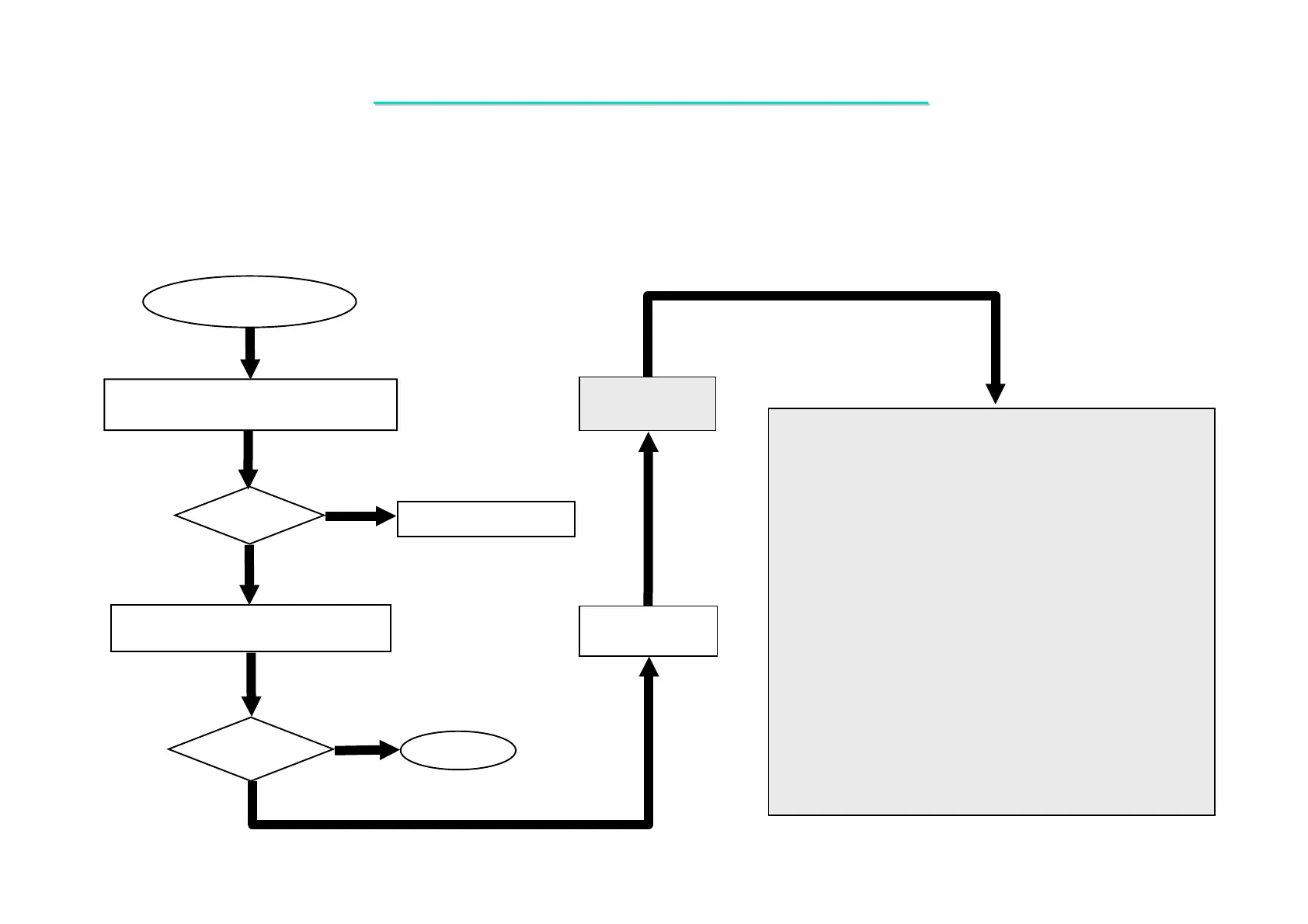
CD-ROM Driver
Test Error
One of the following parts or signals on the motherboard may
be defective, use an oscilloscope to check the signals or replace
the parts one at a time and test after each replacement.
Yes
No
PARTS: SIGNALS:
Re-boot
OK?
Replace the faulty parts.
1. Try another known good compact disk.
2. Check install for correctly.
Check the CD-ROM driver for proper
installation.
No
Re - Test
OK?
End
CDROM_RST
IRQ15
SDD [0:15]
SDDREQ
SDIOW#
SDDACK#
SDIOR#
SDA2
SDA0
SDA1
SDCS#3
SDCS#1
CD_RST#
RIRQ15
RDDS [0:15]
RSDDREQ
RSDIOW#
RSDDACK#
RSDIOR#
RDAS2
RDAS0
RDAS1
RCSS#3
RCSS#1
Yes
Replace
Motherboard
U18
J18
Q23
D503
RP71
RP72
RP73
R237
R236
C319
C320
8.8 CD-ROM Driver Test Error
Symptom: An error message is shown when reading data from CD-ROM drive.



 To Next Page