Mitel IP Phone User Reference Guide Release 4.1
53
features via the 5212/5312 phone” on page 57, “Volume control on the
5212/5312 phone” on page 73 and “Voice mail on the 5212/5312 phone” on page
73.
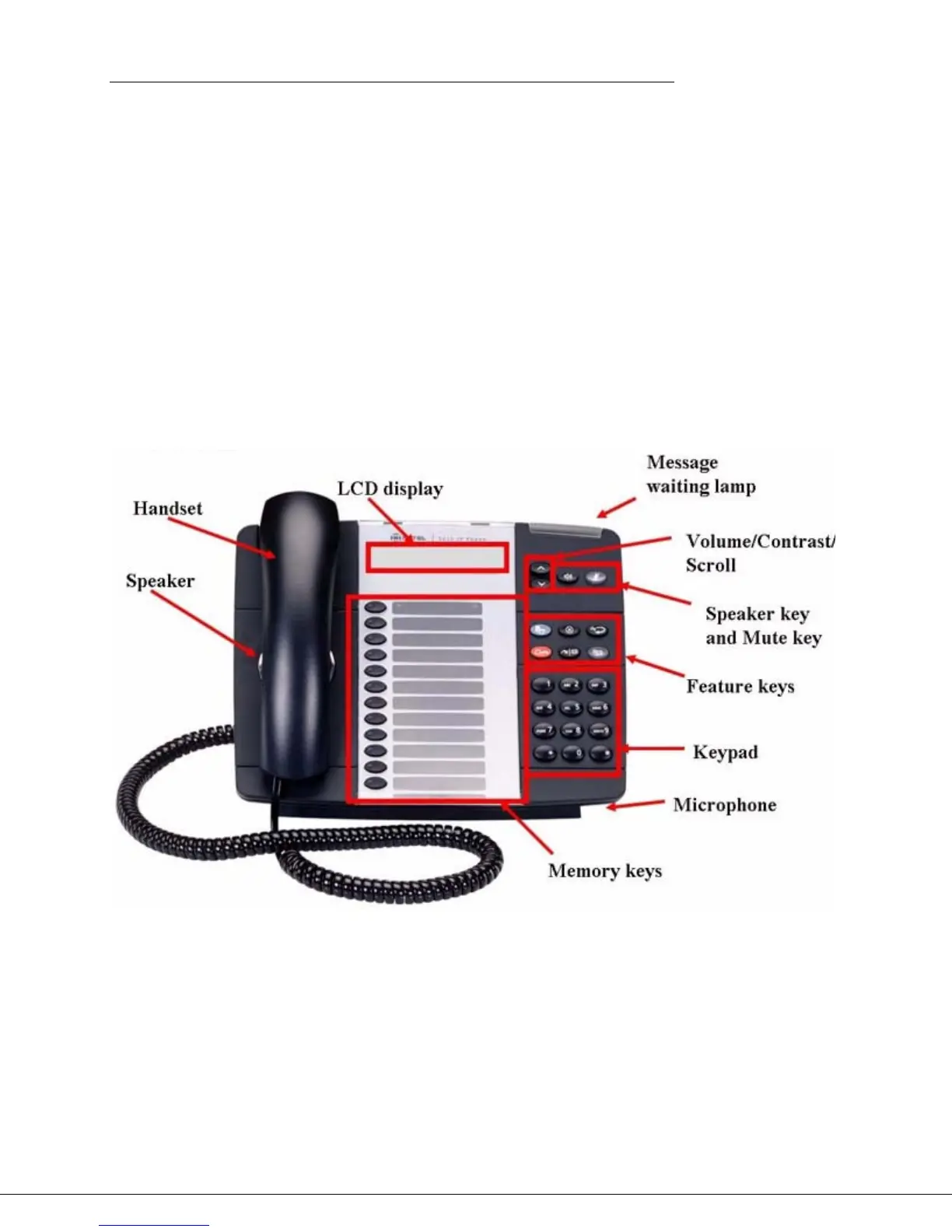
Mitel 5212/5312 IP phone
The Mitel 5212/5312 IP phone has the following features:
• Handsfree speaker phone (half duplex)
• 2-line, 20-character backlit LCD display
• 12 multi-function memory keys with color LEDs
• 6 fixed function keys, including Directory, Cancel, Redial, Hold,
Transfer/Conference, and Message
• Mute and Speaker keys
• Dedicated headset jack
• Wall mountable
Figure 3: Mitel 5212/5312 IP Phone
Initial set-up for Mitel 5212/5312 IP phone service
To set up your new phone service, follow these steps:
1. Activate your phone. See “Activating a Mitel 5212/5312 phone” on page 54.
2. Perform a Quick Set-up. See “Quick Set Up” on page 100.




 To Next Page